The Zapier to n8n migration stalls at the audit, not the build.
Teams open n8n on day one and start rebuilding. That is the failure mode. Audit your Zaps first, rebuild in priority order, run both in parallel, then cut over. And if you are in one of three situations, do not switch at all.
 By Ishan Vats · Founder of IV Consulting · builds AI agents & automations for 150+ teams
 Step 1 · Audit, do not build yetInventory every Zap before you open n8n
 Step 2 · Rebuild in priority orderHighest value first, not alphabetically
 Parallel runWatch for double alerts
 Same senderReauth every connection
 Then cut overOne record, not two
To migrate from Zapier to n8n, work in this order: audit every existing Zap first, deploy n8n, rebuild the highest-value workflows in priority order, run both platforms in parallel, then cut over and archive the Zaps. The step teams skip is the first one. They open n8n on day one, start rebuilding whatever they remember, and stall halfway through because nobody knows which Zaps still matter or what depends on them. The migration is rarely blocked by n8n being harder. It is blocked by not knowing what you actually have. And if your automations are simple, your team is non-technical, or Zapier is not costing you real money, our honest verdict is that you should not migrate at all.
The verdict
Should you migrate from Zapier to n8n in 2026?
Our verdict: migrate only if your Zapier bill is being driven by task volume rather than workflow count, and only if someone on your side can own a self-hosted or cloud n8n instance after handover. Otherwise stay on Zapier. That is a narrower recommendation than most migration guides give, and we make it deliberately.
Here is the reasoning, because a verdict without one is just an opinion:
- The cost case is real, but only above a threshold. Zapier bills per task, so a workflow with fifteen steps costs roughly fifteen times a workflow with one. n8n bills per workflow execution, so step count is close to free. Teams running high-step, high-volume automations see the gap widen fast. Teams running twenty simple two-step Zaps will not notice it at all. We covered the underlying billing math in execution-based vs task-based automation pricing.
- The capability case is stronger than the cost case. The teams who are happiest after migrating did not move to save money. They moved because they hit something Zapier would not let them do: custom code in the middle of a flow, a self-hosted instance for data that cannot leave their infrastructure, branching logic that got ugly in Paths, or an AI step they wanted to control properly.
- The ownership case is the one that kills migrations. n8n hands you more control and hands you the maintenance with it. If nobody on your team wants to own that, you have not saved money. You have moved a subscription cost into a people cost and made it invisible.
None of that is the reason migrations fail, though. Migrations fail earlier and more mundanely: the team opens n8n before it has any idea what it is actually migrating. That is the whole subject of the next section, and it is the single highest-leverage thing in this guide.
The failure mode
Why do Zapier to n8n migrations stall halfway through?
Because the team opens n8n before it audits Zapier. That single sequencing mistake causes more abandoned migrations than any technical limitation in either platform.
The pattern is predictable. Somebody signs up for n8n, rebuilds the two or three workflows they remember clearly, and feels good about it. Then the long tail arrives: the Zap somebody in sales built eighteen months ago, the one that only fires at month end, the one nobody can explain but everybody is scared to turn off. Now the team is halfway between two platforms, paying for both, and the momentum is gone.
Three things make that long tail worse than people expect:
- Zaps accumulate without an owner. Most were built by whoever needed them, not by whoever maintains them. By migration time the builder has often left, and the documentation is the Zap itself.
- Dead Zaps look identical to live ones. A Zap that has not done anything useful in a year still sits in the list looking important. Without usage data you will faithfully rebuild automations nobody needs, which is the most expensive way to waste a migration.
- Hidden dependencies only surface at cutover. A Zap writing to a sheet that another Zap reads from is invisible until you switch one off and quietly break the other.
None of this is hard. It is just unglamorous, which is exactly why it gets skipped in favour of opening the new tool. The audit is the migration. The rebuild is the easy part.
Step zero
What should you audit before you open n8n?
One row per Zap, seven columns. Do not open n8n until this table exists.
Export your Zap list and capture these for every single one, including the ones you are sure are dead:
- What it actually does, written in one plain sentence a non-technical colleague would understand. If you cannot write that sentence, you do not understand the Zap well enough to rebuild it.
- Trigger and run frequency. Instant, scheduled, or manual, and roughly how often it fires. This is what tells you whether it is alive.
- Task consumption. Zapier reports task usage per Zap. This is the column that identifies your expensive workflows, and those are the ones worth migrating first. If the expensive ones contain AI by Zapier steps, check their model tier before you migrate anything: dropping a classifier from the Premium default to Standard can cut that step's tasks by 80 percent, as our AI by Zapier pricing guide shows.
- Every app and account it touches. Not just the app, the specific account, because reauthorising connections in n8n is the tedious part nobody budgets for.
- Business owner. A named person who cares if it stops. Any Zap with no owner is a candidate for deletion, not migration.
- Dependencies. Does anything downstream read what this Zap writes? Sheets, CRM fields, and Slack channels are the usual culprits.
- Keep, kill, or merge. The decision column, filled in last, once you can see the whole list.
That last column is where the value is. Every migration we have been close to has produced the same surprise: a meaningful share of Zaps get killed rather than rebuilt, because seeing all of them in one table makes the redundancy obvious for the first time. Several near-identical Zaps built by different people usually collapse into one better workflow.
This is also the moment to be honest about what you are really buying. Rebuilding your automations somewhere cheaper does not fix automations that were badly designed in the first place. If your processes upstream are messy, migrating them just relocates the mess. That is the argument for fixing the Foundation before the plumbing.
The playbook
How do you actually migrate from Zapier to n8n?
Five steps, in this order. The order is the method. Doing step three before step one is how migrations die.
If this shape looks familiar, it should. It is the same sequence that works for any tool migration where people depend on the old system while you build the new one, which is why our Asana to ClickUp migration guide follows the same spine. Audit, stage, rebuild by value, run in parallel, cut over.
The one variable this sequence cannot absorb is a deadline you did not choose. When the old platform is switching itself off, the parallel-run window is fixed and the audit has to happen in days rather than weeks. That is the situation Relay.app users are in right now, and we worked through the compressed version of this same sequence in Relay.app is shutting down: verified dates, where to move.
Audit every Zap before you touch n8n
Build the seven-column table from the previous section. Fill in the keep, kill, or merge column last, once the whole list is visible. Expect to kill more than you think, and expect several near-duplicate Zaps to merge into one cleaner workflow.
Done when: every Zap has an owner, a plain-English description, and a decision. Not before.
Deploy n8n and decide cloud or self-hosted now
Make this call before you build, because it is annoying to reverse. n8n Cloud is the sensible default: no infrastructure to run, and it removes the maintenance objection entirely. Self-hosted is the right answer when data residency is a real constraint or when your execution volume makes the economics obvious, and it is only the right answer if someone will own patching and backups.
Done when: the instance is live, a named person owns it, and you have connected and tested one credential end to end.
Rebuild in priority order, highest value first
Rebuild by business value and task consumption, not alphabetically and not by whatever is easiest. Your most expensive and most business-critical workflow goes first, for two reasons: it delivers the savings that justify the project while attention is still high, and it surfaces every hard problem in your stack while you still have the energy to solve them.
Rebuild, do not translate. A Zap is a linear chain because Zapier is built around linear chains. In n8n the same outcome is often one workflow with a branch instead of four near-identical Zaps. Porting node for node carries your old constraints into your new tool.
Done when: the rebuilt workflow produces byte-identical output to the Zap on the same test input.
Run both platforms in parallel, deliberately
Keep the Zap on and the n8n workflow running beside it, then compare outputs. This is the step that catches the silent failures: a date format that shifted, a field that maps to the wrong CRM property, an edge case the Zap handled through a setting nobody remembered. It is also where you find out that n8n retries nothing by default, so before you cut over, read what each platform actually does when a workflow fails and build the error workflow first.
Guard against double-firing. Two live automations writing to the same place means duplicate records and duplicate customer emails. Point n8n at a test channel, a staging record, or a log-only branch until you trust it. This is the single most common way a migration embarrasses you in front of a customer.
Done when: outputs match across a full business cycle, including whatever happens at month end.
Cut over, then archive rather than delete
Turn the Zap off, watch for a week, then archive it. Do not delete immediately. A disabled Zap is documentation of what the automation used to do, and it costs nothing to leave in place while you are still learning what you missed.
Cancel or downgrade the Zapier plan only after everything has run through one complete cycle. Cancelling early to capture the saving is a false economy that has sent more than one team scrambling.
Done when: Zaps are off and archived, n8n has run a full cycle unattended, and the runbook is written down somewhere other than one person's memory.
The gotchas
What actually breaks when you rebuild a Zap in n8n?
There is no import button. Every Zap gets rebuilt by hand, and these are the places where the mapping is not one to one.
| In Zapier | In n8n | What to watch for |
|---|---|---|
| Trigger | Trigger node | Polling intervals differ. A Zap you thought was instant may not be, and the reverse is also true. |
| Action step | Regular node | Broadly similar. This is the part that maps cleanly. |
| Paths | Switch or IF node | The biggest structural win. Several parallel Zaps often collapse into one branched workflow. |
| Filter | Filter or IF node | n8n stops the branch rather than the run. Check what continues downstream. |
| Formatter | Set, Code, or expression | No direct equivalent. Date and number formatting is where output quietly diverges. |
| Code by Zapier | Code node | Fewer restrictions in n8n, so this usually gets easier rather than harder. |
| Looping | Native item-based looping | n8n passes arrays between nodes by default. This changes how you think, not just what you click. |
| Error handling | Error workflow | Set one up on day one. Zapier emails you on failure. n8n will not until you tell it to. |
| App connections | Credentials | Every single one gets reauthorised by hand. This is the most underestimated task in the whole project. |
| Task-based billing | Execution-based billing | Step count stops mattering. Workflows you split to save tasks can be merged back together. |
Two rows deserve emphasis. Credentials are where migration timelines slip, because reauthorising thirty connections across accounts you may not control is slow, boring work that cannot be parallelised or automated. Error handling is where migrations get embarrassing, because Zapier's failure emails have quietly been your monitoring system for years, and n8n gives you nothing until you build it.
The formatter row is the subtle one. Zapier's Formatter steps encode a lot of small decisions about dates, currencies, and text casing that nobody wrote down. Rebuilding them from memory is how outputs drift, and it is exactly what step four in the sequence above is designed to catch.
The unpopular part
When should you not migrate from Zapier to n8n?
Three situations where staying on Zapier is the better business decision, and we will say so even though we build on n8n for a living.
- Your automations are simple and few. If you run a modest number of two or three step Zaps, the migration will cost you more in hours than the subscription difference returns. Task-based billing only punishes you when steps multiply. If your workflows are short, Zapier is doing exactly what you are paying it for.
- Nobody on your team will own it. n8n gives you more control and expects more from you in exchange. Error workflows, credential rotation, version upgrades, and infrastructure if you self-host. If the honest answer to "who owns this in six months" is nobody, you are not saving money, you are converting a visible subscription into an invisible fragility.
- Zapier is not actually your problem. This is the most common one. Teams reach for a migration when the real issue is that their processes are undefined, their data lives in five places, or the automations were poorly scoped from the start. Rebuilding a bad automation in a better tool gets you a bad automation in a better tool.
There is a fourth case worth naming: you might not need to choose. Running Zapier for the long tail of simple connections and n8n for the heavy, high-step, AI-involved workflows is a perfectly reasonable end state. The all-or-nothing framing is a habit from tool marketing, not a constraint of either platform.
If what you actually want is for the automations to work without you becoming an automation person, the honest answer may be that the tool is not the decision at all. We laid out that tradeoff in done-for-you vs DIY automation.
FAQ
Questions teams ask before they migrate
Can you import Zaps into n8n automatically?
How long does a Zapier to n8n migration take?
Is n8n actually cheaper than Zapier?
What breaks most often during a Zapier to n8n migration?
Should you choose n8n Cloud or self-hosted n8n when migrating?
Should every business migrate from Zapier to n8n?
Ishan Vats
Founder, IV Consulting · AI & automation consultant
I build production AI agents, automations, and MCP servers for teams from startup to enterprise. 150+ ops transformations over 10+ years. If you're weighing a move off Zapier, start by checking whether the migration pays back at all before you rebuild a single workflow.
Run my automation ROI numbers →Keep reading
Related guides and work
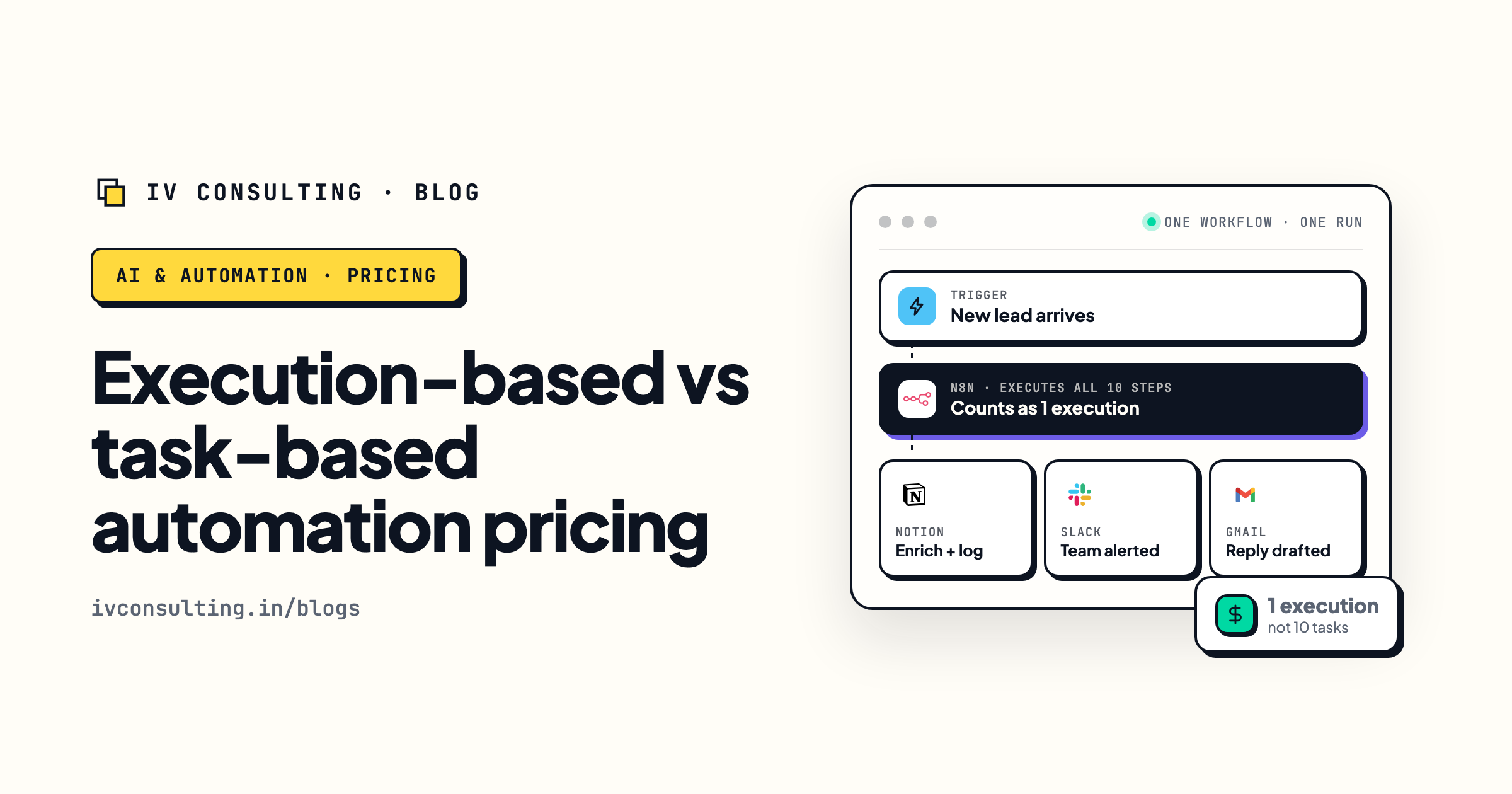
Execution-based vs task-based automation pricing
Why complex automations cost less on n8n, and the billing math behind the migration case.
Read the breakdown →
Zapier Agents vs Make AI Agents vs n8n
If you are still choosing a platform rather than migrating, start with this head to head.
Read the comparison →
The Automation stage, built for you
Your workflows audited, rebuilt, and handed over with the runbook written down.
See the offer →Not sure whether your Zaps are worth migrating?
Book a free 30-minute call. We will walk your actual Zapier account, tell you which workflows are worth rebuilding in n8n and which should simply be deleted, and hand you the migration order. If the honest answer is that you should stay on Zapier, we will say that instead.
Map my migration, free call →Free 30-minute call. Honest take, even if that means "do not migrate yet."