Zapier vs Make vs n8n: only one of the three retries a failure for you
Make retries three kinds of transient failure automatically, for almost eight hours, with nothing switched on. Zapier replays errored runs only if you pay for Professional. n8n retries nothing until you configure it, node by node. Here is what each one actually does when a run dies, and which one we would trust with a workflow that matters.
 By Ishan Vats · Founder of IV Consulting · builds AI agents & automations for 150+ teams
 ZapierReplays if you pay
 MakeRetries 8 times, free
 n8nNothing, by default
Of the three platforms, only Make retries a failed workflow automatically with nothing configured. Those retries are billable work, and since Make renamed operations to credits, each retried module still costs exactly 1 credit unless it is an AI step. It retries incomplete executions caused by rate limits, connection errors and module timeouts, 8 attempts over about 7 hours and 51 minutes. Zapier autoreplays errored runs on Professional, Team and Enterprise only, up to 5 attempts over about 10 hours and 35 minutes, and never autoreplays held runs. n8n retries nothing by default and does nothing on failure until you switch on Retry On Fail per node and attach an error workflow. Our verdict: Make has the best defaults, n8n has the highest ceiling, and Zapier has the most dangerous silence, because a Zap only turns itself off once 95 percent of its runs have errored in the last 7 days.
The failure nobody sees
Why does an automation break without anyone noticing?
Most automations break without anyone noticing because the platforms are built to keep running, not to raise an alarm. Automations do not usually fail loudly. They fail on a Tuesday afternoon, on one run out of two hundred, because an API was slow for eleven seconds. The workflow stops halfway. The lead never reaches the CRM. Nobody finds out until a client asks why they were never called back.
That is the failure mode that actually decides whether a small team keeps an automation running, and it is the one thing almost no Zapier vs Make vs n8n comparison covers. Every one of them compares app counts and pricing. Almost none of them tells you what the platform does at 3pm on the day a step returns a 503.
The three platforms answer that question very differently, and the differences are not marketing positions. They are documented behaviours you can read in each vendor's own help centre, and they change what you have to build on top. This post is that comparison: what happens automatically, what happens only if you paid for it, what happens only if you configured it, and what never happens at all.
The comparison
What do Zapier, Make and n8n do when a step fails?
The short version: Make retries the most, for free, but throws the failed run away unless you flipped a setting that ships off. Zapier retries only on paid tiers, and only for one class of failure. n8n retries nothing until you build it, then retries better than either.
| When a run fails | Zapier | Make | n8n |
|---|---|---|---|
| Automatic retry with zero setup | No. Autoreplay must be on, and only on paid tiers | Yes, for rate limit, connection and module timeout errors | No. Nothing retries until you enable it |
| Retry attempts | Up to 5 | 8 for system errors, 3 by default via the Break handler | Up to 5 per node, your choice |
| Retry window | About 10 hours 35 minutes from the first error | About 7 hours 51 minutes from the original run | Up to 5,000 ms between tries, so seconds, not hours |
| Which plans get it | Professional, Team, Enterprise. Not Free | All plans for system error retries | All, including self-hosted |
| Failures it will not retry | Held runs, ever | Anything outside the three system error types, unless handled | Anything you did not configure |
| Failed run stored for later | Yes, replayable for 60 days | Only if incomplete executions are enabled, and they are off by default | Only if you keep failed executions |
| Alerting a human | Email to the account owner | Notification on the scenario | Whatever your error workflow does, so anything |
| Auto disable on repeated failure | Only at 95 percent errors over 7 days | Scenario can be deactivated on repeated errors | Never, it keeps trying |
Platform one
Does Zapier retry a failed Zap automatically?
Zapier retries a failed Zap automatically only if you turned autoreplay on, and only if you are paying for it. Zapier's autoreplay is available on the Professional, Team and Enterprise plans, and is not available on Free. With it enabled, Zapier automatically replays any Zap run with an errored status, either account wide or per Zap.
The retry schedule is a backoff. Zapier attempts to replay the step up to 5 times, waiting 5 minutes, then 30 minutes, then 1 hour, then 3 hours, then 6 hours between attempts. The final replay happens about 10 hours and 35 minutes after the first error. That is a generous window, and it covers the most common real cause of failure, which is a third party API having a bad afternoon.
The catch is which failures qualify
Autoreplay only touches errored runs. It will not replay a run that was safely halted, and it will not replay a held run. Held is not a rare edge case: Zapier holds runs when an app connection has disconnected, when you hit your task limit, or when flood protection kicks in. Those are exactly the failures a small team hits, and they are the ones autoreplay leaves sitting there. You replay them by hand, in Zap history, within 60 days of the original trigger event.
So the honest summary is that Zapier's safety net is real, paid for, and has a hole in the middle of it shaped like your most likely outage.
And the Zap stays on almost no matter what
Zapier will turn a Zap off automatically, but the threshold is high: 95 percent of its runs erroring in the last 7 days. Team accounts get 24 hours of warning by email before that happens and Enterprise accounts get 72 hours. Below that threshold, a Zap that is failing most of the time simply keeps going. If you want to know that a workflow is degrading, you have to look, because the platform will not raise its voice until the workflow is effectively dead.
Platform two
How does Make handle a failed scenario run?
Make handles a failed scenario run better out of the box than either Zapier or n8n, and it is not close. For three specific system errors, RateLimitError, ConnectionError and ModuleTimeoutError, Make retries the incomplete execution automatically with no user action required at all. Not a setting. Not a plan tier. It just happens.
The schedule is an exponential backoff across 8 attempts, starting 1 minute after the original scenario run and ending 3 hours after the previous attempt, with the final try landing about 7 hours and 51 minutes after the original run. Those three error types cover most of what actually breaks in production: an API rate limiting you, a connection dropping, a module timing out.
The setting that ships off
Here is the part that costs teams data. Incomplete executions are disabled by default. You have to enable Store incomplete executions in the scenario settings before Make will keep the failed run, its error message, its mappings and the remaining flow. Without it, a failure that falls outside the auto retried error types is gone. There is nothing to inspect and nothing to resume.
There is also a ceiling. The maximum number of incomplete executions across every scenario in every team in your organisation depends on your usage allowance, and you get an error once you exceed it. So the queue is a buffer you are expected to clear, not a permanent archive.
The Break handler, for everything else
For errors outside the automatic three, Make gives you the Break error handler. Attach it to a module and configure how many times to reattempt and how long to wait between attempts. The defaults are 3 retry attempts with a 15 minute delay, and it is a fixed interval rather than an exponential backoff. Break retries only run automatically if you enable automatic scenario run completion in the handler settings, and it wants incomplete executions turned on to work properly.
Platform three
What does n8n do when a node fails?
When a node fails in n8n, nothing happens by default. The workflow stops at the failing node and that is the end of it. n8n ships with no automatic retry, no automatic replay and no automatic alert. Every bit of resilience on n8n is something you build.
Which is either the worst answer here or the best one, depending on whether anyone on your team will actually build it.
Retry On Fail is per node, and it is small
Open any node, go to Settings, switch on Retry On Fail and you get two fields: Max Tries and Wait Between Tries (ms). Both are capped. n8n confirmed in its own issue tracker, on version 2.0.3, that Max Tries reverts to 5 if you try to set it higher and the wait reverts to 5,000 ms if you try to exceed that, and closed the report as working as expected.
That cap matters more than it looks. Five tries at five seconds apart is a 25 second window. It will absorb a slow API. It will not absorb a provider that is down for ten minutes, which is precisely the outage Make's 7 hour 51 minute backoff and Zapier's 10 hour 35 minute replay window are designed for. On n8n, long outages are handled by re-running the execution, not by the node.
The Retry On Fail trap
Each node also has an On Error setting with three options: Stop Workflow, which is the default, Continue using the regular output, and Continue using the error output. If you enable Retry On Fail and set On Error to either Continue option, the node reports an error even when a retry succeeded. It was filed against n8n 1.57.0 in September 2024 and closed as not planned, so treat it as designed behaviour rather than a bug that will be fixed. If you want retries and a graceful fallback path in the same node, test that combination before you trust it.
Error workflows are the actual feature
The thing that makes n8n the strongest of the three, once configured, is the error workflow. Build a separate workflow starting with the Error Trigger node, then select it under the failing workflow's settings. When that workflow errors, the error workflow runs and receives the execution ID, the execution URL, the error message, the stack trace, the last node executed and the workflow details.
That is a full incident payload, and you can do anything with it. Post to a Slack channel with a link straight to the failed execution. Open a ClickUp task. Write a row to a Notion database. Page someone. Neither Zapier nor Make gives you that level of control over what happens at the moment of failure, and it is the difference between finding out in six seconds and finding out in six days.
If you are building on n8n and have not set an error workflow yet, that is the first thing to do after your first automation goes live. Our walkthrough on building your first AI agent workflow with n8n covers the build; this is the part that keeps it alive afterwards.
The verdict
Our verdict: Make out of the box, n8n once someone owns it
Comparison posts usually end in "it depends." Here is the version with an opinion, based on how these builds actually go wrong after handover rather than on how the feature lists read.
If nobody will maintain it, use Make. Make is the only one of the three that protects an unattended workflow with zero configuration, and rate limits, dropped connections and timeouts are the overwhelming majority of what breaks. Eight retries over nearly eight hours, free, on every plan, is a genuinely good default. Turn on incomplete executions on day one and you have a resilient automation that an ops person can own.
If the workflow is load bearing and someone technical owns it, use n8n. The default is the worst of the three and the ceiling is the highest by a distance. An error workflow that posts the execution URL into the channel where your team already works turns a silent failure into a two minute fix. Nothing on Zapier or Make matches it. The cost is that you have to build it, and a team that will not build it should not choose n8n for reliability.
Zapier is fine, if you are on Professional and you know what held means. Autoreplay is a real safety net and the backoff is the longest of the three. But it is paywalled, it ignores held runs, and the 95 percent auto disable threshold means the platform will never tell you a workflow is quietly degrading. On Zapier, monitoring is your job, not the platform's.
The fix
What should you switch on this week?
Whichever platform you are on, the hardening job is about thirty minutes. Here is the list, per platform, in the order we do it.
On Zapier
Enable autoreplay account wide if you are on Professional or above. Then open Zap history, filter to held runs, and find out how many are sitting there right now. Autoreplay will never touch them. Put a recurring 15 minute check in someone's calendar, because the platform will not tell you until 95 percent of runs are failing.
On Make
Turn on Store incomplete executions in the settings of every scenario you care about. Add a Break error handler to any module that calls an external API, and enable automatic scenario run completion on it so the retries actually fire. Then check the incomplete executions tab weekly, because it has a cap tied to your usage allowance.
On n8n
Build one error workflow starting with the Error Trigger node that posts the error message and the execution URL to Slack, then attach it to every production workflow. Add Retry On Fail to nodes that call external APIs, 3 tries at 2,000 ms is a sensible baseline. Then break something deliberately to prove the alert arrives, because you cannot test it manually.
On all three: make the failure land where people already look
The single highest return change is not a retry setting. It is making sure a failure produces a message in the channel your team reads every day, with a link that opens the failed run. Retries buy you time. An alert is what turns a silent failure into a fixed one. That plumbing is exactly what the Automation stage exists to install, and if you would rather see the failure path designed properly from the start, that is the conversation to have.
If reliability is the reason you are considering a move off Zapier, sequence it properly rather than rebuilding everything at once. We walk through it in the Zapier to n8n migration guide.
FAQ
Questions owners ask about automation failures
Does Zapier automatically retry a failed Zap?
Does Make retry a failed scenario automatically?
Why does Make lose my failed runs?
Does n8n retry failed nodes by default?
What is an n8n error workflow and why does it matter?
Will my automation platform tell me when a workflow is failing?
Which platform is most reliable for a small business?
Can IV Consulting make my automations fail safely?
Ishan Vats
Founder, IV Consulting · AI & automation consultant
I build production AI agents and automations across Zapier, Make and n8n, and I hand them over, which means the failure path has to work without me. 150+ ops transformations over 10+ years. Want to know what your own workflows are worth protecting?
Run the AI agent ROI calculator →Keep reading
Related guides and work

n8n vs Make vs Zapier AI agents
The same three platforms on features, agent depth and billing model, with our pick for each situation.
Read the comparison →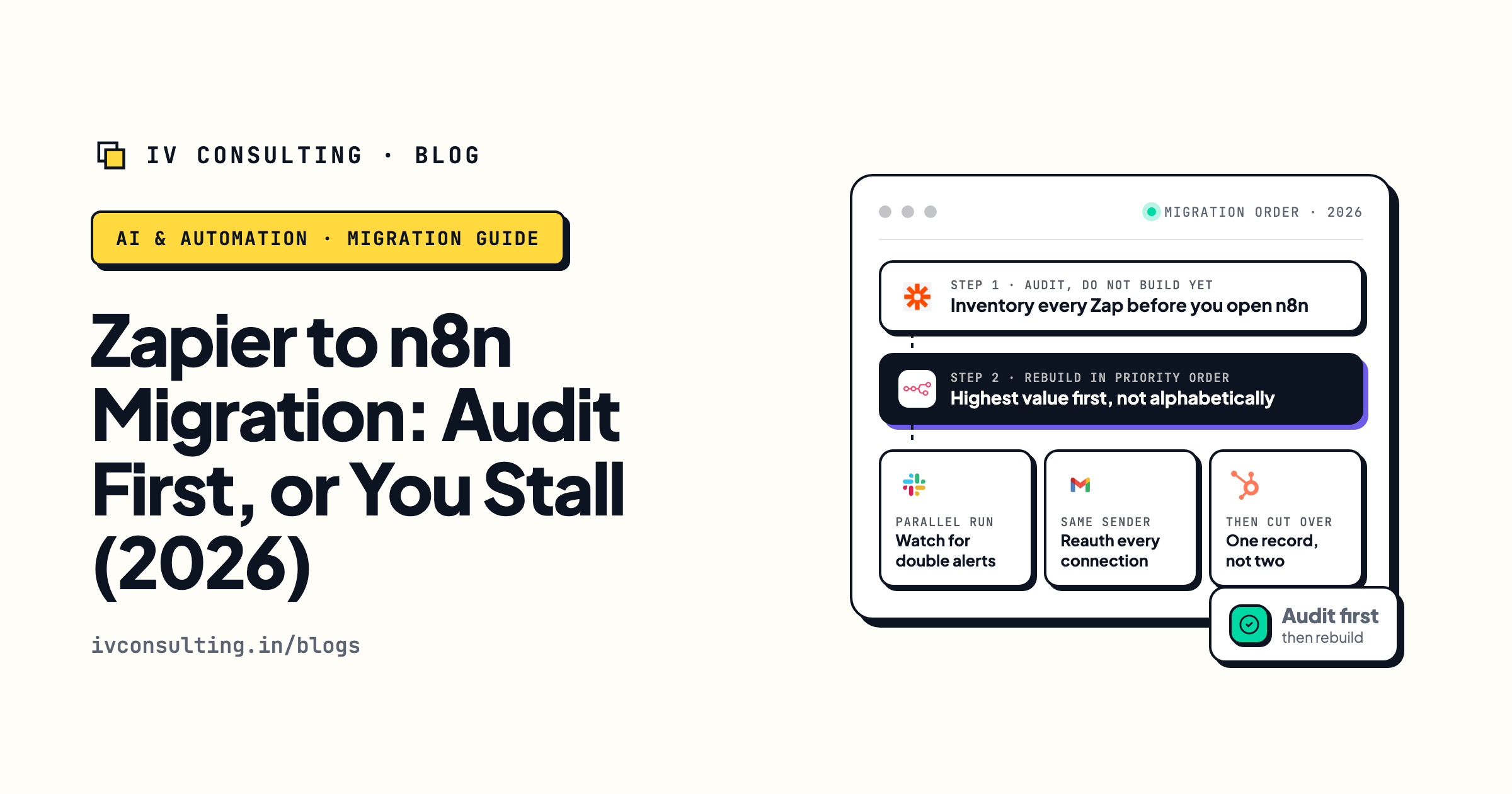
Zapier to n8n migration guide
If reliability is why you are moving, here is the order to rebuild in without breaking what works.
Read the guide →
The Automation stage, built for you
Your tools connected, the busywork gone, and a failure path that reaches a human who is not us.
See the offer →Would you know if your automations stopped?
Book a free 30-minute strategy call. We will look at what you run today across Zapier, Make and n8n, tell you where a failure would go unnoticed, and show you the smallest change that turns a silent failure into an alert. If you do not need us yet, we will say so.
Book a Free Strategy Call →Free 30-minute call. Honest take, even if that means "you do not need us yet."