How to build an AI agent workflow with self-hosted n8n without losing your work
Run n8n on infrastructure you own, keep every workflow and credential safe forever, and ship a real AI agent end to end.
 By Ishan Vats · Founder of IV Consulting · builds AI agents & automations for 150+ teams
 AI Agent · ClaudeReason + draft reply
 NotionLogged
 SlackTeam alerted
 GmailDraft staged
To build an AI agent workflow with self-hosted n8n, run n8n in Docker with a persistent volume so your workflows and credentials are never deleted, then chain a Webhook trigger into an AI Agent node and out to your tools like Notion, Slack, and Gmail. The single most important step most guides skip is persistence: if you run n8n without a named volume, every automation you build is wiped the moment the container stops.
The foundation
What is self-hosted n8n, and why run it yourself
Self-hosted n8n is the fastest way to run real AI automations on infrastructure you own, with no per-execution fees and no vendor lock-in. But there is a trap in almost every "install n8n with Docker" tutorial online, and it costs people hours of lost work. This guide fixes that. You will get n8n running, keep your data safe forever, and build a working AI agent workflow end to end.
n8n is an open source workflow automation tool, similar in spirit to Zapier or Make, but you host it yourself. That difference matters more than it sounds:
- You own your data. Workflows, credentials, and execution history live on your machine, not a third-party cloud.
- No per-task billing. Run 100 or 100,000 executions a month at the same cost.
- Full AI control. Plug in your own Anthropic or OpenAI keys and build true AI agents, not just rigid if-this-then-that rules.
The trade-off is that you are responsible for running it and keeping the data safe. That is exactly what the next section protects you from.
The trap
The mistake that deletes all your workflows
Most tutorials tell you to run this:
Here is why, in plain terms:
--rmtells Docker to destroy the container the moment it stops.- No volume means there is nowhere for your data to live outside that container.
So the instant you close the terminal, reboot, or the container restarts, your container is thrown away and there is no saved copy to come back to. Every workflow, every saved credential, gone. This is the most common reason people give up on self-hosted n8n, and it is completely avoidable.
The fix is one concept: a persistent volume. A volume is a storage area that lives outside the container, managed by Docker. Your container can be deleted, upgraded, or recreated a hundred times, and the volume keeps your data intact. Think of the container as a disposable player and the volume as the saved game file.
The safe setup
Run self-hosted n8n the way that never loses your work
Install Docker
Docker is the engine that runs n8n in a clean, self-contained box, so you do not have to install Node.js or juggle dependencies by hand.
On Mac or Windows: Download Docker Desktop from docker.com, install it, and open it once. On first launch it asks you to accept the terms and enter your password to set up its helper. Let it finish starting. The whale icon in your menu bar or system tray stops animating when it is ready.
On Linux: Install Docker Engine and the Compose plugin from the official docs.
Confirm it works:
If both print a version number, you are ready.
Run n8n the safe way (with persistence)
Instead of a throwaway command, use a small recipe file called docker-compose.yml. It is reusable, readable, and it wires in persistence, auto-restart, and a stable encryption key for your credentials. Create a folder for your project, for example n8n, and inside it create two files.
File 1: .env holds your secret encryption key and timezone:
To generate a strong key, run openssl rand -hex 24 and paste the result in. This key is what unlocks your saved credentials, so if you ever lose it, n8n keeps your workflows but can no longer decrypt your API keys and passwords.
File 2: docker-compose.yml
Start it:
The first run downloads the n8n image, which takes a minute. After that, n8n is live at http://localhost:5678 and will automatically come back after reboots.
n8n_data volume keeps every workflow, execution, and credential outside the container. restart: unless-stopped brings n8n back after a reboot. The fixed key in .env keeps your credentials decryptable across rebuilds. No --rm, so nothing is ever auto-destroyed.
Create your account and open the editor
Open http://localhost:5678 in your browser. A quick note on what "localhost" means: it is simply your own computer, not a login or a session that can expire. Closing the browser tab does not touch your data. n8n keeps running in the background, and your workflows stay saved in the volume.
On the first screen, create your owner account with an email and password. You are now in the n8n editor, ready to build.
The build
Build the AI agent workflow
An agent that receives a request, reasons over it with an AI model, logs it to Notion, alerts your team in Slack, and drafts a follow-up email. Add each node with the + button and connect them in order.
Webhook (the trigger)
Add a Webhook node. Set the HTTP Method to POST and Response Mode to Last Node. This gives you a URL that any app or form can call to kick off the agent.
AI Agent (the brain)
Add an AI Agent node and connect your Anthropic or OpenAI API key as a credential. Give it a clear system prompt that defines its job:
The AI Agent node can reason and decide, which is what separates a real agent from a fixed rule. Claude tends to produce more natural, less generic copy, which matters when the output becomes an email.
Notion (the record)
Add a Notion node, set the action to create a new database entry, and map the AI summary and urgency into your chosen properties. Now every request is logged automatically, with no manual copy-pasting.
Slack (the alert)
Add a Slack node and send a notification to your team channel with the summary and urgency, so nothing slips through. Response time drops from hours to minutes.
Gmail (the follow-up)
Add a Gmail node and set the action to Create Draft, not Send. This is deliberate. You want a human to glance at the AI-written reply before it goes out, especially early on. Once you trust it, you can switch to Send.
Connect the nodes in order: Webhook to AI Agent to Notion to Slack to Gmail. Save the workflow.
Test before you go live
Click Test Workflow and send a sample request to your webhook URL. Watch each node light up green as it runs, and open each one to confirm the data passed through correctly. Fix any node showing red before you activate. Only when the full chain runs clean should you toggle the workflow to Active.
Once it is live, remember that n8n does nothing on failure unless you tell it to. Attaching an error workflow is the next thing to build, and we cover it alongside how Zapier and Make handle failures differently.
The comparison
The throwaway command vs the safe setup
Same tool, two very different outcomes. The only real difference is whether your data lives outside the container. Here is the throwaway command from most tutorials, side by side with the persistent setup in this guide.
| Setting | Throwaway command | Safe setup (this guide) |
|---|---|---|
| Data persistence | None, lost on stop | Named volume n8n_data keeps everything |
| Auto-delete (--rm) | Destroys the container on stop | Not used |
| Survives reboot | No | Yes, restart: unless-stopped |
| Credential encryption key | Not set | Fixed key in .env |
| Port | 5678 | 5678 |
| Best for | A 5-minute throwaway demo | Real automations you keep |
Keep it safe
How to back up and move your n8n
Because you host it yourself, you control the backups. Two simple options.
1. Export workflows from the UI
Each workflow has a Download option that saves a .json file you can import elsewhere. This is good for moving individual automations. Credentials do not export this way, by design.
2. Snapshot the whole volume
This captures everything, credentials included. From your project folder, run:
Keep that archive plus your .env file together. With both, you can restore your entire n8n on any machine.
n8n_data volume. To reach your automations from anywhere, run n8n on a small cloud server instead, or use a managed host.
FAQ
Questions people ask before they start
Will my workflows be deleted if I close the browser or restart my computer?
docker compose down -v or docker volume rm n8n_data. A plain docker compose down is safe.Why should I avoid the docker run --rm command from other tutorials?
--rm flag destroys the container when it stops, and without a volume there is no saved data, so everything you built is lost. Always run n8n with a named volume, as shown in this guide.Does logging into Docker back up my n8n workflows to the cloud?
Do I need to set an encryption key?
.env file means your credentials keep working even if you recreate the container or restore from a backup. If the key changes, stored credentials can no longer be decrypted.Can I use Claude or GPT models in the AI Agent node?
Is self-hosted n8n free?
Ishan Vats
Founder, IV Consulting · AI & automation consultant
I build production AI agents, automations, and MCP servers for teams from startup to enterprise. 150+ ops transformations over 10+ years. If you want this mapped to your own stack, I'll do it with you on a free call.
Book a free strategy call →Keep reading
Related guides and work
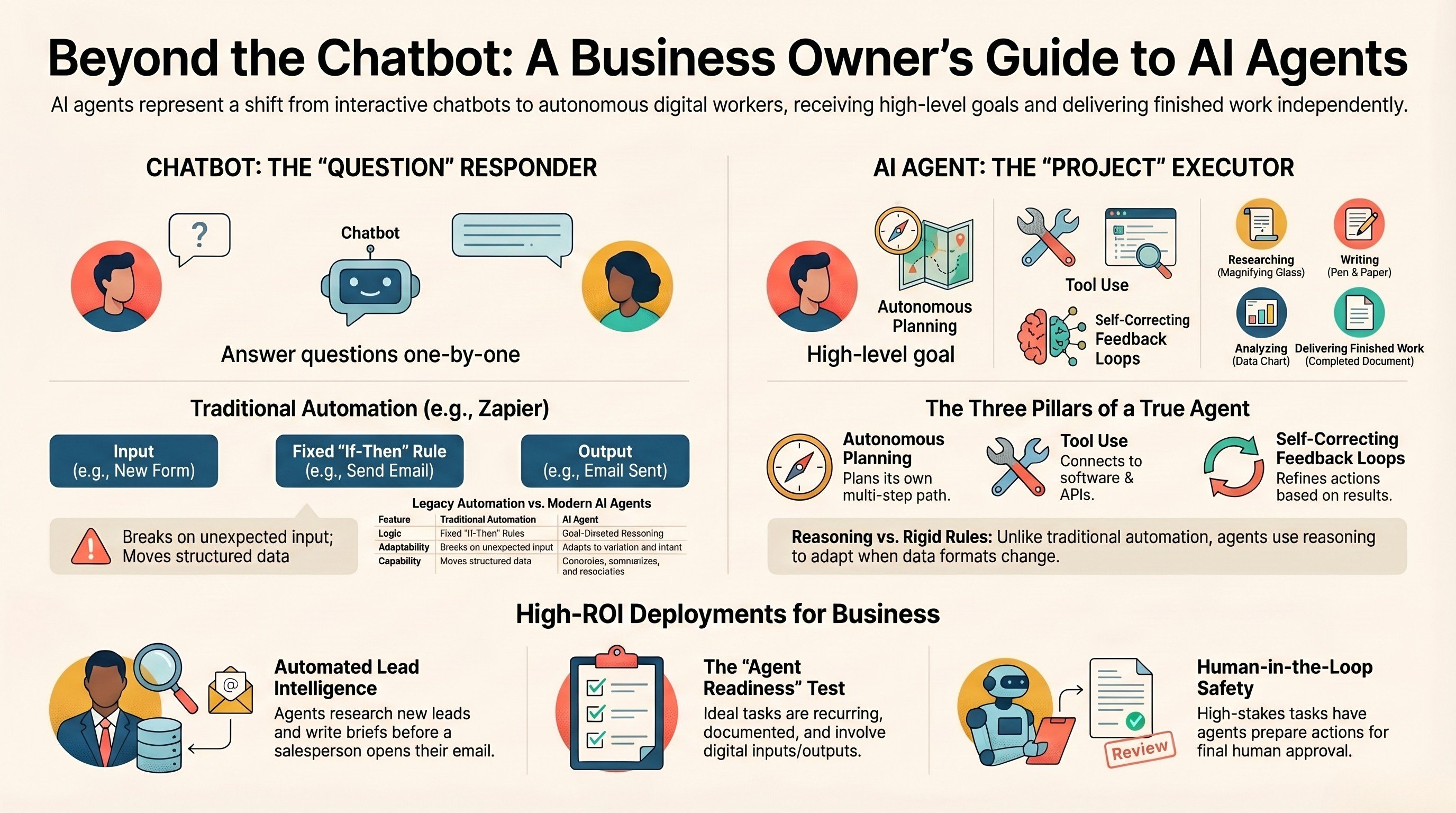
What is an AI agent? A guide for business owners
The plain-English version of what an agent actually is, and where it pays off.
Read the guide →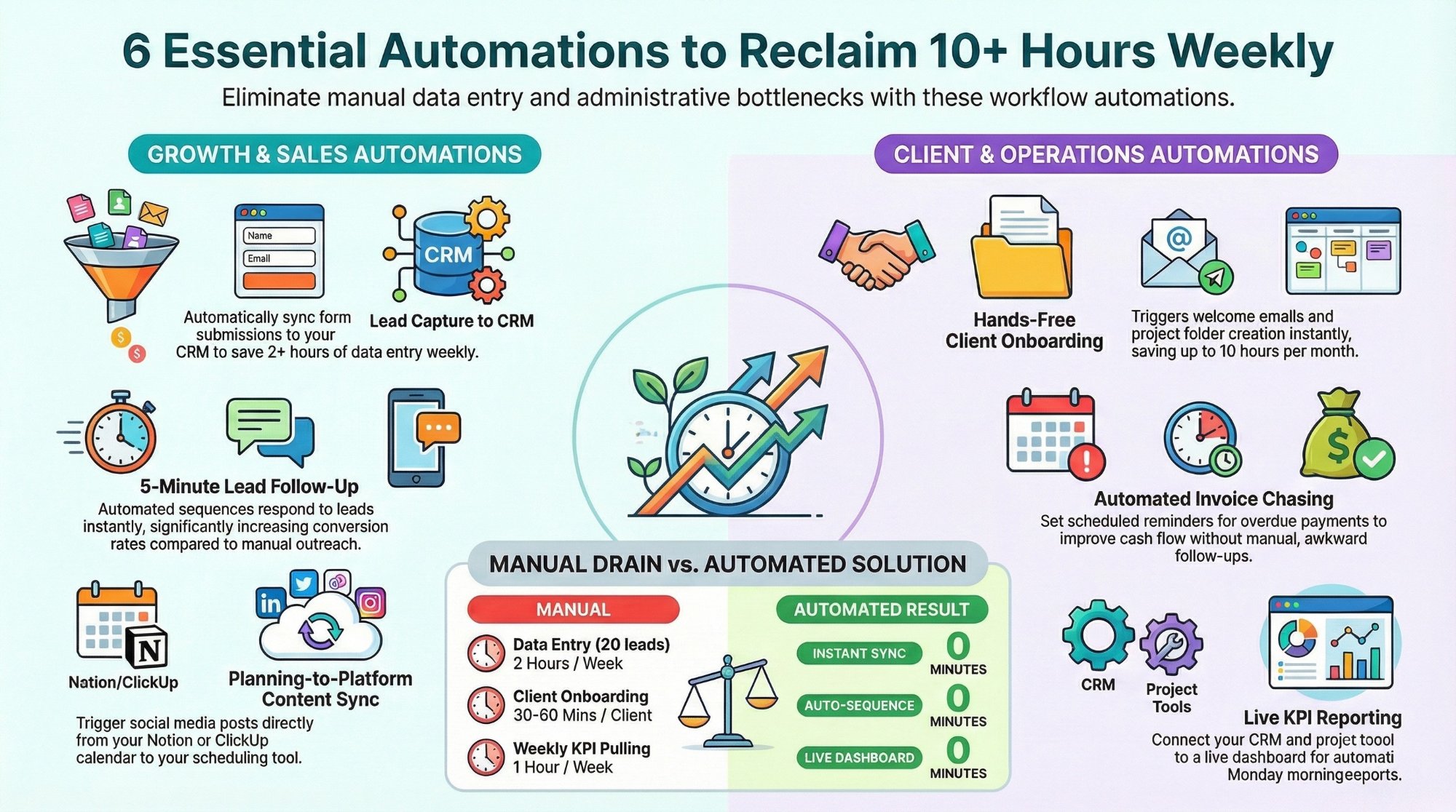
Workflow automations every business owner must set up
The starter automations that reclaim 10+ hours a week with Make, n8n, and Zapier.
Read the playbook →
The Automation stage, built for you
See what this looks like at full scale: your tools connected, the busywork gone.
See the offer →Want your automation stack built for you?
Book a free 30-minute strategy call. We will map your highest-ROI workflows and give you a build roadmap on the spot. If we are not the right team for you, we will say so and point you somewhere better.
Book a Free Strategy Call →Free 30-minute call. Honest take, even if that means "you do not need us yet."