6 workflow automations every business owner must set up to save 10+ hours a week
You did not start a business to copy-paste data between apps or chase the same follow-up for the tenth time. These six automations take that work off your plate, often in a single afternoon.
 By Ishan Vats · Founder of IV Consulting · builds AI agents & automations for 150+ teams
Some links below are affiliate links. If you buy through them we may earn a commission, at no extra cost to you.
 Automation engineMake or n8n
 LogNotion
 NotifySlack
 EmailGmail
The six must-have automations are lead capture to CRM, client onboarding, invoice follow-up, content publishing, lead follow-up, and weekly reporting. Built with Make, n8n, or Zapier, they remove the most time-consuming manual work and save most teams 10 to 15 hours every week. Start with lead capture and onboarding alone for 5 to 8 hours back.
The fastest win
Lead capture to CRM: stop manual data entry for good
Every time a potential client fills out your contact form, books a call, or sends a LinkedIn message, that information needs to land somewhere immediately. Most business owners manually copy lead details into their CRM. That takes 3 to 5 minutes per lead. At 20 leads a week, that is two full hours lost to data entry alone.
The automation: connect your form tool directly to your CRM such as Pipedrive, HubSpot, or Notion using Make or Zapier. The moment someone submits, a contact is created, tagged with the source, and assigned to the right owner. Zero manual effort. Zero leads falling through the cracks. Build this one first. The return is immediate.
The admin killer
Client onboarding on autopilot
If your onboarding involves manually sending a welcome email, creating a project folder, setting up tasks, and sending an intake form, you are spending 30 to 60 minutes per new client on pure admin. At ten new clients a month, that is up to ten hours gone.
Set a single trigger, a payment confirmed, a contract signed, or a status change in your CRM, and automate the entire sequence:
Welcome email goes out
A personalised welcome email lands in the client's inbox within minutes, setting the tone before any human lifts a finger.
Project workspace is created
A project folder is created in ClickUp or Notion with the right template applied, ready for the team to start work.
Tasks and intake fire
Tasks are assigned to the right team members automatically and an intake questionnaire is sent to the client. Every client gets the same professional, consistent experience.
The rest of the stack
Four more automations that compound the savings
Once the first two are running, these four close the remaining gaps where manual work and dropped balls quietly cost you time and revenue.
3. Invoice follow-up without the awkward chasing
Automate the follow-up sequence instead of manually tracking overdue invoices. Connect your invoicing tool to your communication stack: Day 1 overdue sends a polite automatic reminder, Day 7 sends a firmer follow-up with the invoice attached, and Day 14 pings you on Slack or email for a personal call. The tone stays professional, nothing falls through the gaps, and your receivables move faster.
4. Content publishing from your planner
When a post is marked "Ready to Publish" in your content calendar in Notion or ClickUp, Make or Zapier automatically pushes the copy and image to your scheduling tool. Your team writes the content once and never touches it again.
5. Lead follow-up that converts
Speed wins. A lead who gets a reply in 5 minutes converts far better than one who waits an hour. A personalised email fires within 5 minutes, a second email sends if there is no reply after 48 hours, and after 5 days the lead is tagged for manual outreach.
6. Weekly reports without manual pulls
Connect your project tool, CRM, and analytics into one scheduled automation that pulls the latest KPIs, formats a clean summary, and delivers it to your inbox or Slack every Monday morning. You walk into the week with complete visibility and zero manual effort.
Pick your engine
Make vs n8n vs Zapier: which to build on
All three are no-code platforms that connect your apps and run these automations. The right one depends on how complex your logic is and how much you want to control cost as you scale. Most of our client builds run on Make or n8n, with Zapier reserved for the simplest two-app connections.
| What matters | Make | n8n | Zapier |
|---|---|---|---|
| Best for | Multi-step logic on a budget | Self-hosting and scale | Quick two-app connections |
| Learning curve | Moderate, visual builder | Steeper, most flexible | Gentlest, fastest to start |
| Cost at scale | Cost-effective per operation | Lowest if self-hosted | Rises fast with volume |
| Self-host option | No | Yes, free self-hosted | No |
| Integrations | Hundreds, deep control | Hundreds, fully extensible | Largest catalogue |
First moves
Where to start with your first build
Start with two: lead capture to CRM and client onboarding. These typically save 5 to 8 hours per week on their own. Once they are running, you will immediately see the next bottleneck and know which automation to build next.
Six automations. Ten to fifteen hours saved every single week. None of them require a developer, and most take under an hour each to configure with a no-code tool. The hard part is not the build, it is deciding which workflows matter most for your specific business.
FAQ
What owners ask about workflow automation
Do I need a developer to set these automations up?
Which automation should I build first?
Can I connect different tools together?
How many hours can these automations realistically save?
Should I use Make, n8n, or Zapier?
Ishan Vats
Founder, IV Consulting · AI & automation consultant
I build production AI agents, automations, and MCP servers for teams from startup to enterprise. 150+ ops transformations over 10+ years. If you want this mapped to your own stack, I'll do it with you on a free call.
Book a free strategy call →Keep reading
Related guides and work
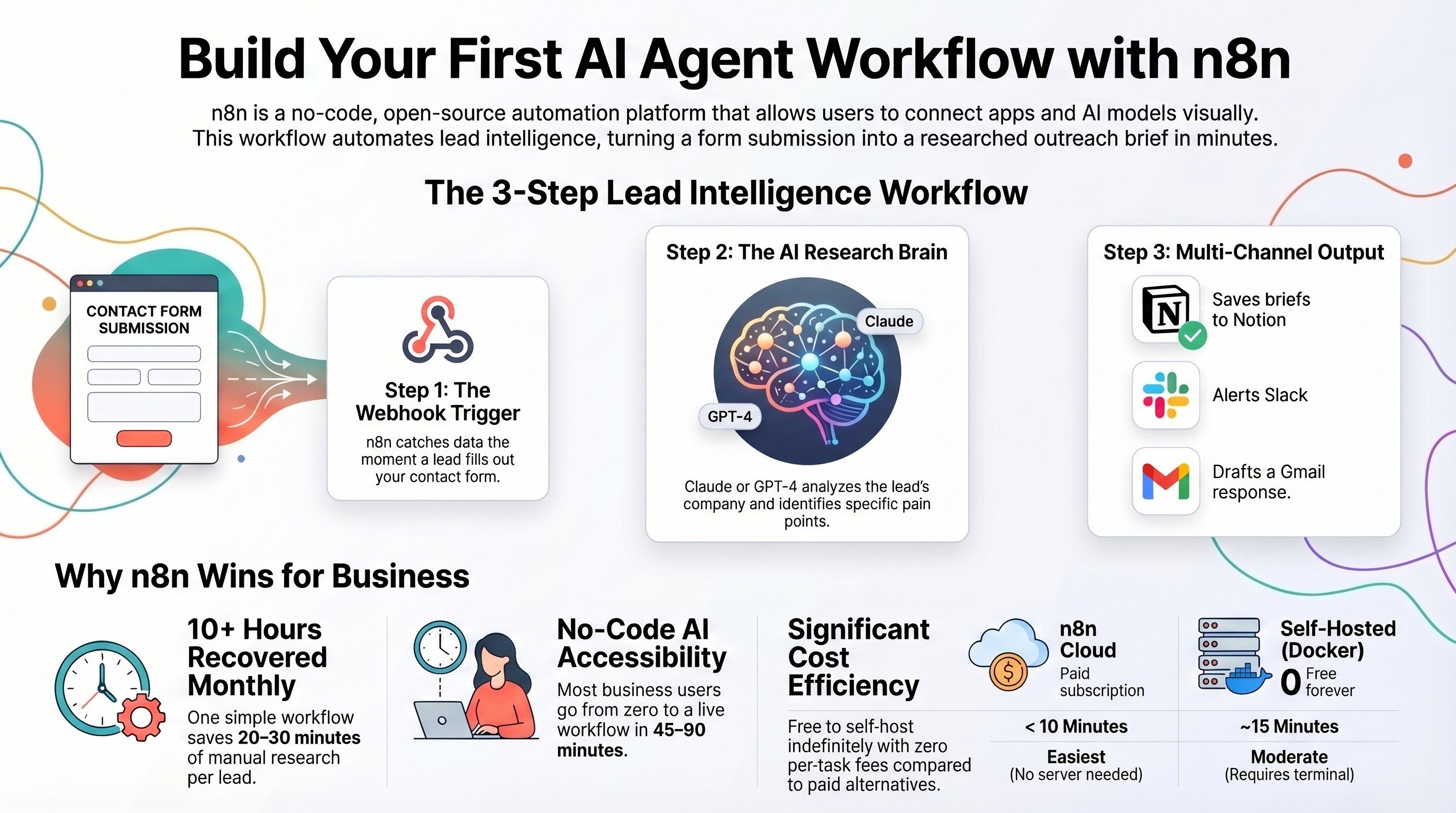
Build your first AI agent workflow with n8n
The zero-code, step-by-step build for an automation that researches and qualifies leads for you.
Read the guide →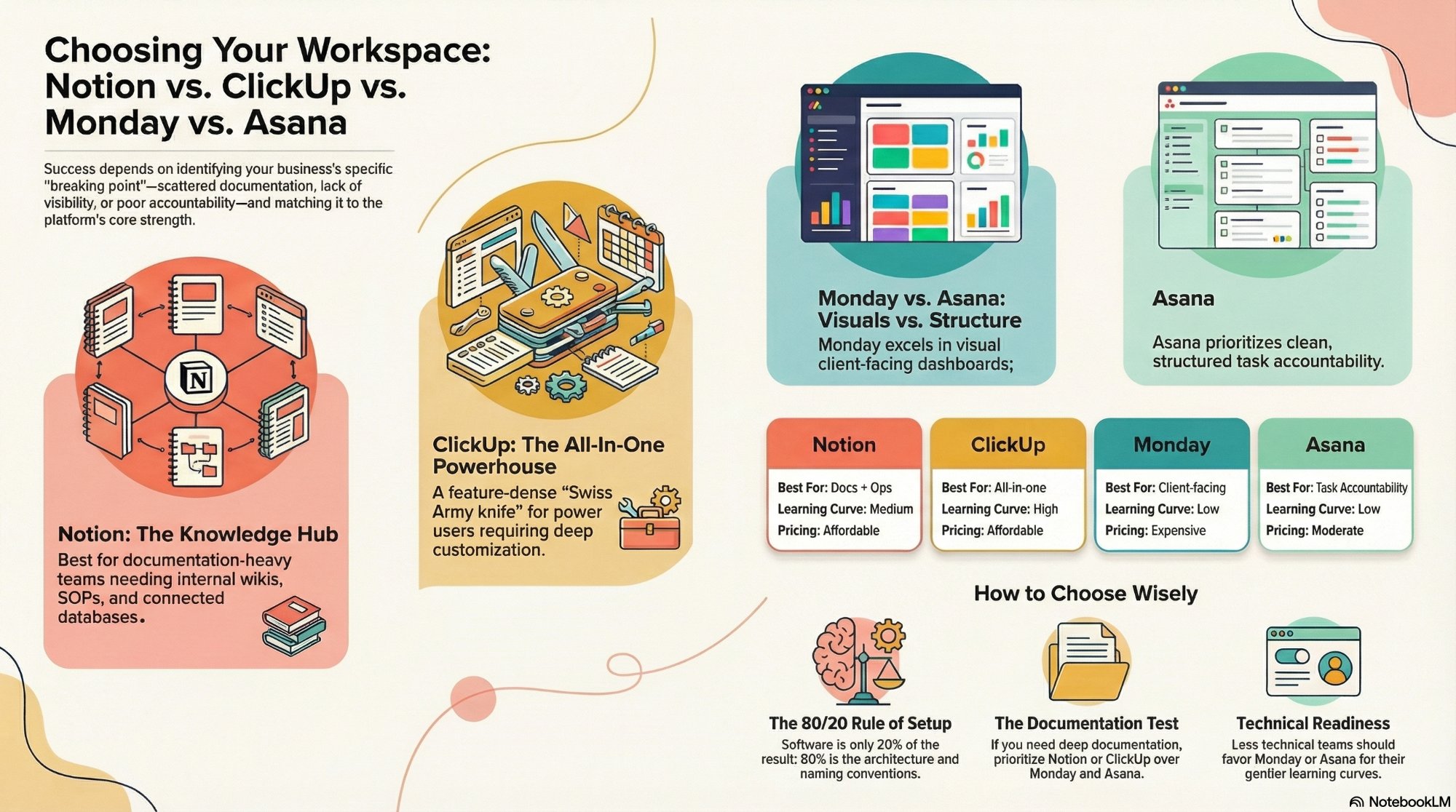
Notion vs ClickUp vs Monday vs Asana
How to choose the right workspace tool to anchor your onboarding and reporting automations.
Read the comparison →The AI Sales Assistant we built
Lead capture, research, and follow-up in production, all running before the rep opens their inbox.
See the work →Want your automation stack built for you?
Book a free 30-minute strategy call. We will map your highest-ROI workflows and give you a build roadmap on the spot. If we are not the right team for you, we will say so and point you somewhere better.
Book a Free Strategy Call →Free 30-minute call. Honest take, even if that means "you do not need us yet."