What is an AI agent, really? A plain-English guide for business owners
No jargon, no hype. What an AI agent actually is, how it differs from the tools you already use, and what it can realistically do for your business today.
 By Ishan Vats · Founder of IV Consulting · builds AI agents & automations for 150+ teams
Some links below are affiliate links. If you buy through them we may earn a commission, at no extra cost to you.
 EmailGmail
 ChatSlack
 DocsNotion
An AI agent is software you give a goal to, not a question. It plans the steps, uses tools like a browser, a database or an email API to carry them out, checks its own work, adjusts when something goes wrong, and hands back finished output. A chatbot answers one prompt at a time. An agent takes a whole task off your plate.
The basics
The difference between a chatbot and an agent
Open any business publication right now and you will find AI agents described as transformative. What you will not find, at least not often, is a clear and honest explanation of what an AI agent actually is, how it works in practice, and what a business owner should do about it. That is what this guide is for.
Most people's experience of AI is a chatbot. You type a question, it answers, you type a follow-up. You stay in the loop for every exchange. An AI agent works differently. Instead of responding to one prompt at a time, it receives a goal and then figures out the steps required to achieve it, executes those steps using external tools, checks whether each step worked, adjusts if something went wrong, and delivers a finished output.
The best analogy: imagine the difference between an assistant you ask one question at a time, and an assistant you hand a project to. The first needs you at every step. The second goes away, handles it, and comes back with something finished. That is the chatbot-to-agent shift.
If you want to see that shift in something you already own rather than in the abstract, the agent builder bundled into Google Workspace is the cheapest place to try it. We explain what it can and cannot do in Google Workspace Studio: you probably already have it.
The definition
The three things that make something an AI agent
Strip away the marketing and a true AI agent has three capabilities working together. Take away any one and you are back to a chatbot.
Planning
An AI agent can break a goal into sub-tasks without being told what those sub-tasks are. You say "research our top five competitors and write a positioning brief." The agent decides to open a browser, identify the competitors, read their sites, review their positioning, and structure the output, all on its own.
Tool use
An AI agent can use external tools to complete its tasks. A browser to read web pages. A code interpreter to run calculations. A database to look up records. An API to send an email. The agent does not just think, it acts.
Feedback and adjustment
An AI agent checks its own output as it works. If a step fails, the agent tries an alternative approach rather than stopping and waiting for instructions. This self-correction is what makes autonomous execution possible.
In practice
Five real business tasks AI agents handle today
These are not future promises. Each of these is a workflow we build and run for clients right now.
1. Lead research briefs
A new form submission arrives, the agent researches the company, identifies likely pain points, and writes a personalised brief before your sales rep opens their email. What was 25 to 40 minutes of manual research becomes under 3 minutes. Saved to your CRM or Notion automatically.
2. Automated client onboarding
Contract signed: the agent creates the workspace, sends the welcome email, creates the Slack channel, and assigns the first task set. A 45 to 90 minute manual sequence compressed to 90 seconds.
3. Competitive monitoring
Every Monday, the agent checks competitor websites, flags changes since last week, and posts a formatted digest to Slack. Zero standing effort required.
4. Support triage
A new support email arrives, the agent reads it, queries the CRM, drafts a suggested response, and routes it to the right person. First response time drops from hours to minutes.
5. Weekly reporting
Every Friday, the agent pulls revenue, leads, and project completion data from your tools and delivers a one-page digest. Done before anyone logs in.
The distinction
How AI agents differ from traditional automation
You may already use tools like Zapier or Make to connect your apps. These are powerful and valuable. AI agents are a different category. Traditional automation follows fixed if-then rules and breaks on unexpected input. AI agents follow goal-directed reasoning and adapt to variation. Traditional automation cannot generate new content or make decisions. AI agents can write, classify, summarise, and reason about content.
The best stacks use both. Traditional automation handles structured, rule-based data flows. AI agents handle tasks requiring language understanding, content generation, or adaptive reasoning. They are layers of the same system, not competitors.
Which layer you reach for first is the call that decides whether the spend pays back, and it is worth being blunt about: default to the automation and promote to an agent only when the job genuinely needs judgment. We make that case in full, with five cited r/AI_Agents threads behind it, in are AI agents worth it? Five Reddit threads, one clear verdict.
| Capability | AI agent | Traditional automation | Chatbot |
|---|---|---|---|
| How you instruct it | Give it a goal | Wire fixed if-then rules | Ask one question |
| Handles unexpected input | Adapts and reasons | Breaks on variation | Answers, then stops |
| Uses external tools | Yes, browser, APIs, files | Yes, but rule-bound | No |
| Generates content / decisions | Yes | No | Yes, single turn |
| Multi-step on its own | Yes, plans and self-corrects | Only the steps you script | No |
| Best for | Research, language, adaptive work | Structured, rule-based data flows | Quick answers and drafts |
First build
Where to start: your first AI agent workflow
Build a lead intelligence agent. When a new contact fills out your website form, the agent researches their company, identifies their likely pain point, writes a personalised brief, saves it to your CRM or Notion, and sends a Slack notification to your sales team.
Why this workflow first: clear trigger, defined goal, measurable output, and immediate return, around 20 to 30 minutes of research saved per lead from day one. It is also low-risk, because the agent prepares information for human review without sending anything external.
Tools needed: n8n or Make to connect the trigger and tools, Claude or GPT-4 as the AI model (we compare the realistic options in Manus vs Claude vs ChatGPT), and your existing CRM and Slack. Build time for a first-timer is 3 to 5 hours. We walk through this exact build step by step in our n8n AI agent workflow guide.
FAQ
What business owners ask about AI agents
What is the difference between an AI agent and a regular AI chatbot?
Do I need to be technical to use AI agents in my business?
What business tasks are AI agents best suited for?
How much do AI agents cost to run for a small business?
What is the best first AI agent use case for a business owner to try?
Ishan Vats
Founder, IV Consulting · AI & automation consultant
I build production AI agents, automations, and MCP servers for teams from startup to enterprise. 150+ ops transformations over 10+ years. If you want this mapped to your own stack, I'll do it with you on a free call.
Book a free strategy call →Keep reading
Related guides and work
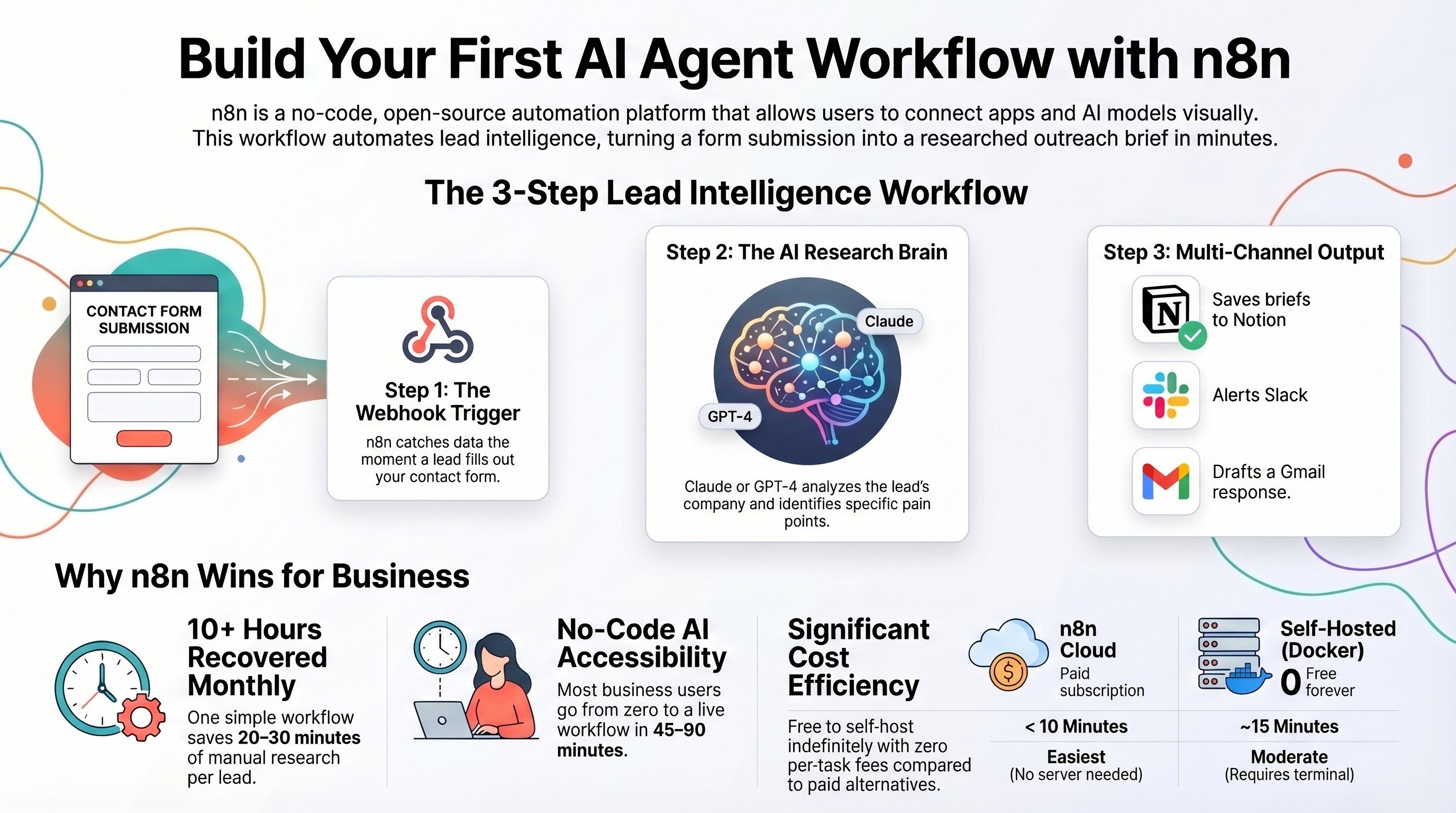
Build your first AI agent workflow with n8n
The zero-code, step-by-step version of the lead intelligence build in this article.
Read the guide →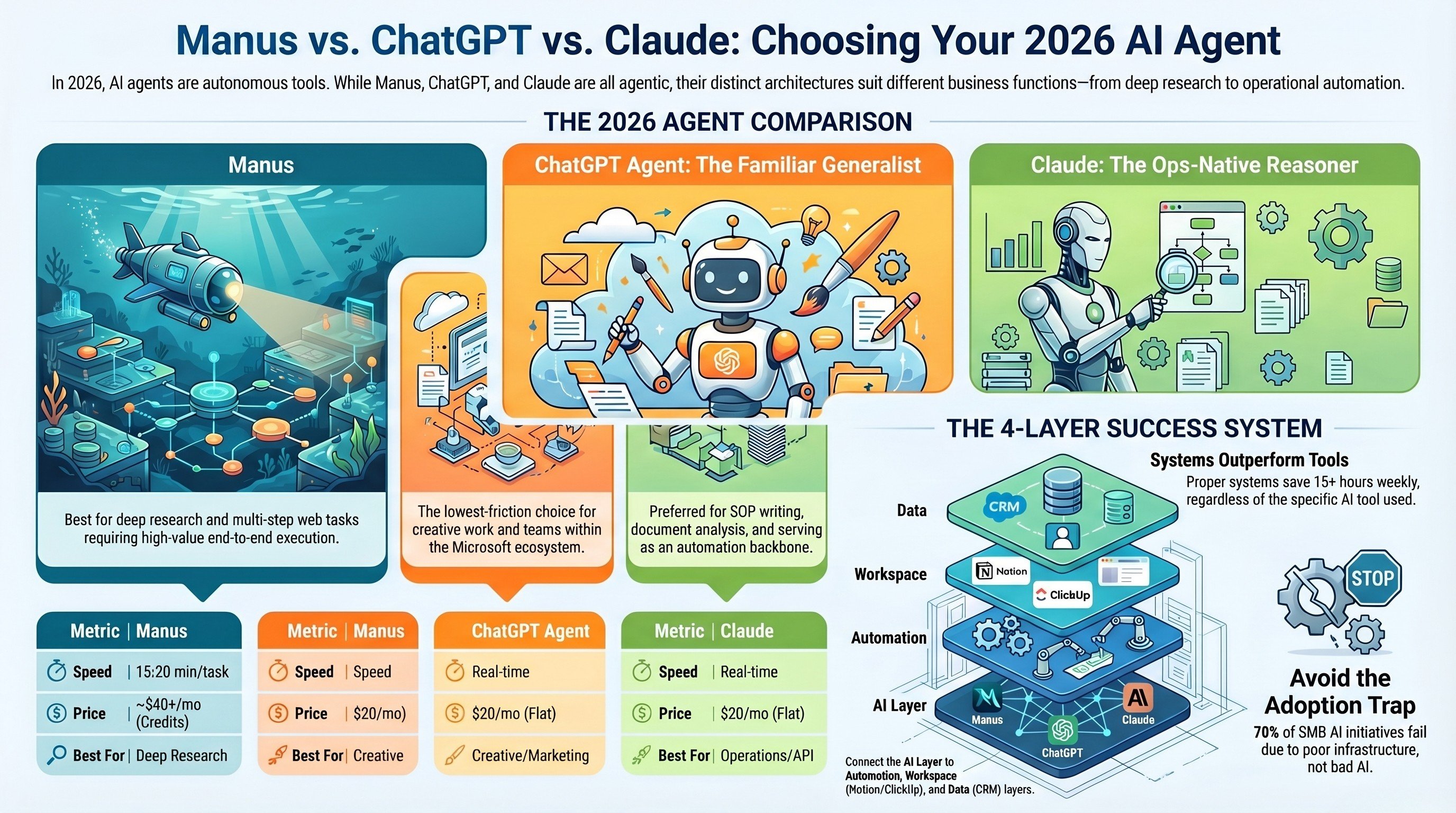
Manus vs ChatGPT vs Claude for AI agents
Which autonomous agent actually finishes real business tasks in 2026, head to head.
Read the comparison →The AI Sales Assistant we built
A lead intelligence agent in production: research, briefs, and routing, done before the rep opens their inbox.
See the work →Want your automation stack built for you?
Book a free 30-minute strategy call. We will map your highest-ROI workflows and give you a build roadmap on the spot. If we are not the right team for you, we will say so and point you somewhere better.
Book a Free Strategy Call →Free 30-minute call. Honest take, even if that means "you do not need us yet."