The practical SMB automation stack is n8n + Claude
The n8n and Claude stack splits the work: n8n moves the data and runs the steps, Claude makes the judgment calls and writes the words. Here is when to reach for each, and why together they beat either alone.
 By Ishan Vats · Founder of IV Consulting · builds AI agents & automations for 150+ teams
 n8n · OrchestratesNew lead or email lands
 Claude · DecidesClassify, qualify, draft
 NotionLogged
 SlackTeam alerted
 GmailDraft staged
The practical 2026 automation stack for small businesses is n8n plus Claude. Use n8n for orchestration: triggers, connecting apps, moving data, and scheduling. Use Claude for judgment: classifying, extracting, deciding, and drafting. n8n decides what happens and when; Claude decides what the content should say. Neither tool is enough on its own. n8n cannot reason and Claude cannot reliably trigger or connect to your apps, so you call Claude from inside an n8n workflow and get automations that both run dependably and make smart calls.
The foundation
What is the n8n and Claude automation stack?
The n8n and Claude stack is an automation pattern that pairs n8n as the orchestration layer with Claude as the reasoning layer, so one system both moves your data and makes the judgment calls. It splits automation into two jobs. n8n is the orchestrator. It catches the trigger, connects your apps, moves data between them, and runs the steps on a schedule. Claude is the reasoning layer. It reads messy input, makes a judgment call, classifies, extracts, and drafts language. Put plainly: n8n decides what happens and when, Claude decides what the content should say.
If you have read our comparison of automation platforms, you already know n8n is our pick for the orchestration layer for most SMBs. This post is about the other half: the AI brain you plug into it, and where the line between the two should sit.
Here is the simplest way to hold it in your head:
- Rules and routing go to n8n. If you can describe the step as "if this, then that," n8n should own it. It is fast, repeatable, and never gets creative when you do not want it to.
- Judgment and language go to Claude. If the step needs to read something free-form and decide, or write something a human would, that is Claude's job.
- They run as one workflow. You call Claude from inside an n8n step. n8n hands Claude the data, Claude hands back a decision or a draft, and n8n carries it the rest of the way.
The plumbing
When should you reach for n8n?
Reach for n8n whenever the job is about moving or routing data on a clear rule. n8n is the workhorse that connects your tools and runs the steps in order, every time, without thinking. That predictability is the point. You do not want a model improvising when the task is "take this field and put it there."
Hand these jobs to n8n:
- Triggers and events. A new form submission, an inbound email, a row added to a sheet, a payment in Stripe, a webhook from another app. n8n listens and kicks off the workflow.
- Connecting apps. n8n has hundreds of native integrations, so it reads from and writes to Notion, ClickUp, Slack, Gmail, your CRM, and more without custom code.
- Moving and shaping data. Mapping fields, looping through rows, filtering, formatting dates, splitting and merging records.
- Scheduling and retries. Run every morning at 9, retry on failure, wait for an approval, then continue.
- Calling other services. Any REST API, including the call to Claude itself, is just another n8n step.
The rule of thumb: if you can write the step as "if this, then that," n8n should own it. Deterministic work belongs to the deterministic tool. For a hands-on build of an n8n workflow, see our guide to building an AI agent workflow with self-hosted n8n.
The brain
When should you reach for Claude?
Reach for Claude whenever the step needs judgment or language. These are the tasks where fixed rules fall apart, because the input is messy, free-form, or different every time. A model reads it the way a person would and returns a clean decision or a written draft.
Hand these jobs to Claude:
- Classifying. Sort a support ticket by intent, tag a lead by industry, route an email to the right team. Claude reads the text and picks the category.
- Extracting. Pull the line items, total, and due date out of an invoice. Pull the name, company, and budget out of a free-text inquiry. Turn unstructured text into clean fields.
- Summarizing. Condense a long email thread, a call transcript, or a document into the three things someone actually needs to know.
- Deciding. Is this lead qualified? Is this message urgent? Does this reply need a human? Claude applies your criteria to a judgment call.
- Drafting. Write the first version of a reply, a follow-up, a product description, or a status update in your voice, ready for a human to glance at and send.
The rule of thumb: if the step needs to read something and think, or write something a person would, that is Claude. Claude tends to produce more natural, less generic language than other models, which matters when the output becomes a customer-facing email. For a deeper look at picking a model, see Claude vs ChatGPT for operations teams. Inside Claude, the tier you pick for that step matters more than it looks: the Sonnet 5 price cut is worth about 13 percent in practice rather than the 33 percent on the sticker, as we priced out in Claude Sonnet 5 for small business automations.
The split
n8n or Claude: which job goes where?
The fastest way to design a clean automation is to label each step before you build it. Deterministic, rule-based work goes to n8n. Anything that needs to read, decide, or write goes to Claude. Here is the split at a glance.
| The job | Best tool | What it looks like |
|---|---|---|
| Start on a new email, form, or payment | n8n | It listens for the event and kicks off the flow |
| Connect and move data between apps | n8n | Notion to Slack to your CRM, no custom code |
| Run on a schedule or retry on failure | n8n | Every morning at 9, retries if a step fails |
| Classify or tag free text | Claude | "Is this billing or technical support?" |
| Pull fields out of a document | Claude | An invoice becomes line items, total, due date |
| Decide if a lead or message qualifies | Claude | Applies your criteria to a judgment call |
| Draft a reply, summary, or update | Claude | A first draft in your voice, ready to review |
In practice
Real SMB workflows built on n8n and Claude
The same pattern shows up everywhere: n8n catches the work and moves the data, Claude handles the one step that needs a brain. Four examples we build often for small teams.
Inbound lead triage
n8n catches every new form submission and inbound email, then logs it. Claude reads the free-text inquiry, decides whether the lead is a fit, scores its urgency, and drafts a tailored first reply. n8n then files the lead in your CRM, alerts the owner in Slack, and stages the draft in Gmail for a quick human check. No inquiry sits unanswered overnight, and your best leads rise to the top automatically.
Support ticket sorting
n8n picks up each new ticket. Claude classifies it by intent and urgency and suggests a reply. n8n routes it to the right person and updates the queue.
Invoice and data extraction
n8n grabs the incoming invoice or document. Claude reads it and returns clean fields: vendor, line items, total, due date. n8n writes them straight into your sheet or accounting tool.
Content and reply drafting
n8n pulls the source material, a brief, a product record, a customer thread, on a trigger or schedule. Claude drafts the email, description, or status update in your voice. n8n drops the draft into Notion or Gmail for a human to approve and send. You stop starting from a blank page.
The pattern
How to wire n8n and Claude together
Almost every workflow above follows the same five-step shape. Learn it once and you can design new automations on a napkin.
n8n catches the trigger
A new email, form, ticket, or scheduled run starts the workflow. n8n owns this. It is reliable and never misses an event.
n8n preps the data
Fetch the related record, clean the fields, and assemble exactly what the AI needs. The less noise you send, the sharper Claude's answer.
Claude does the thinking
One focused step. Give Claude a clear instruction and the data, and ask for a specific output: a category, a yes or no, extracted fields, or a draft. A tight prompt beats a vague one every time.
n8n acts on the result
Take Claude's decision or draft and do something with it: update the CRM, post to Slack, file it in Notion, or stage an email. Deterministic work, back to n8n.
Keep a human in the loop early
Stage drafts instead of auto-sending, at least at first. Once you have watched the workflow make good calls for a few weeks, you can let the safe paths run on their own.
Worth saying plainly: not every workflow deserves this stack. If the job starts with an email or a file in Drive and never branches, the no-code builder already included in Google Workspace will handle it without you maintaining anything. We draw that line in Google Workspace Studio: you probably already have it.
FAQ
Questions people ask about the n8n and Claude stack
What is the n8n and Claude automation stack?
When should I use n8n instead of Claude?
When should I use Claude instead of n8n?
Do I need both n8n and Claude, or can one tool do everything?
Is it cheaper to run Claude inside n8n than to use a packaged AI tool?
Can a non-technical SMB owner set up the n8n plus Claude stack?
Ishan Vats
Founder, IV Consulting · AI & automation consultant
I build production AI agents, automations, and MCP servers for teams from startup to enterprise. 150+ ops transformations over 10+ years. If you want this mapped to your own stack, I'll do it with you on a free call.
Book a free strategy call →Keep reading
Related guides and work
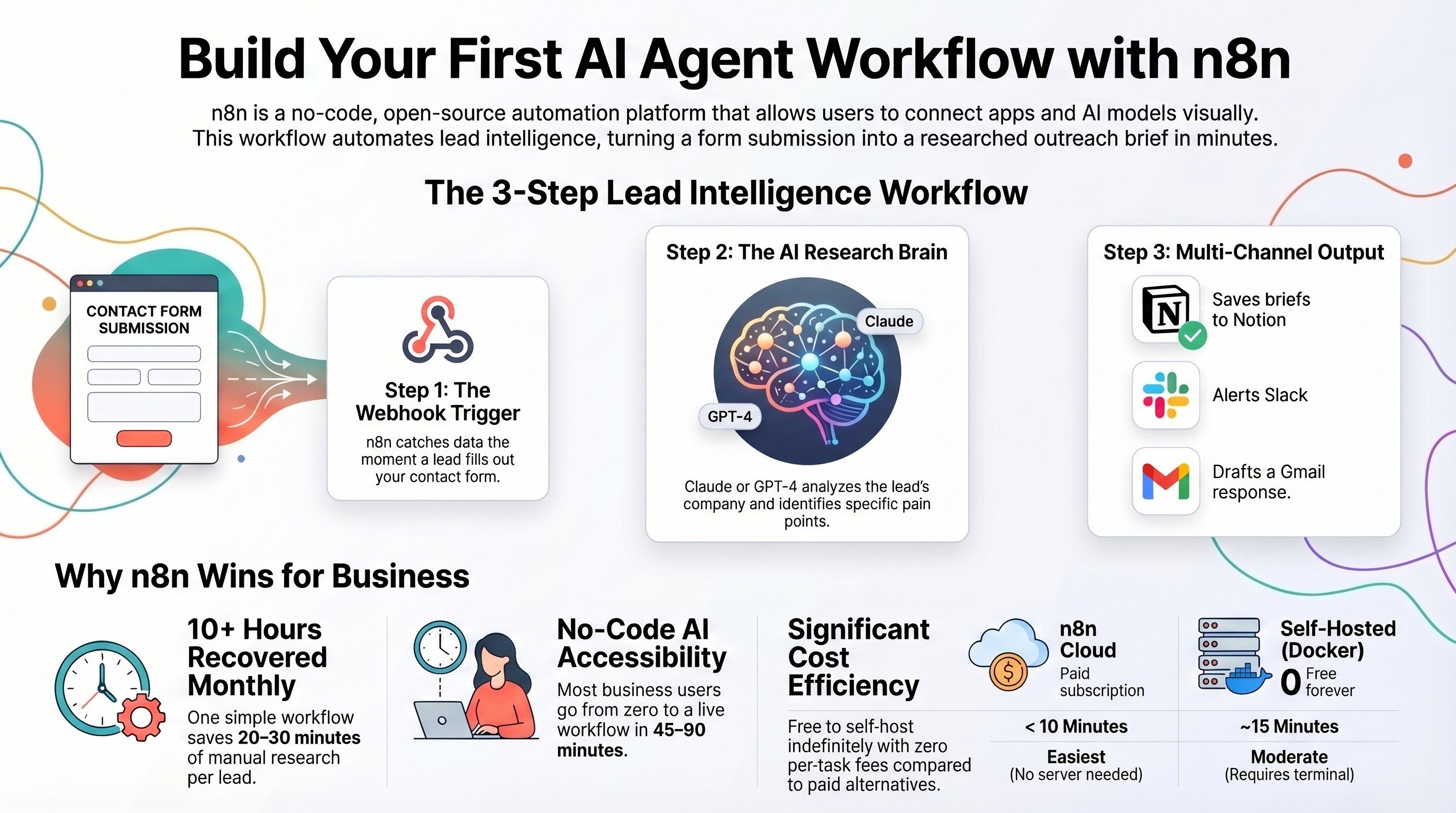
Build an AI agent workflow with self-hosted n8n
The hands-on build: get n8n running and ship a real Claude-powered agent end to end.
Read the guide →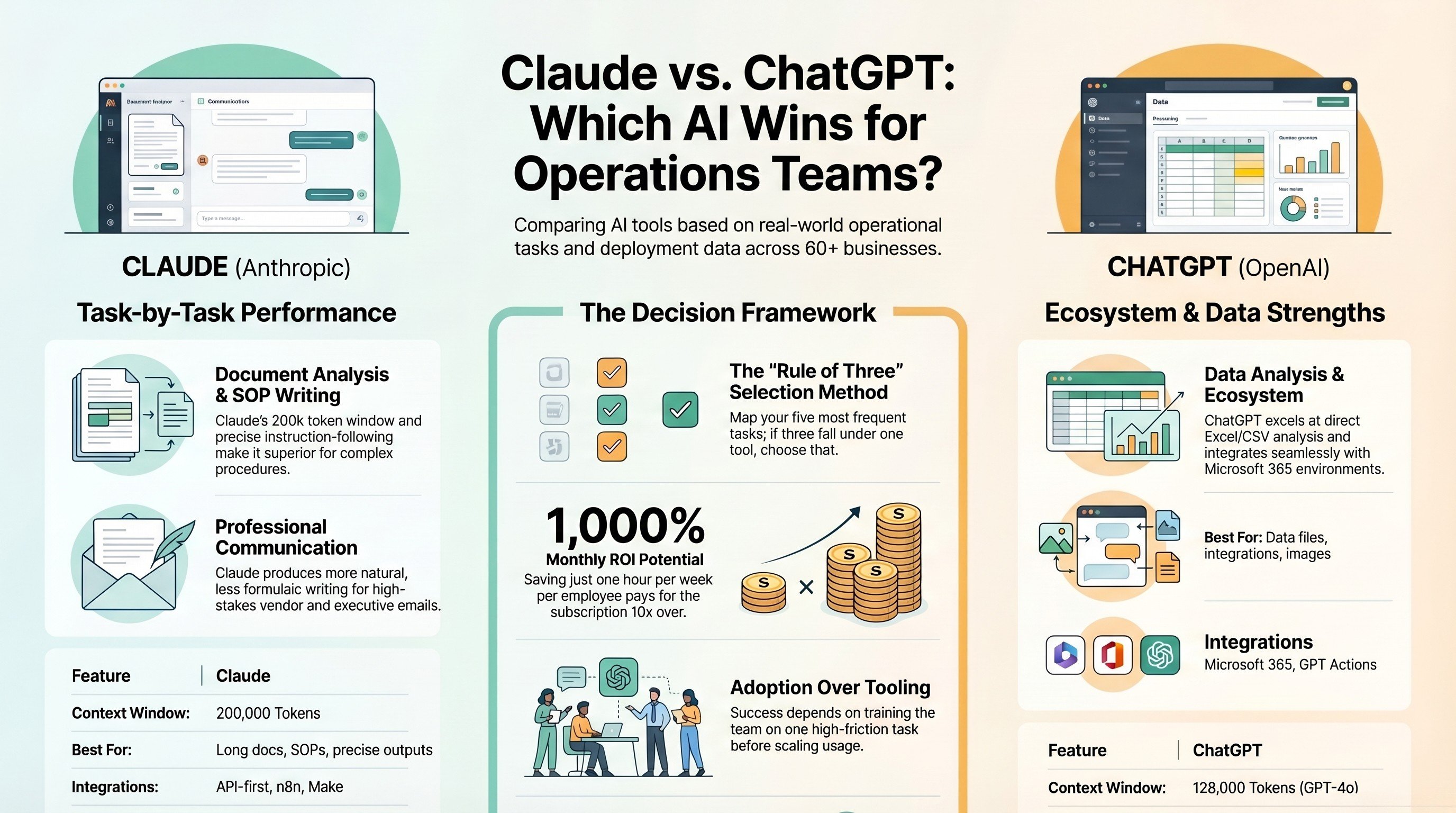
Claude vs ChatGPT for operations teams
Which model to plug into your stack, and where each one pulls ahead for ops work.
Read the comparison →
The Automation stage, built for you
See what this looks like at full scale: your tools connected, the busywork gone.
See the offer →Want your automation stack built for you?
Book a free 30-minute strategy call. We will map your highest-ROI workflows and give you a build roadmap on the spot. If we are not the right team for you, we will say so and point you somewhere better.
Book a Free Strategy Call →Free 30-minute call. Honest take, even if that means "you do not need us yet."