The n8n use cases SMBs actually build are boring, repeatable glue, not robots.
Ask what small teams really run in n8n and it is never the sci-fi agent. It is lead routing, invoice parsing, review monitoring, content repurposing: unglamorous workflows that quietly hand back hours every week. Here is the copyable catalog.
 By Ishan Vats · Founder of IV Consulting · builds AI agents & automations for 150+ teams
 n8n · routes, enriches, decidesOne workflow does the glue between your tools
 Slack alertRight person, instantly
 Auto replyDrafted in seconds
 CRM loggedNothing slips
The n8n use cases small businesses actually build are unglamorous glue between tools they already use. The workflows that keep running fall into a handful of jobs: routing and instantly replying to new leads, parsing invoices and receipts into a clean sheet, monitoring reviews and brand mentions, repurposing one piece of content into many, triaging support tickets, and syncing data between a CRM and a spreadsheet. Every one of them is the same shape: one trigger, a few steps that move and reshape data across your apps, and an action, with an optional Claude step where a human judgment used to sit. They stick because each removes a repetitive cross-app chore and hands back hours, not because they run your whole business. So do not start with the ambitious "automate everything" build. Pick the boring, high-frequency workflow with a clear trigger and an output you can check in seconds, and grow the catalog from there.
What it is
What are people actually building with n8n in 2026?
The n8n use cases that small businesses actually build are workflows that glue two or more of your existing tools together: a trigger fires, n8n moves and reshapes the data across your apps, and an action happens. n8n is an open-source workflow automation tool, a visual canvas where you connect nodes instead of writing integration code. What people run on it is rarely the sci-fi "autonomous agent" from the demos. It is lead routing, invoice parsing, review monitoring, and content repurposing: the repetitive cross-app chores that used to eat an afternoon a week.
Scan any real "what are you building with n8n" thread and the answers converge on the same unglamorous list. A new form submission gets enriched and routed to the right rep with a Slack ping. An invoice email lands and its line items get pulled into a sheet. A fresh Google review triggers a sentiment check and a drafted response. One blog post gets spun into a week of social variants. None of these run a whole business. Each one deletes a specific, recurring task, which is exactly why the workflow is still switched on months later.
The reason n8n keeps coming up for this is cost and control. It bills by workflow execution rather than per task or per step, so a multi-step workflow that fires hundreds of times a month does not punish you the way a per-action tool does. It self-hosts, so sensitive data can stay in-house. And it has native AI nodes, so you can drop a Claude call into any workflow where a step needs real judgment instead of a rigid rule.
It helps to see the shape early: almost every workflow in this catalog is a trigger, a few plain nodes that pass data along, and at most one AI step that classifies, drafts, or extracts. That is the whole pattern. Get one of them running and the next one is an easy yes, which is exactly how our Automation stage helps teams recover about 12 hours a week: one boring workflow at a time.
The filter
Which n8n workflows are actually worth building?
A workflow is worth building when it is repetitive, crosses two or more tools, and has a clear trigger. Miss any of those three and the payback usually is not there. Repetitive means you do it often enough that the build time is small next to the time it saves. Cross-tool means it is genuinely glue work, copying data between a form and a CRM, an email and a sheet, a review and Slack, which is exactly what n8n is built for. A clear trigger means there is one obvious moment the workflow should run, so it can run on its own instead of waiting for you to remember it.
The reason this filter matters is that the exciting workflows usually fail it. The once-a-quarter report is dramatic but rare, so it never earns back the build. The "automate my entire sales process" idea crosses ten tools and has no single trigger, so it stalls halfway. The workflows that survive are the dull, daily, two-tool ones nobody brags about. That is not a limitation of n8n. It is where the actual hours hide.
There is a second test worth applying: is being wrong cheap and visible? A workflow that drafts a reply for a human to send is safe, because a mistake is caught in a glance. A workflow that silently pays an invoice or overwrites CRM records is not, at least not until you trust it. Start with the workflows where an error is easy to spot and cheap to undo, prove the pattern, and only then point n8n at anything irreversible.
The catalog
15 n8n use cases SMBs actually build, with effort and payback
These are the workflows that keep running in real small businesses, pulled from the jobs teams describe building over and over. Each is a copyable starting point: one trigger, a few nodes, an optional AI step. Build effort is a rough guide for a straightforward version, and the real ongoing cost is testing and maintenance, not the first build. For the pricing model behind these, see execution-based vs task-based automation pricing.
| Workflow | What it does (trigger → action) | Build effort | Payback |
|---|---|---|---|
| Instant lead response | New form or webhook, then enrich, route, and auto-reply in under a minute | ~1 day | Fewer lost leads, faster first touch |
| Lead enrichment and scoring | New CRM contact, then pull company data, score it, update the record | ~1 day | Reps focus on the best leads |
| Meeting notes to tasks | Call transcript in, then extract action items and create tasks with owners | Afternoon | Follow-ups stop evaporating |
| Invoice and receipt parsing | Invoice email or upload, then extract fields into a clean row or accounting tool | ~1 day | Kills manual data entry |
| Support ticket triage | New ticket, then classify type and priority, route and tag it | ~1 day | Faster, fairer response times |
| First-reply drafter | New support or sales email, then draft a first-pass answer in drafts | Afternoon | No more blank-page tax |
| Review and reputation monitoring | New review, then run a sentiment check, ping Slack, draft a response | ~1 day | Nothing goes unanswered |
| Brand and keyword mention alerts | RSS or search hit, then filter for relevance and digest to Slack or email | Afternoon | Catch mentions same-day |
| Content repurposing | New blog or video, then generate social variants and queue to a scheduler | ~1 day | One asset becomes many |
| Client onboarding kickoff | New client signed, then create folders, docs, tasks and send a welcome sequence | 1-2 days | Consistent, instant onboarding |
| Overdue chaser | Scheduled check, then find overdue invoices or tasks and nudge the owner | Afternoon | Less manual chasing |
| CRM and spreadsheet sync | Record change, then keep the CRM and the sheet in step both ways | ~1 day | One source of truth |
| Weekly report digest | On a schedule, then pull metrics from your tools and write a plain-English summary | ~1 day | A paragraph, not a dashboard |
| Lead follow-up recovery | No reply in N hours, then send a timed follow-up nudge | Afternoon | Recover warm leads |
| Order and fulfilment alerts | New order, then notify the team, update the sheet, trigger the next step | Afternoon | Ops stays in the loop |
By category
The n8n use cases grouped by where they earn their keep
Same catalog, sorted by the part of the business it unblocks. Most small teams find their first strong candidate in whichever of these already feels the most manual. None of them require you to rebuild your stack. Each connects tools you already run.
Sales and lead ops
The most popular place small teams start, because slow lead response is expensive and easy to fix. A new form or webhook fires an n8n workflow that enriches the lead, routes it to the right rep, and sends a first reply in under a minute. Add lead scoring so reps chase the best-fit contacts, and a timed follow-up so warm leads that went quiet get one more nudge.
Builds: instant lead response, enrichment and scoring, follow-up recovery.
Finance and admin
An invoice or receipt lands, n8n extracts the fields into a clean row or your accounting tool, and overdue items get chased on a schedule. The copy-paste nobody wants to own, gone.
Marketing and content
One blog or video becomes a week of social variants, and new reviews or brand mentions trigger a sentiment check and a Slack alert with a drafted response. You publish more and never miss a mention.
Customer support
New tickets get classified by type and priority and routed to the right queue, and a first-pass reply is drafted for a human to check and send. Faster response times, no blank page.
Ops, data, and reporting
Keep a CRM and a spreadsheet in sync both ways, fire order and fulfilment alerts, and get a weekly plain-English digest of the numbers instead of another dashboard you never open.
Where the AI step goes
Across all of these, Claude only shows up in the one spot that needs judgment: reading messy text, classifying, drafting, or extracting. The rest is plain n8n nodes. That mix is the practical n8n and Claude stack.
The playbook
Which n8n use case should you build first?
You do not need a roadmap for this. You need to resist building the impressive one and choose the smallest workflow that saves you real time this week. Four checks get you to the right first n8n use case, the one still running long after a mega-workflow would have stalled.
The four steps at a glance: (1) start with a repetitive cross-tool chore, (2) check it has a clear trigger and one output, (3) make sure being wrong is cheap and visible, and (4) use AI only for the step that needs judgment.
Start with a repetitive cross-tool chore
Write down the tasks you do many times a week that involve moving data between two or more tools: a lead form into the CRM, an invoice email into a sheet, a review into Slack. High-frequency and cross-app is the target, because that is exactly what n8n is built to glue, and a task you do fifty times a week pays back the build almost immediately. The exciting once-a-quarter workflow is the wrong place to start.
Check it has a clear trigger and one output
A good candidate has one obvious moment it should run, a new form submission, a new email, a scheduled time, and one output you can name in a single sentence. If you cannot say "when X happens, n8n produces Y" without adding an "and also," the workflow is too big, and you should split it into two. One trigger in, one result out, is the whole test. If those workflows already exist as Zaps rather than as ideas, you are not scoping a build, you are scoping a Zapier to n8n migration, which starts with an audit rather than a canvas.
Make sure being wrong is cheap and visible
Pick a workflow where a mistake is easy to notice and cheap to undo. A drafted reply you read before it sends is perfect: if n8n gets it wrong, you catch it in seconds and nothing bad shipped. Avoid anything that silently moves money or overwrites records nobody re-checks, at least until the build has earned your trust, because a workflow you supervise forever has not really saved you anything.
Use AI only for the judgment step
Most of a good workflow is not AI at all. Let plain n8n nodes handle the trigger and the action, and add a Claude step only where the job genuinely needs judgment: reading messy text, classifying something fuzzy, drafting a reply, pulling structured data out of unstructured input. If the task is "when X happens, always do Y," that is just automation and needs no model. The best n8n builds are boring nodes with one small pocket of AI where a human decision used to sit.
FAQ
Questions people ask about n8n use cases
What are people actually building with n8n?
What is the best n8n use case to start with?
Do you need to know how to code to build n8n workflows?
Is n8n better than Zapier or Make for these use cases?
Can n8n workflows use AI like Claude?
How long does it take to build an n8n workflow?
Ishan Vats
Founder, IV Consulting · AI & automation consultant
I build AI agents and automations for small teams, and the workflows I am proudest of are almost always the boring ones: the lead router, the invoice parser, the review monitor that quietly saves hours a week. I have built these for 150+ teams in n8n, Make, and Claude. If you want help choosing the n8n use case with the fastest payback for your business, I'll map it with you on a free call.
Book a free strategy call →Keep reading
Related guides and work
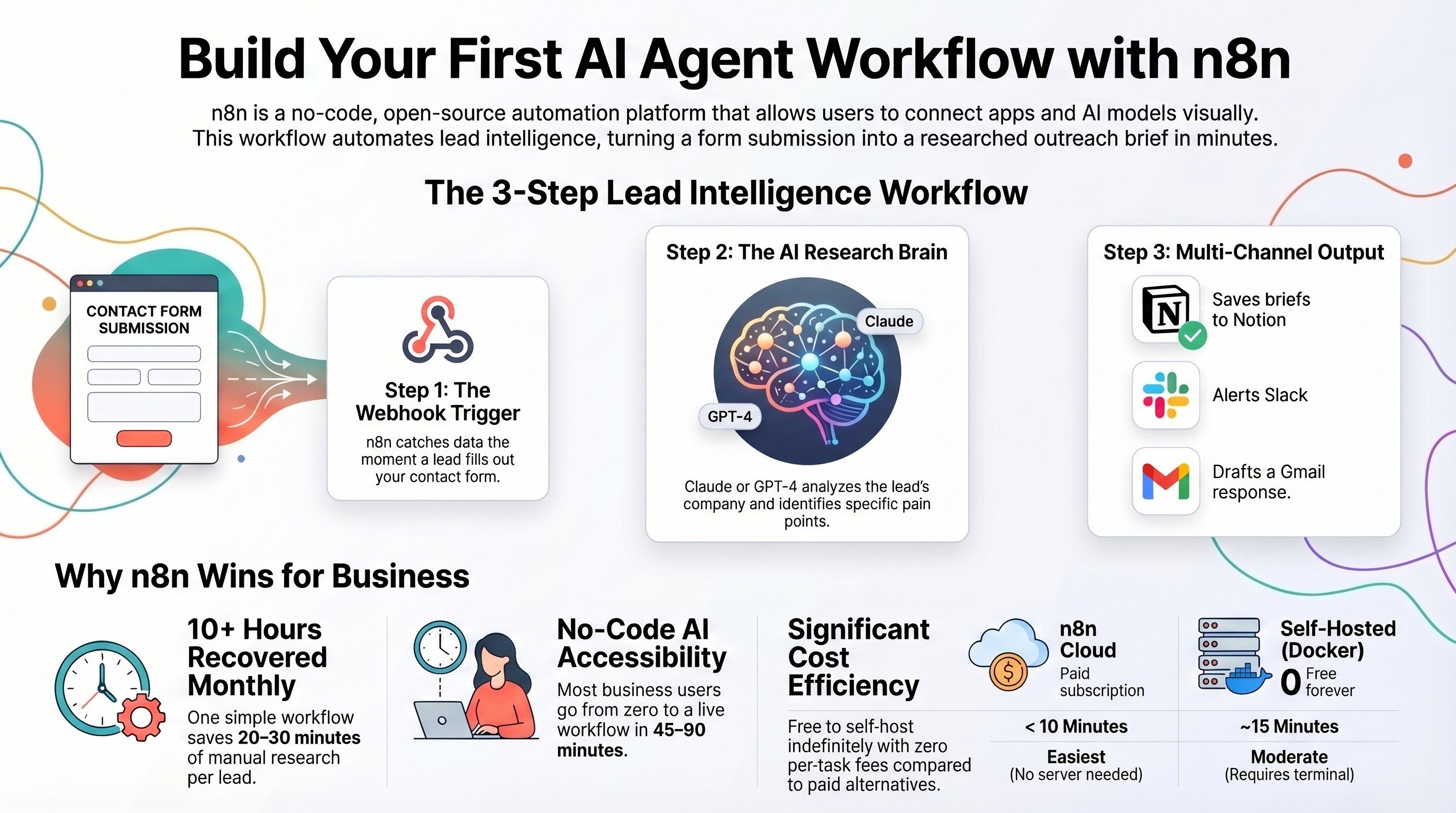
Build your first n8n workflow, step by step
The plumbing end to end: trigger, a few nodes, one Claude step, and an action.
Read the guide →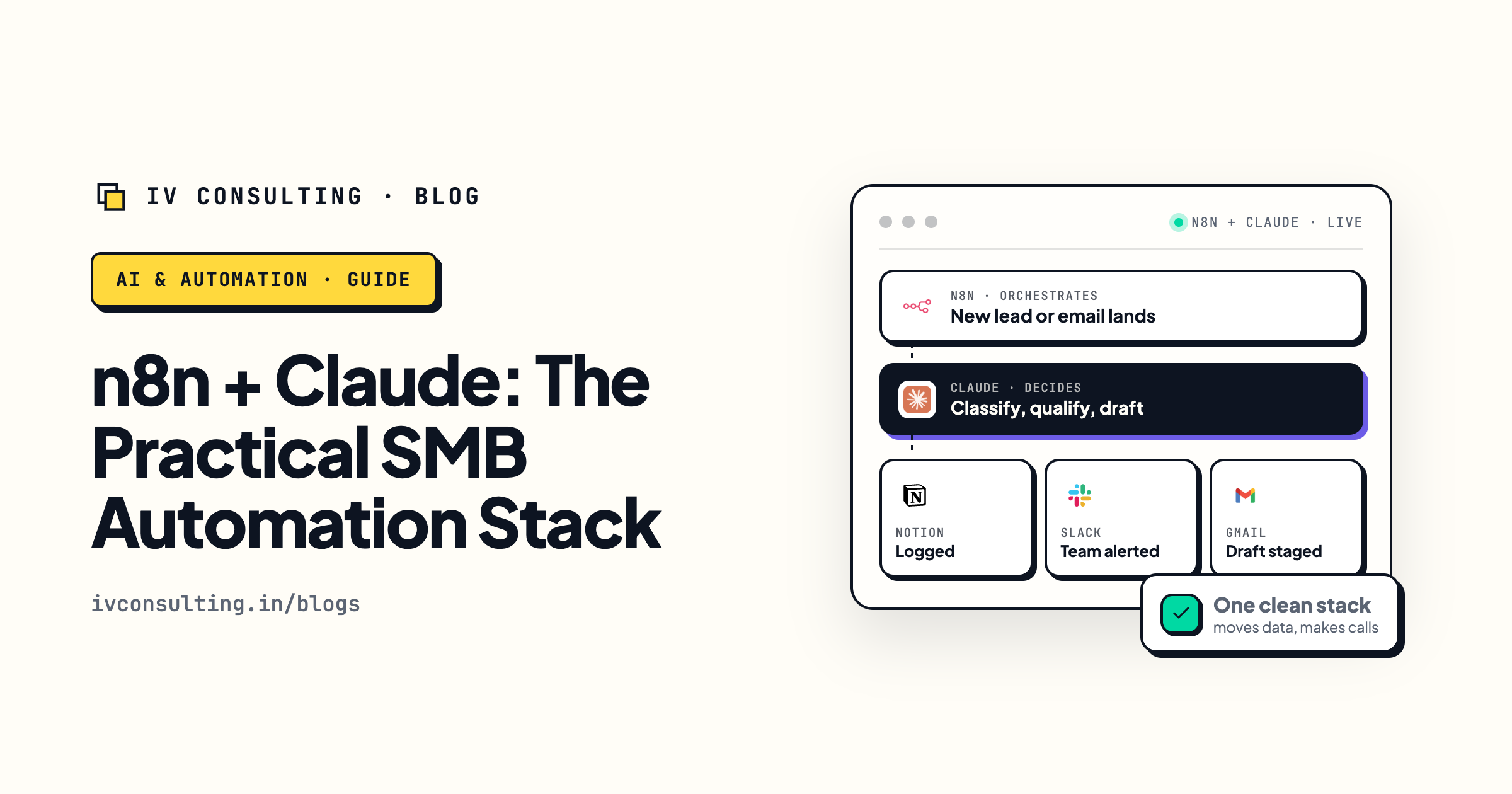
The practical n8n and Claude stack
When to reach for n8n and when to reach for Claude inside these workflows.
Read the guide →
The Automation stage, built for you
We scope the highest-payback workflow, build it in n8n, and run it so you do not have to.
See the offer →Build the n8n workflow that pays back, not the one that stalls.
Book a free 30-minute strategy call. We will look at the cross-tool chores you repeat every week, pick the single n8n use case with the fastest payback, and scope the trigger, the nodes, and the one AI step so it runs without you.
Map my highest-ROI workflow →Free 30-minute call. Honest take, even if that means "this one is a plain automation, no AI needed."