Which AI model for which task? Match it to the job, not the benchmark
Most production work never needed a frontier model. Here is the tier ladder, 11 named models priced as multiples of one base (re-checked 15 September 2026), and the default we actually put on client stacks.
 By Ishan Vats · Founder of IV Consulting · builds AI agents & automations for 150+ teams
 Cheap tierBulk, simple
 WorkhorseMost traffic
 FrontierHard, rare
To decide which AI model for which task, stop comparing brands and compare tiers: a cheap tier for classification and extraction, a workhorse tier for most production traffic, and a frontier tier reserved for hard reasoning and long agent runs. Price each tier as a multiple of one base model rather than memorising dollar figures, then judge it on effective cost per completed task, not sticker price. A model that costs less but fails more often is usually the expensive one. As of September 2026 the three big workhorses, Claude Sonnet 5, GPT-5.6 Terra and Gemini 3.1 Pro, all cost $2 per million input tokens, so the saving is in moving work down a tier, not across vendors.
The problem
Why does using the best AI model for everything cost so much?
Deciding which AI model for which task is now the highest-leverage cost decision most teams have, and almost nobody makes it deliberately. What happens instead is that somebody picks the model that topped a benchmark, wires it into everything, and the bill becomes a fact of life.
The problem is that the tasks are not the same shape. Tagging an inbound email, extracting five fields from an invoice, and refactoring a multi-file codebase are three completely different jobs, and only one of them needs a frontier model. Running all three on the top tier means paying frontier prices for work a model costing a tenth as much would have done identically.
The counter-move is routing: send each request to the cheapest model that can actually handle it. Published work on routing layers backs this up. The RouteLLM research from LMSYS and UC Berkeley reports cost reductions of up to 85 percent while holding about 95 percent of the stronger model's quality on MT Bench, precisely because most production traffic never needed the expensive model in the first place. Your own number depends on your task mix, but the direction of it is not in doubt.
Two things make this hard in practice, and this guide fixes both. First, price lists move constantly, so memorising dollar figures is a waste of time. Second, sticker price is the wrong metric anyway. Let us deal with both.
The mental model
What are the AI model tiers, and how do they map across vendors?
Every major provider ships roughly the same ladder. Once you see it, cross-vendor comparison stops being confusing, and switching providers stops being scary.
The four tiers every provider sells
Cheap tier. Fast, small, priced for volume. Claude Haiku 4.5, GPT-5.6 Luna, Gemini 3.6 Flash, Kimi K2.6. Classification, tagging, extraction, routing, simple rewrites. This is where the majority of your request count should live.
Workhorse tier. The sensible default. Claude Sonnet 5, GPT-5.6 Terra, Gemini 3.1 Pro, Kimi K3. Good writing, solid tool use, reliable structured output. Most production traffic belongs here.
Frontier tier. Claude Opus 5 and GPT-5.6 Sol. Deep reasoning, long autonomous runs, multi-file code work. Worth it when being wrong costs more than the tokens.
Top tier. Claude Fable 5 (Anthropic now also lists Fable 5.1 at the same price), which currently has no direct priced equivalent elsewhere. Reserve it for the hardest long-horizon work.
The ladder is now 50x end to end
GPT-5.6 Luna at $0.20 per million input tokens to Claude Fable 5 at $10 is a 50x spread. Inside Claude alone it is a clean 10x, from Haiku 4.5 at $1 to Fable 5 at $10. That spread is the whole opportunity.
Output costs more than input
Output tokens are billed several times higher than input almost everywhere. Long answers cost far more than long prompts.
Same tier, different vendor, similar price
Tiers are competitive with each other. Pick the tier first, then pick the vendor on fit and reliability. If the vendor half of that decision is the part you are stuck on for day to day ops work, we scored Claude and ChatGPT against each other across 60+ deployments in Claude vs ChatGPT for operations teams.
The maths
How much does each AI model cost per million tokens in 2026?
Do not memorise prices. Pick one model as your base, call it 1x, and express everything else as a multiple. The multiples move far more slowly than the dollar figures, so this table stays useful when the price lists change.
We are using Claude Sonnet 5 at $2 per million input tokens and $10 per million output tokens as the base, so it is 1x. Anthropic launched it at that price as an introductory rate, then made it the standard price and cancelled the rise to $3 / $15 that was due on 1 September 2026, so this whole table is re-based on the lower figure. Every other model below is its published input price divided by $2. Named models, real numbers, sorted cheapest first:
| Model | Tier | Price per 1M in / out | Multiplier | Reach for it when |
|---|---|---|---|---|
| GPT-5.6 Luna | Cheap | $0.20 / $1.20 | 0.10x | High-volume, latency-sensitive steps |
| Gemini 3.6 Flash | Cheap | $0.75 / $3.75 | 0.38x | Cheap work that still needs long context |
| Kimi K2.6 | Cheap | $0.95 / $4 | 0.48x | Bulk work where latency does not matter |
| Claude Haiku 4.5 | Cheap | $1 / $5 | 0.50x | Classification when you stay on Claude |
| Claude Sonnet 5 (the base) | Workhorse | $2 / $10 | 1x | Most production traffic, strong tool use |
| Gemini 3.1 Pro | Workhorse | $2 / $12 | 1x | Long documents under a 200K-token prompt |
| GPT-5.6 Terra | Workhorse | $2 / $12 | 1x | Everyday drafting, triage, support |
| Kimi K3 | Workhorse | $3 / $15 | 1.5x | Coding work you can wait on |
| GPT-5.6 Sol | Frontier | $4 / $20 | 2x | Complex reasoning, hard coding |
| Claude Opus 5 | Frontier | $5 / $25 | 2.5x | Hard reasoning, long agent runs |
| Claude Fable 5 | Top | $10 / $50 | 5x | The hardest long-horizon work |
Prices re-checked on 15 September 2026 against the published price lists from Anthropic, OpenAI and Google Gemini. The two Kimi rows were cross-checked against a September 2026 price tracker because Moonshot's own page would not load for us. Two rows carry an expiry date. GPT-5.6 Sol is on promotional pricing that OpenAI says is available at least through 21 November 2026. Gemini 3.6 Flash is on an introductory rate through 31 December 2026 that doubles to $1.50 / $7.50 on 1 January 2027, and Gemini 3.7 and 3.8 Flash sit on the same schedule. Prices move every few weeks, so re-check before you commit. The multipliers move far more slowly, with one exception worth knowing: when the base itself moves, as Sonnet 5 did here, every row moves with it, which is why we re-base the whole table rather than patching single rows.
Four things jump out that you would never spot on a single vendor's pricing page.
Claude Fable 5 is exactly 2x Claude Opus 5. $10 against $5 on input, $50 against $25 on output, the same ratio on both. So the question is never "is the top model better", it is "is it more than twice as valuable on this specific task". For a nightly summarisation job, obviously not. For a migration that would take an engineer three days by hand, obviously yes.
The workhorse price war ended in a tie. Claude Sonnet 5, Gemini 3.1 Pro and GPT-5.6 Terra all charge $2 per million input tokens, and Sonnet 5 is the cheapest of the three on output at $10 against $12. Do not read much into that output gap: Anthropic documents that Claude 4.7 and later models, Sonnet 5 included, use a newer tokenizer that produces about 30 percent more tokens for the same text than its previous one, so price per token is not price per page. Treat the three as level on cost and pick on fit. One caveat still stands: above a 200K-token prompt, Gemini 3.1 Pro reprices to $4 / $18, so a long-context workload is not getting the headline rate.
Kimi is no longer the budget choice in either tier. GPT-5.6 Luna now undercuts Kimi K2.6 by almost 5x on input, $0.20 against $0.95. And Kimi K3, launched in July 2026 at $3 / $15, is now the most expensive workhorse on the list at 1.5x Claude Sonnet 5. If your mental model is "Kimi is the cheap option", check which Kimi you are calling and what it is up against.
The whole ladder is now 50x, and the gap opened up at the bottom. GPT-5.6 Luna at $0.20 to Claude Fable 5 at $10 is a 50x spread. Inside one vendor it is narrower: Claude Haiku 4.5 at $1 to Claude Opus 5 at $5 is a 5x step, and it takes Fable 5 to reach 10x. So the biggest wins on this table now come from moving work down to the cheapest tier and cutting output length, not from swapping one workhorse for another.
The equivalents, side by side
When someone says "use Opus 5" and you are on a different provider, this is the row you want. The tiers line up cleanly even though the naming does not.
| Tier | Anthropic (Claude) | OpenAI (GPT) | Google (Gemini) | Moonshot (Kimi) |
|---|---|---|---|---|
| Cheap | Claude Haiku 4.5 | GPT-5.6 Luna | Gemini 3.6 Flash | Kimi K2.6 |
| Workhorse | Claude Sonnet 5 | GPT-5.6 Terra | Gemini 3.1 Pro | Kimi K3 |
| Frontier | Claude Opus 5 | GPT-5.6 Sol | Gemini 3.1 Pro at high reasoning | Kimi K3 at long context |
| Top | Claude Fable 5 | No direct equivalent | No direct equivalent | No direct equivalent |
Read those rows as rough peers on price and job, not as identical products. Claude Sonnet 5, GPT-5.6 Terra and Gemini 3.1 Pro are level at exactly 1x on input, Kimi K3 sits at 1.5x, and all four do the same job. Which one wins on your workload is a question your own evaluation answers, not a benchmark table.
The open-weight column is the one that changes the arithmetic most. Independent coding benchmarks published this year have shown open-weight models matching a frontier model's results at roughly a third of the cost while running about four times slower. That trade is excellent for an overnight batch job and terrible for anything a customer is sitting waiting on. Latency is a cost too, it just lands on a different line.
One more lever that is free and almost nobody uses: cached input. Gemini 3.6 Flash and Kimi K3 both bill cached input at around 90 percent off, and the GPT-5.6 family does the same. If every request shares a large fixed preamble, that discount is larger than most tier changes.
The routing table
Which AI model should you use for which task?
The practical version. Start every task at the cheap tier and promote it only when you can name the reason. Tier names map to real models in the two tables above: cheap is Claude Haiku 4.5, GPT-5.6 Luna, Gemini 3.6 Flash or Kimi K2.6; workhorse is Claude Sonnet 5, GPT-5.6 Terra, Gemini 3.1 Pro or Kimi K3; frontier is Claude Opus 5 or GPT-5.6 Sol.
Routing by tier answers which model runs a task. The question upstream of it is which product the task belongs in at all, since a workspace retrieval job and a reasoning job are not the same purchase. We settle that layer, and the order to buy the three in, in Claude vs Notion AI vs ChatGPT.
| Task | Tier to start at | Promote a tier when |
|---|---|---|
| Classify, tag, or route an incoming item | Cheap | Categories are subtle or overlapping |
| Extract fields from a document | Cheap | Layout varies wildly or handwriting is involved |
| Summarise a long document | Cheap to workhorse | The summary drives a decision, not a skim |
| Draft customer-facing copy | Workhorse | Brand voice matters and edits are costly |
| Answer support questions from your docs | Workhorse | Wrong answers create refunds or churn |
| Multi-step agent with tool calls | Workhorse | The chain is long or steps depend on each other |
| Multi-file code changes or refactors | Frontier | Start here, do not economise on this one |
| Novel reasoning where being wrong is expensive | Frontier | Start here, and consider a second opinion |
| Bulk overnight processing, no one waiting | Open weight | Only if quality slips below your threshold |
One nuance worth internalising: the tier that matters is the one doing the reasoning, not the one doing the reading. A great deal of what teams pay frontier prices for is retrieval, formatting, and shuffling text between systems. That work belongs to a cheap model or, more often, to no model at all.
The real metric
What is effective cost per task, and why does it beat sticker price?
This is the part that changes decisions, and it is simple arithmetic.
A model that fails a task has not saved you anything. You retry it, a human fixes it, or worse, nobody notices and the wrong output flows downstream. So the number that matters is not price per million tokens. It is price per completed task.
If a model fails a fraction of the time, the expected number of runs to get one good result is 1 divided by the success rate. Multiply that by the sticker price and you get effective cost:
Run the numbers on two models. Model A costs $0.50 per million tokens and fails 40 percent of the time. Model B costs $0.70 and fails 5 percent of the time.
- Model A: 0.50 / 0.60 = $0.83 effective. That is 1.67x its own sticker price.
- Model B: 0.70 / 0.95 = $0.74 effective.
The model that looked 29 percent cheaper is actually 13 percent more expensive, and that is before you count the human time spent catching the failures. This is why "we switched to the cheap model and our costs went up" is a real thing that happens to real teams.
The practical implication is that you cannot route intelligently without measuring failure rate per task type. Not overall quality, not a benchmark score. Failure rate on your work. That is exactly what we logged when we ran Manus for five days on real client deliverables: two tasks came back near production quality and two needed a third of the output rewritten, and only the per-task record made that visible. That measurement is cheap to set up and it is the difference between routing that saves money and routing that quietly costs you more.
The verdict
So which AI model should you actually pick?
Everything above is the method. This is the answer we give when a client asks us to just pick, and it is the same shape on almost every stack we build.
- Default to Claude Sonnet 5. It is the 1x base on the table for a reason: strong tool use, reliable structured output, and it is the tier most production traffic belongs in. Since Anthropic kept it at $2 / $10, it is level with Gemini 3.1 Pro and GPT-5.6 Terra on input and the cheapest of the three on output, so the old reason to trade down to Gemini for cost is gone. If the bill is the binding constraint, the saving is one tier down, not one vendor across.
- Push classification, tagging, extraction and routing down to GPT-5.6 Luna at 0.10x, or Claude Haiku 4.5 at 0.50x if you would rather stay on one vendor. Luna is now a fifth of Haiku's input price. Run that through the effective-cost formula above: if Haiku fails a task 5 percent of the time, its effective input price is about $1.05 per million tokens, and Luna would have to fail about 81 percent of the time to cost more. That margin is too wide to ignore for anything that runs thousands of times a month, but check it on 50 real inputs first, because the formula is only as good as your own failure rate. This is where most of your request count lives and where most of the saving is. If you only make one change, make this one.
- Promote to GPT-5.6 Sol at 2x or Claude Opus 5 at 2.5x by written exception only. Sol is now the cheaper frontier model, but its price is promotional and OpenAI only commits to it at least through 21 November 2026, so put a review date on any budget built on it. Two exceptions earn their keep: code changes touching more than one file, and reasoning where being wrong costs more than the tokens. Everything else stays down a tier and gets watched.
- For ops work, Claude Fable 5 is almost never the right call. At $10 / $50 it is exactly twice Claude Opus 5 on both input and output, so the bar is not "is it better", it is "is it more than twice as valuable on this task". Summarisation, drafting, tagging and support answers never clear that bar. Long-horizon migrations sometimes do.
The part people push back on is what we do not recommend: do not start by buying a routing product. The two changes that produce most of the saving cost nothing and need no new vendor. Cut output length, because output is billed several times higher than input. Then move the deterministic steps out of the model entirely, because a rule dressed up as an inference is a bill you never needed to pay. Tier changes come third and vendor switching comes last, which is the reverse of the order most teams try.
The other thing we would argue with is the instinct to chase the cheapest sticker price. On the arithmetic in the section above, a model that is 29 percent cheaper on paper and fails more often is 13 percent more expensive in practice. Pick on effective cost per completed task, or you will do the migration twice.
The rollout
How do you add model routing without breaking what already works?
You do not need a routing framework to start. You need a default, a promotion rule, and a log.
Log what you actually run
For two weeks, record task type, input size, output size, and whether the result was usable. You cannot route without this, and most teams discover their volume is concentrated in two or three task types they had never named.
Set the workhorse tier as your default
Not the frontier tier. Anything currently on frontier that you cannot justify in a sentence gets moved down and watched. This one change usually delivers most of the saving before you have written a line of routing logic.
Promote by exception, and write the rule down
"Code changes touching more than one file go to the frontier tier." "Anything customer-facing goes to workhorse or above." A written rule survives staff turnover. A habit does not.
Cut output before you cut tier
Output is billed several times higher than input. Asking for a structured object instead of an essay, and capping response length, often saves more than a tier change and costs you nothing in quality. Do this first.
Cache the stable part of your prompt
If every request shares a large fixed preamble, most providers will let you cache it and bill the repeat reads at a fraction of the normal rate. Keep the stable content at the front and the varying content at the end, or the cache never hits.
Review monthly, against failure rate
Models change, prices change, and your task mix changes. A 20-minute monthly review of effective cost per task type keeps the whole thing honest.
FAQ
Which AI model for which task: common questions
Which AI model should I use for most everyday business tasks?
Is the most expensive model always the best choice?
How do I compare model prices when they keep changing?
What is effective cost per task and why does it matter?
Are open-weight models like Kimi worth using in production?
How much can model routing realistically save?
Ishan Vats
Founder, IV Consulting · AI & automation consultant
I build production AI agents, automations, and MCP servers for teams from startup to enterprise, and the cost controls that keep them affordable. 150+ ops transformations over 10+ years. If your model bill stopped making sense, start by pricing your own workload, then bring me the number.
Run my AI agent ROI numbers →Keep reading
Related guides and work
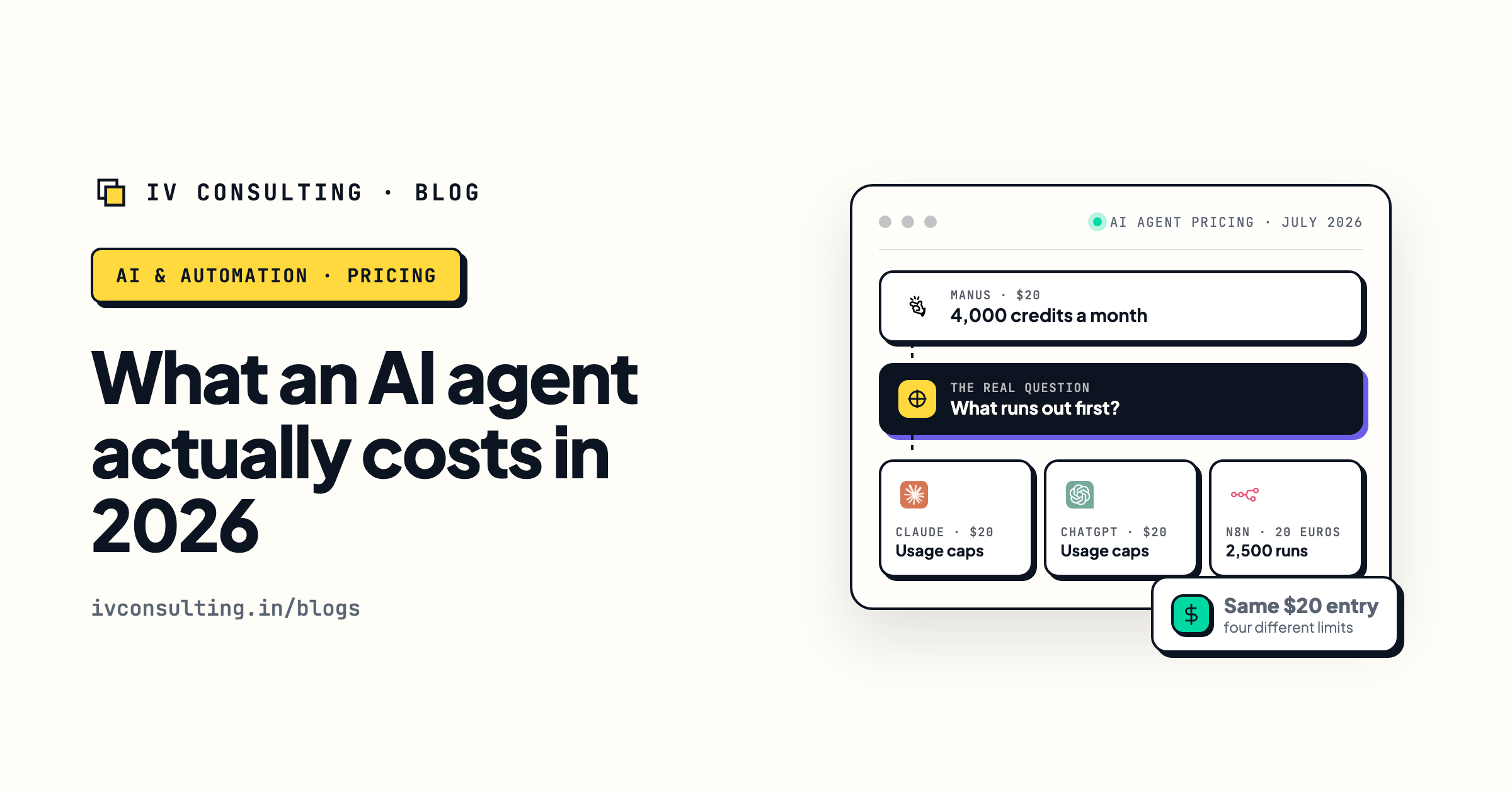
What an AI agent actually costs
The real monthly numbers behind running agents, not the marketing page version.
Read the breakdown →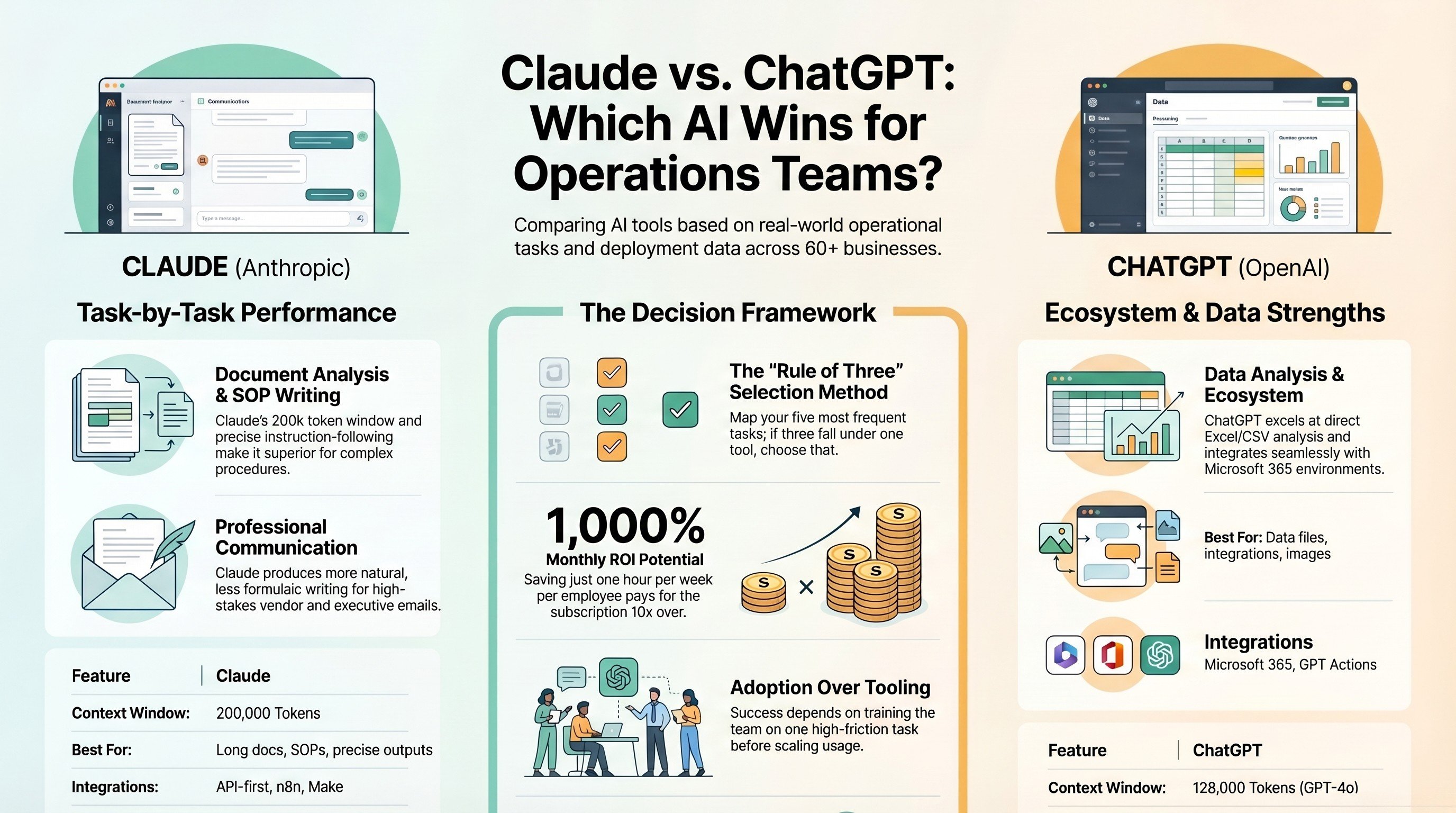
Claude vs ChatGPT for operations teams
Where each one actually wins once you are running real ops work, not demos.
Read the comparison →
The AI Engineering stage, built for you
Production agents with routing, evaluation, and cost controls in from day one.
See the offer →Want a routing plan for your actual workload?
Book a free 30-minute strategy call. Bring your task list and we will map which tier each job belongs on, what it should cost, and where the quick wins are.
Book a Free Strategy Call →Free 30-minute call. Honest take, even if that means "your current setup is fine."