Claude vs Notion AI vs ChatGPT: we run all three, here is our verdict
I set all three up for client teams every month, and I have a clear opinion about the buying order. They are not competitors. They are layers of one stack, and once you see that, you stop paying for the wrong tool to do the wrong job.
 By Ishan Vats · Founder of IV Consulting · builds AI agents & automations for 150+ teams
 Notion AIFind it
 ClaudeThink + build
 ChatGPTCreate anything
Claude vs Notion AI vs ChatGPT is the wrong question, because they do not substitute for each other. Our verdict on the buying order: buy Claude first if your team ships customer-facing work, buy Notion AI first instead only if Notion is already your operating system, and buy ChatGPT last. Notion AI finds and acts on knowledge already in your workspace, Claude does deep reasoning, long-document analysis, and coding, and ChatGPT covers broad multimodal work like images, voice, and web search. Every team I have moved off the "pick one" mindset and onto assigning each tool the job it is best at ends up faster and pays less.
The verdict
Which should you actually buy: Claude, Notion AI, or ChatGPT?
Buy Claude first if your team ships customer-facing work, buy Notion AI first instead only if Notion is already your operating system, and buy ChatGPT last. That is the order I give clients, and it is deliberately not the "you need all three on day one" answer most comparisons land on.
Here is the reasoning, and it comes from setting these stacks up rather than from a benchmark table. Most teams already have a ChatGPT seat or a free account, so breadth is the layer they are least likely to have a real gap in. What they usually do have a gap in is quality on the work a customer sees: the proposal, the analysis, the report someone outside the company reads and judges you on. That is Claude's lane, and it is the one place where paying for a stronger reasoning model shows up in revenue rather than in convenience.
Notion AI jumps the queue in exactly one situation, and it is a common one. If your team already lives in Notion, retrieval across your own pages, databases, and connected tools is a job no general chatbot can do on your private data at all. That is not "better," it is a different capability, and it is worth buying before a second frontier model. If your team does not live in Notion, the value drops sharply and this becomes the last thing to buy, not the first.
ChatGPT goes last for most ops teams, and I want to be precise about why: not because it is weak, but because it is the widest toolkit and width is rarely the binding constraint. Images, voice, and web search are nice to have on a Tuesday. They are seldom the thing blocking a team from shipping.
What almost nobody should do is buy all three seats for everyone on the team in the same month. Assign each layer to the jobs it actually wins, license the people who do those jobs, and let the rest of the team share the free tiers. We ran the per seat arithmetic on that in is Notion AI worth it, and do you need ChatGPT or Claude on top, and the gap between blanket licensing and selective licensing was the largest single number in the piece.
The real problem
Why everyone is confused about Claude vs Notion AI vs ChatGPT
Almost every week a client asks me some version of the same thing. "We have ChatGPT. Should we get Claude too? And now Notion has agents. Are we paying for three things that do the same job?" The confusion is real, and it comes from one wrong assumption: that Claude vs Notion AI vs ChatGPT is a shootout with one winner. If your version of that question is really about the invoice rather than the capability, we did the seat math separately in is Notion AI worth it, and do you need a second subscription.
It is not. I have set up all three across dozens of workspaces, and they feel similar only because they all answer in a chat box. Under the hood they are built for different jobs and they fail in different ways. Treating them as interchangeable is exactly why teams get frustrated: they ask Notion AI to write a sharp client proposal and get something flat, or they paste a 40-page document into a generic chatbot that has no idea what their internal process is.
Here is the reframe that fixes it. Think of them as a stack, not a shortlist:
- Notion AI is the retrieval layer. It knows your workspace. It is weaker at raw reasoning, stronger at "where is that and what does it say."
- Claude is the reasoning and coding engine. It thinks deeply and writes and builds well, but it knows nothing about your private notes unless you give it context.
- ChatGPT is the broad multimodal generalist. Images, voice, web search, a huge plugin ecosystem. The everyday do-anything tool.
Once you see the three layers, the decision is no longer "which one." It is "which one for this job." That is a question you can actually answer.
The model
What is the difference between Claude, Notion AI, and ChatGPT?
The difference is the job each one is built for, not the quality of the chat box. Notion AI is a retrieval layer that knows your workspace, Claude is a reasoning and coding engine that knows nothing about your private data until you give it context, and ChatGPT is the broad multimodal generalist covering images, voice, and web search. Match the job to the layer and the right tool picks itself.
One stack, three jobs
The tools overlap on the surface but do not substitute well underneath. Notion AI retrieves from your own knowledge. Claude reasons and builds. ChatGPT creates across formats. Stop asking which one wins and start asking which layer the task belongs to. That single shift is what turns three confusing subscriptions into one clear workflow your whole team can follow.
Notion AI: retrieval
Best at "find this policy," "summarize this PRD," weekly status updates, and answering team questions from your own pages and databases.
Claude: reasoning
Best at long-document analysis, careful writing, proposals, research, and real coding. The layer you want when the output has to be sharp.
ChatGPT: multimodal
Best at images, voice, web search, quick drafts, and a wide plugin ecosystem. Since July 2026 it is not one option but three, the GPT-5.6 tiers Sol, Terra, and Luna, so "ChatGPT" is a routing decision as much as a subscription.
The differences are not marketing, and I see them every time I run the same task through each tool for a client. Hand Claude a messy brief and it reasons deeper and writes sharper. Ask Notion AI the same thing and the answer is thinner, but it actually knows where your policy doc and last quarter's notes live. That is the whole story in one line: Claude thinks better, Notion AI knows your stuff better, and ChatGPT is the widest toolkit. None of them is "best." Each is best at something.
The framework
When to use Claude, Notion AI, or ChatGPT
Here is the rule we give clients. Before you open any tool, ask one question: does this task need my own knowledge, deep thinking, or broad creation? The answer routes you to a layer.
Reach for Notion AI when
- The answer already lives in your workspace and you just need it found and summarized.
- You want recurring internal work handled: standups, status reports, FAQ answers, task routing.
- The value is in context and source links, not in raw intelligence.
Reach for Claude when
- The output has to be genuinely good: a client proposal, a research synthesis, a tricky analysis.
- You are working through a long document or a large codebase and need careful reasoning.
- You are writing or shipping code and want an agent that goes deep.
Reach for ChatGPT when
- You need images, voice, or web search in the same place as your chat.
- You want a fast, flexible generalist for everyday tasks and quick drafts.
- You are wiring up plugins or want the broadest ecosystem of integrations.
- You are calling it through an API and want to pay by difficulty: the GPT-5.6 tiers let you route volume work to Luna, everyday work to Terra, and only the hard jobs to Sol.
Side by side, the split is clear. There is no universal best, only a best-for-this.
| Dimension | Notion AI | Claude | ChatGPT |
|---|---|---|---|
| Core job | Retrieve from your workspace | Reason and build | Broad multimodal generalist |
| Current lineup (Aug 2026) | Notion AI in the Business seat, Custom Agents metered separately | Claude Sonnet 5 alongside Opus 4.8 | GPT-5.6 in three tiers: Sol, Terra, Luna |
| Knows your private data | Yes, natively | No, you give it context | No, unless you connect tools |
| Reasoning depth | Lighter | Strongest of the three | Strong, and tier dependent |
| Images, voice, web | No | Limited | Yes, the widest toolkit |
| Coding agent | Not a coding tool | Claude Code, goes deep | Codex, controls your machine |
| How it bills | Per seat plus a credit meter for agents | Flat per seat | Flat per seat |
| Best for | Teams living inside Notion | Proposals, analysis, code | Everyday do-anything tasks |
| Our call | Buy first only if Notion is already your operating system | Buy first for teams shipping customer-facing work | Buy last, unless your output is mostly images and quick research |
The pattern that works
Can you use Claude and Notion AI together?
Yes, and pairing them is the setup I recommend most often, because they cover different layers rather than competing for the same one. Here is how I actually set this up for clients, and it is not "pick one." We run a stack. The pattern I keep coming back to is Claude for the thinking, Notion AI for the workspace memory, with ChatGPT in the mix for anything multimodal.
In practice it looks like this. Notion AI is the layer the whole team touches: it answers "where is the onboarding doc," routes incoming requests, and writes the weekly update from data already in the databases I have built out. When a task needs real horsepower, a proposal, a deep analysis, a piece of code, I send it to Claude. Then I wire the good output back into Notion, so the knowledge base compounds instead of scattering across chat histories.
The clean split I land on with most teams: Claude for the customer-facing work where quality is visible, Notion AI for the internal-facing knowledge work where speed and context matter, and ChatGPT for the long tail of "make me an image, transcribe this, search the web." The tools stop competing the moment each one has a clear lane. If the lane you need to settle first is Claude against ChatGPT for day to day ops work, that head to head is scored task by task in Claude vs ChatGPT for operations teams.
This is also the honest answer to "do we need all three." Usually yes, because they cover different layers. What you do not need is three tools all trying to be the same layer. If you are paying for Notion AI to write your proposals, you are overpaying for a weak result. If you are pasting your entire workspace into ChatGPT every morning, you are doing by hand what Notion AI does natively.
For builders
Codex vs Claude Code: routines, automations, and which to pick
If your question is about coding agents specifically, the comparison narrows to Codex vs Claude Code, and the same "different jobs" logic applies. As of August 2026 neither has taken the category outright, because they are pulling in different directions on purpose. Our call, stated up front: Claude Code if code is the point, Codex if the agent is meant to run your whole machine.
Codex bets on breadth. It moved beyond coding into a full desktop agent: it can control your Mac, browse the web, generate images, run scheduled jobs it calls Automations, and connect to a large plugin ecosystem. The pitch is one app that does everything.
Claude Code bets on depth. It is terminal-first and strong on complex codebases and architectural work, with parallel coding sessions and cloud automations it calls Routines, triggered by schedule, API call, or repository events. The pitch is a serious engineering agent that goes deep.
Both ship the same idea under different names: background jobs that quietly sort bug reports, watch for alerts, and handle repetitive work on a schedule. Codex calls it Automations. Claude Code calls it Routines. The naming is where a lot of the confusion comes from, so do not let it fool you. They are the same concept.
| Dimension | Claude Code | Codex |
|---|---|---|
| Philosophy | Depth, engineering focus | Breadth, one app for everything |
| Where it runs | Terminal-first, parallel sessions | Desktop agent, controls your Mac |
| Background jobs | Routines (schedule, API, repo events) | Automations (scheduled tasks) |
| Beyond code | Stays focused on building | Browses web, makes images, 90+ plugins |
| Best for | Complex codebases, deep work | A do-everything desktop assistant |
The practical call: pick Claude Code if your priority is shipping production code in real codebases, and pick Codex if you want one agent that runs errands across your whole machine. Many engineers keep both for the same reason teams keep Claude and ChatGPT, they are good at different things. If you want this kind of agent built into your real stack, that is our AI Engineering work.
Watch your bill
The Notion AI pricing trap nobody warns you about
Notion AI costs more than teams expect because only half of it is a seat. The seat covers the AI you ask for, and a separate credit meter covers the AI that runs without being asked, which means the same workspace can produce two very different invoices depending on how much its agents ran. Claude and ChatGPT have no equivalent second meter.
Notion shipped agents fast. Custom Agents launched in February 2026 and crossed a million created within months, with autonomous agents that run on triggers and schedules to handle FAQs, status updates, and task triage. The capability is real and genuinely useful if Notion is your operating system.
But there is a catch that surprises teams, and it is the single thing my clients flag most. In May 2026, Notion moved Custom Agents to credit-based metering, roughly $10 per 1,000 monthly credits, where each agent run consumes credits based on complexity, and Notion documents how those credits are bought and tracked in its own help centre. That variable cost sits on top of the per-seat business plan. I have also watched teams get hit with quiet per-model usage limits that arrived with little warning, so I now budget for the meter from day one. If you are weighing Notion's meter against ClickUp's flat per user AI add-on, we ran the per seat math on both in ClickUp Brain vs Notion AI.
The meter is also about to widen, and this is the part worth acting on before it lands. Notion Workers, the pieces that extend Notion with custom code, are free during beta and start consuming the same credits on 15 October 2026. Notion states it plainly in its own pricing doc: during the beta, Workers are free to try on Business and Enterprise plans, and starting on October 15, 2026 they will require Notion credits. If you have been building Workers on the assumption they are free, that assumption expires this autumn, and the fix is cheap: go and look at your projected credit usage now, while it still costs nothing to be surprised. We go deeper on how the meter behaves in Notion AI credits and limits explained.
This is the one genuine asymmetry between the three tools, and it is why "which is cheaper" has no clean answer. Claude and ChatGPT bill you a flat amount per seat, so your worst month costs the same as your best one. Notion bills you per seat and per unit of autonomous work, so the same workspace can cost two different numbers depending on how much its agents ran. Model it before you commit: the Notion AI credit calculator turns your workflow list into a monthly figure you can actually compare against a flat seat.
This is another reason the stack model wins. The cheapest path is to use each layer for what it is best at: let Notion AI retrieve and run a small number of high-value agents, push heavy reasoning to Claude on a flat plan, and keep ChatGPT for multimodal odds and ends. Spreading the load by job, not by habit, keeps all three bills sane. If you want a second opinion on your setup, that is exactly what a strategy call is for.
FAQ
Questions people ask before they choose
Can Notion AI replace ChatGPT or Claude?
Which is better for work, Claude or ChatGPT?
Is Notion AI worth it in 2026?
Codex vs Claude Code: which should developers use?
Do I really need all three tools?
Why is Notion AI more expensive than I expected?
Which should I buy first if I can only pay for one?
What changes for Notion AI users on 15 October 2026?
Ishan Vats
Founder, IV Consulting · AI & automation consultant
I build production AI agents, automations, and MCP servers for teams from startup to enterprise. 150+ ops transformations over 10+ years. Before you commit to a plan, price the metered half of your stack against a flat seat.
Price my Notion AI usage →Keep reading
Related guides and work
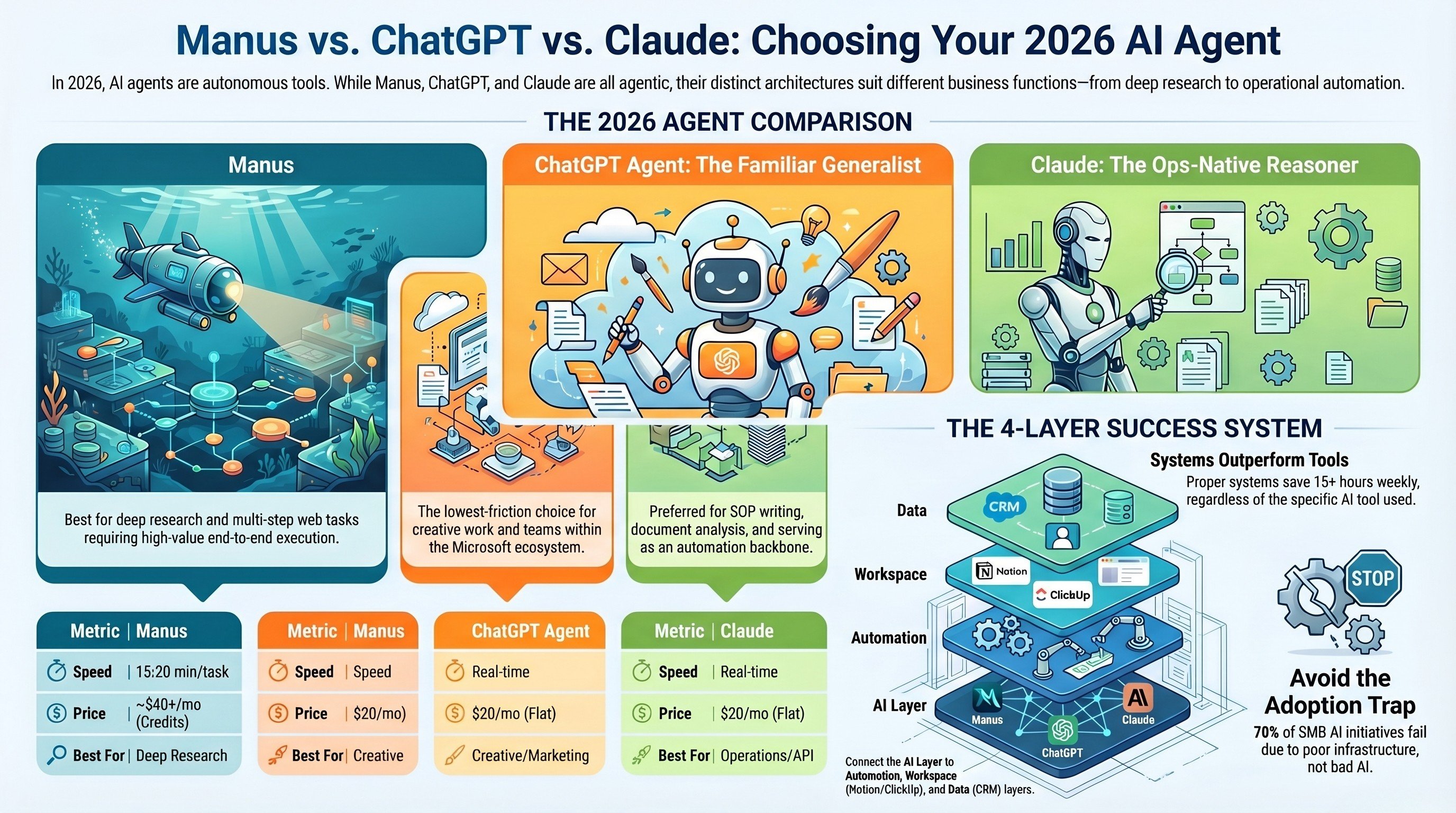
Manus vs ChatGPT vs Claude: AI agent comparison
How the autonomous agents stack up on real business tasks, not benchmarks.
Read the comparison →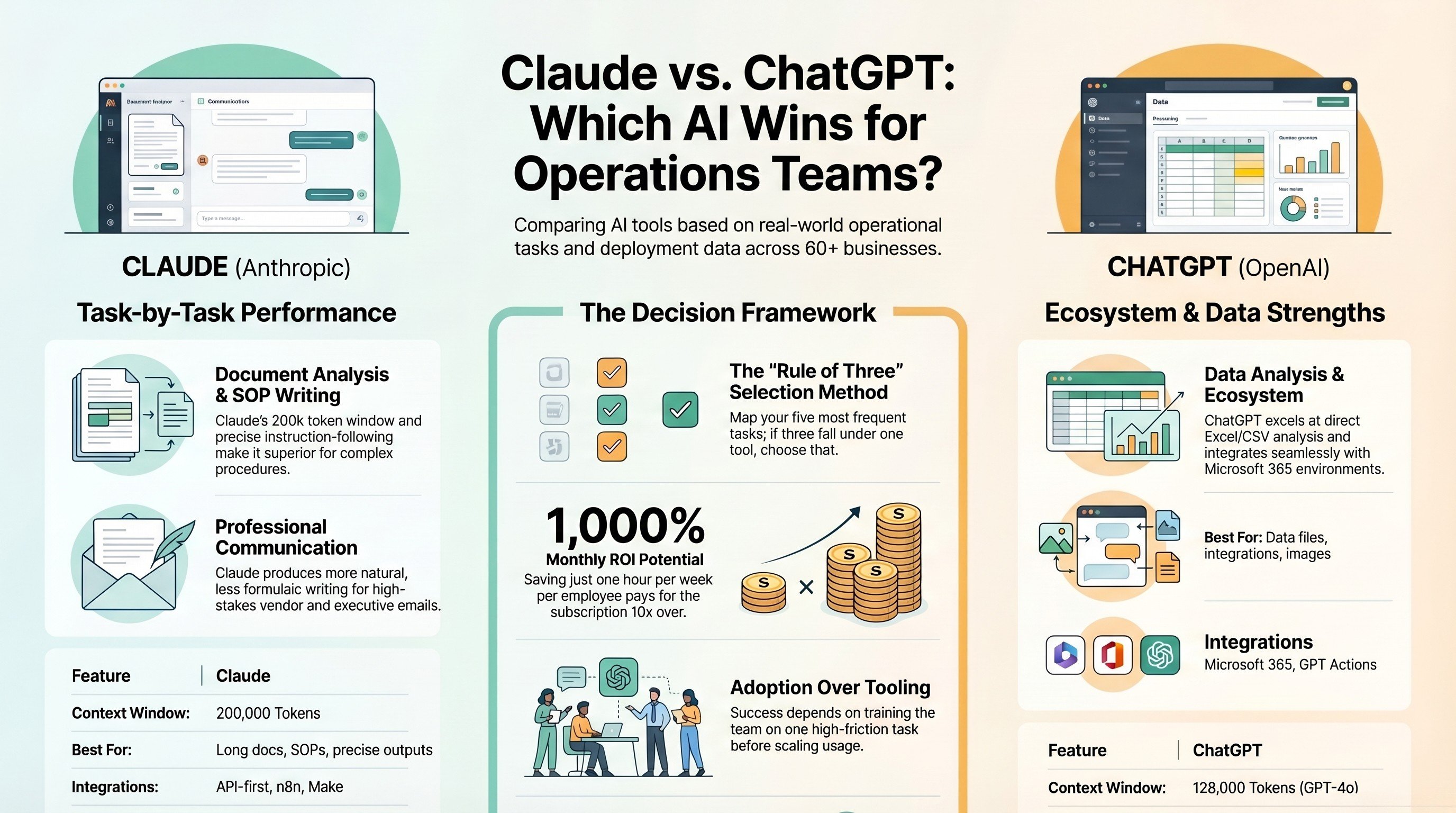
Claude vs ChatGPT for operations teams
Which model to reach for when the work is real ops, not demos.
Read the guide →
The AI Engineering stage, built for you
Production agents wired into your real stack, idea to live in about a month.
See the offer →Not sure which AI layer your team actually needs?
Start with my free AI Readiness Check to see where you stand in two minutes, then book a strategy call and I will map your work to the right tools, kill the duplicate subscriptions, and hand you a build roadmap. If you are overspending, I will tell you exactly where.
Two-minute check, then a free 30-minute call. Honest take, even if that means "you already have what you need."