Project Online retires 30 September. Microsoft's three exits are built for a company bigger than yours
The deadline is real and your project data goes with it. But Microsoft's recommended replacements were written for the enterprise PMO that Project Online was sold to, not for the 20 person team that inherited it. Here is our call, and the export you should do this week regardless.
 By Ishan Vats · Founder of IV Consulting, 150+ ops transformations over 10+ years
 SchedulesClickUp
 Docs ledNotion
Microsoft Project Online retires on 30 September 2026, and Microsoft states that after that date you will no longer be able to access your projects or any associated data within the service. Microsoft points at three replacements: Planner with premium features, Project Server Subscription Edition, and Dynamics 365 Project Operations. Our call for a 5 to 30 person team is that all three are the wrong size. Project Server Subscription Edition and Dynamics 365 Project Operations are enterprise portfolio tools, and Planner and Project Plan 3 at 30 dollars per user per month re-buys Gantt and resource features most small teams never opened. Export your data now, because that is the only step with a deadline, then move the work to ClickUp or Notion, or to Planner Plan 1 at 10 dollars if you are already deep in Microsoft 365.
The verdict
Where should a small team go after Project Online retires?
Somewhere Microsoft did not suggest. That is an uncomfortable thing to say about a vendor's own migration guidance, so here is the reasoning rather than just the opinion.
Project Online was sold as enterprise portfolio management. It was bought by organisations with a PMO, resource managers and portfolio reporting. Microsoft's three named exits are correctly sized for exactly that buyer: Project Server Subscription Edition is the closest feature match and runs on SharePoint Server, and Dynamics 365 Project Operations adds timesheets, resource scheduling and project financials. If you have a PMO, take one of those and stop reading.
But a large share of the teams hitting this deadline are not that buyer. They are 10 to 30 people who ended up on Project Online because it came bundled with a licence, because a consultant set it up years ago, or because one person who has since left knew Microsoft Project. For that team, the honest reading of the situation is this: (If this deadline has you reopening the Microsoft bill generally, it is worth checking what you pay for AI at the same time, because Copilot and Gemini are now priced very differently per seat.)
A dated retirement at least tells you when to act. When a vendor is acquired instead, you get the same risk with no date attached, which is where most teams over-react. We put numbers on that in our take on the Bending Spoons acquisition of Airtable, including how long the changes actually took at Evernote.
- You are not migrating a PPM system. You are migrating a task list with dates on it. The question is not which tool replicates Project Online. It is which tool matches what your team actually did in it.
- A forced migration is the only cheap moment to change platform. You are paying the rebuild cost either way. Spending it on a tool nobody wanted to use is the expensive choice, not the safe one.
- The lock-in argument is gone. Whatever kept you on Project Online, the product is being switched off. Nothing is holding the decision in place any more.
The facts
What happens to your Project Online data on 30 September 2026?
Microsoft's retirement notice on the Planner blog went up on 5 September 2025 and has been updated since. The wording that matters is in its FAQ: after Project Online is retired in September 2026, you will no longer be able to access your projects or any associated data within the service.
Read that twice, because it is stronger than a normal end of life notice. There is no announced read only period and no grace window. Microsoft's stated instruction is to back up your data and projects and complete your transition before the retirement date, and it says the retirement happens automatically on the specified dates with no admin action required. Nobody is going to call you.
Two milestones have already passed, which is worth checking against your own tenant:
- 1 October 2025. End of sale for Project Online only SKUs for new customers.
- 1 April 2026. Creation of new Project Web App sites was blocked. Microsoft also confirmed that existing tenants holding at least one project across any PWA site stay accessible, while tenants with none were blocked. Non PWA data remained accessible.
What is not affected is worth stating too, because the panic usually overshoots the blast radius. Microsoft is explicit that this retirement does not touch Project desktop, Project Server, or Planner. If someone on your team builds schedules in the Project desktop client, that keeps working. Separately, Microsoft notes that Project Server 2016 and Project Server 2019 reach extended support on 14 July 2026, which is a different deadline that catches some of the same organisations.
The options
Are Microsoft's Project Online replacements right for a small team?
Microsoft names Planner with premium features, Project Server Subscription Edition, and Dynamics 365 Project Operations. Each is a reasonable product. The issue is fit, and fit is a function of headcount and of what you were genuinely using.
Premium Planner capability comes through Planner Plan 1, Planner and Project Plan 3, or Planner and Project Plan 5, while Planner Basic ships with Microsoft 365 E3 and E5. On Microsoft's own buy page, Planner and Project Plan 3 is 30 dollars per user per month paid yearly and Planner Plan 1 is 10 dollars per user per month paid yearly. Plan 3 includes the Project desktop client with up to five concurrent installs per licence.
There is one cost sitting in the footnotes that changes the arithmetic. Microsoft's Plan 3 page states that access to AI capabilities in Planner and Planner in Teams requires a Microsoft 365 Copilot license. So Copilot in Planner, which is a large part of how the upgrade is pitched, is not included in the 30 dollars. If the AI is why you were considering Plan 3, price the Copilot licence before you decide.
| Microsoft's exit | Built for | Published price | Our call for a small team |
|---|---|---|---|
| Planner and Project Plan 3 | Teams needing Gantt, baselines, roadmaps and resource management, plus Project desktop | 30 dollars per user per month, paid yearly | Overpriced unless you genuinely used PPM features. AI needs a separate Copilot licence. |
| Planner Plan 1 | Teams wanting timeline view, dependencies, backlogs and goals inside Microsoft 365 | 10 dollars per user per month, paid yearly | The only Microsoft option we would shortlist, and only if you already live in Microsoft 365. |
| Project Server Subscription Edition | Organisations needing full PPM and the closest match to Project Online's feature set | Not published as a per seat price | No. This is server software with a SharePoint Server dependency. Wrong shape entirely. |
| Dynamics 365 Project Operations | Teams needing timesheets, resource scheduling and project financials | Not published on the retirement notice | No, unless you are actually buying a professional services ERP. That is a bigger decision than this deadline. |
| Planner Basic | Simple task and plan tracking | Included with Microsoft 365 E3 and E5 | Free and already yours. Check it before buying anything, but it has no real scheduling. |
Do this first
What should you export from Project Online before the deadline?
Do this before you argue about destinations. Microsoft's instruction is to back up your data and projects before the retirement date, and once the data is out, the rest of the decision has no deadline on it. Work in this order.
Inventory what is actually in there
List every PWA site and every project inside it, and mark which projects are live, which are finished, and which nobody has opened in a year. Most teams discover the real migration is a third the size they feared. You are not moving Project Online. You are moving the handful of projects that are still running.
Get the schedules out as files you own
Save the project schedules locally through the Project desktop client, which is unaffected by the retirement and keeps working afterwards. A local file is the difference between an archive you can still open in 2027 and a screenshot. Do this for finished projects too, not just active ones, because closed projects are usually where the contractual and billing history lives.
Export the task data to CSV or Excel
This is the format every destination can actually read, and it is the one you will import from. Task name, start and finish dates, percent complete, assigned owner, and any custom fields you rely on. Do it per project rather than as one giant export, because you will import per project too.
Capture what does not live in a task row
The part teams forget. Custom field definitions, lookup tables, enterprise calendars, resource lists and any reports someone rebuilt by hand. None of these come across in a task export, and reconstructing them from memory in October is how a clean migration turns into a bad quarter.
Write down who owned each project
Ownership is the single thing that never survives a tool migration and the single thing that decides whether the new system gets used. Before you close the old one, put a name against every project you are carrying over. If you cannot name an owner, that is a project to archive rather than migrate.
The destination
ClickUp, Notion or Planner: which one fits your team?
Match the destination to how your team actually worked in Project Online, not to which tool looks closest to it on a feature grid.
ClickUp if you still need schedules
You have real dependencies, milestones and a Gantt someone actually reads, but no PMO. ClickUp carries that shape without an enterprise licence, and we have already published the migration playbook for moving into it.
Notion if the projects were mostly documentation
The project was a client, a scope, a set of docs and a task list, and the schedule was decoration. Notion wins here because the work and the writing live together. It will not give you a real critical path, and you should not pretend otherwise.
Planner Plan 1 if you are deep in Microsoft 365
Everything already runs through Teams, Outlook and SharePoint, and moving out would cost you more in friction than the licence saves. At 10 dollars per user per month this is defensible. Plan 3 at 30 usually is not.
What actually transfers, and what you rebuild
Be realistic about the import. Neither ClickUp nor Notion reads a Microsoft Project file directly. ClickUp has no native .mpp import: the request has sat on ClickUp's own feedback board since May 2018 with 385 votes, and a ClickUp representative confirmed on 19 March 2026 that no date is set for it. Notion imports CSV to create or merge a database. So in both cases the path runs through the CSV or Excel export from step three above.
| What you had | Survives the export | What it costs you |
|---|---|---|
| Task names, dates, percent complete | Yes | Nothing. This is the bulk of the data and it maps cleanly. |
| Owners and assignees | Yes, with a remap | Names come across as text and need matching to real users in the new tool. |
| Custom fields | Values yes, definitions no | Recreate the field itself first, then import into it. Do this before the import, not after. |
| Task dependencies | No | Rebuilt by hand. Usually fast, because most projects have far fewer real dependencies than the file suggests. |
| Baselines and resource levelling | No | Not reproducible in ClickUp or Notion. If you need these, Planner premium or Project Server is the honest answer. |
| Enterprise calendars and lookup tables | No | Rebuilt from the capture you did in step four. This is why step four exists. |
| Reports and dashboards | No | Rebuilt, and usually improved. Most Project Online reports were built once and never revisited. |
One closing thought that outlives this particular deadline. Project Online lasted more than a decade and is still being switched off with a year of notice. Every tool you standardise on is on the same trajectory, so the thing worth investing in is not the tool. It is knowing what projects exist, what each one feeds, and who owns it. Teams with that inventory handled this announcement in an afternoon. Teams without it are the ones still deciding in August.
FAQ
Questions teams ask about the Project Online retirement
When does Microsoft Project Online retire?
What happens to my Project Online data after 30 September 2026?
What are Microsoft's official Project Online replacements?
Is Planner a good replacement for Project Online for a small team?
Can I import Microsoft Project files into ClickUp or Notion?
How long should a Project Online migration take a small team?
Ishan Vats
Founder, IV Consulting · operations & systems consultant
I rebuild the systems small teams run projects on, and move them between tools when a vendor forces the issue. 150+ ops transformations over 10+ years. The pattern in almost every forced migration is the same: the tool mattered far less than knowing which projects were still real and who owned them.
Price my own migration →Keep reading
Related guides and work
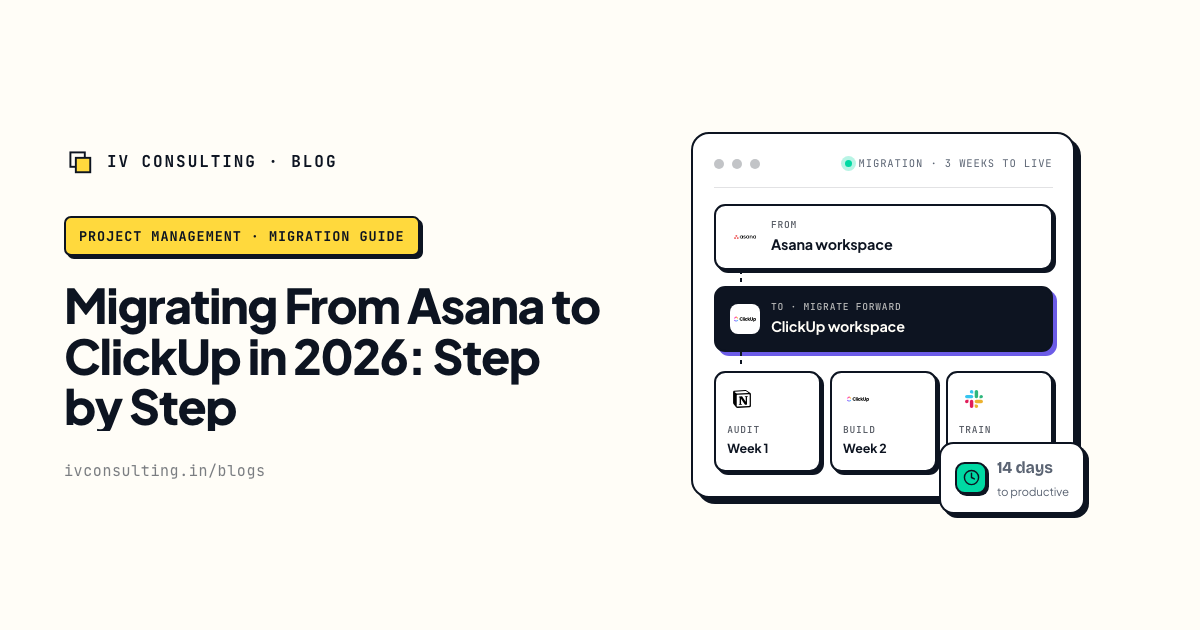
Asana to ClickUp, done properly
The same move run end to end, with the honest list of what the importer does and does not carry.
Read the guide →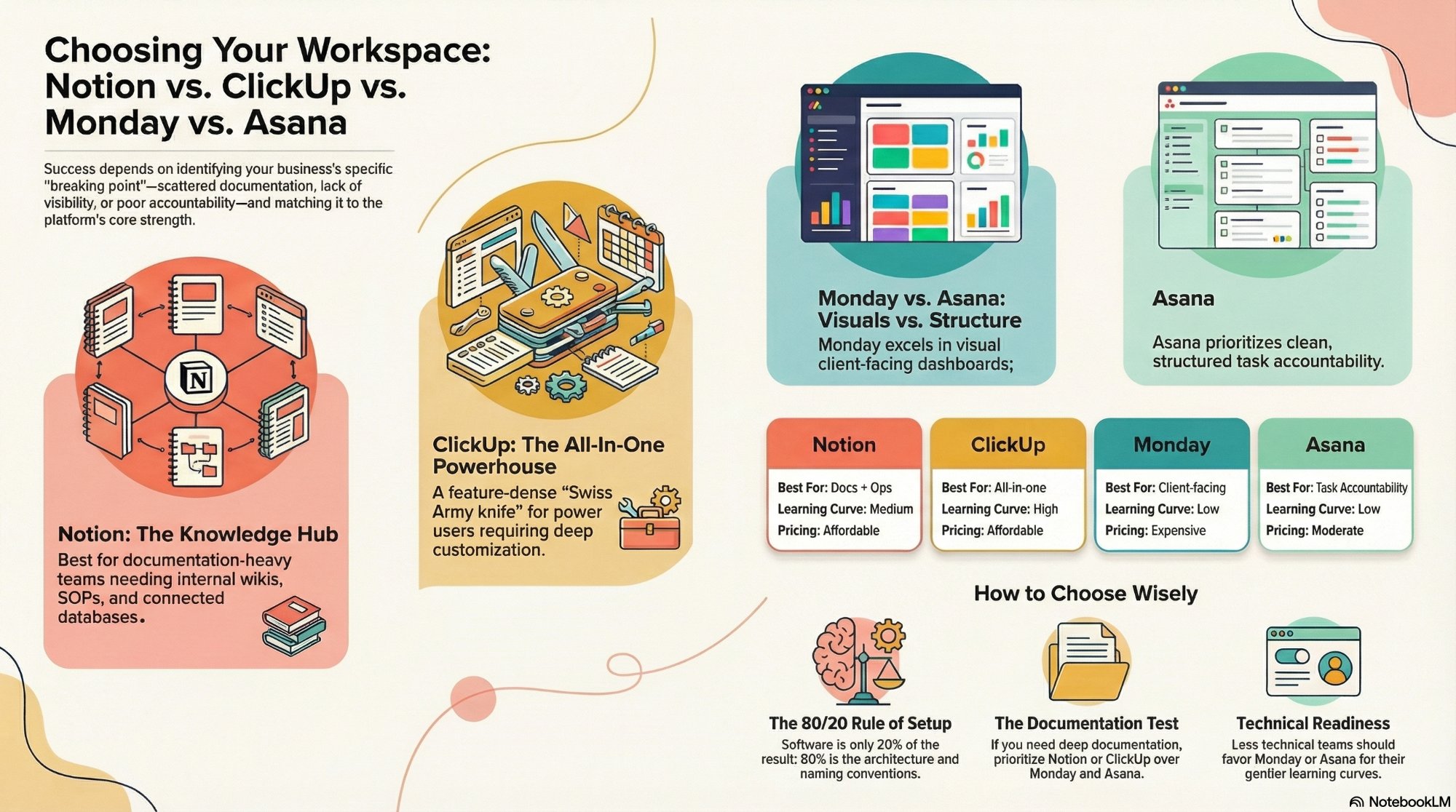
Notion vs ClickUp vs Monday vs Asana
If the destination is still open, this is the four way call with the pairings settled.
Read the comparison →
The Foundation stage, built for you
One workspace your projects actually live in, documented and owned by you rather than by one person's memory.
See the offer →Not sure which exit your team actually needs?
Book a free 30-minute strategy call. We will look at what you were genuinely using in Project Online, tell you whether a 10 dollar licence, a 30 dollar one or a clean move fits, and give you the export plan on the spot. If Planner Plan 1 is the right answer, we will say that and you can go buy it.
Book a Free Strategy Call →Free 30-minute call. Honest take, even if that means "you do not need us yet."