HeyReach got banned by LinkedIn. Is anything actually safe?
On 25 March 2026 LinkedIn removed HeyReach's company page and locked out its leadership's personal profiles. Since then every LinkedIn automation vendor has published a post explaining why its own setup is the safe one. We read the policy, the vendors' own pages and the independent reporting, put HeyReach, Expandi, Unipile-based tools and plain manual outreach side by side on cost and risk, and took a side.
 By Ishan Vats · Founder of IV Consulting · builds outbound systems in Clay, Smartlead and n8n
 Your profileThe account that gets restricted
 HeyReachCloud automation, from $79 a sender
No LinkedIn automation tool is safe in LinkedIn's own terms. Its help centre says it does not permit third-party software, bots or extensions that automate activity, and accounts that use them risk restriction. On 25 March 2026 LinkedIn removed HeyReach's company page and restricted its executives' profiles; HeyReach says customer campaigns kept running. Moving to Expandi changes the infrastructure (a dedicated IP instead of shared proxies), and Unipile-based tools run on what Unipile itself calls reverse engineering, so neither changes the rule. Our verdict: keep sending on LinkedIn manual, from the owner's real account, with every invite approved by a human and volume well under LinkedIn's weekly invitation limit. Automate the parts LinkedIn never sees, the signals, research, drafts and CRM logging, and put your volume in email.
The facts
Why did LinkedIn ban HeyReach, and what was actually banned?
LinkedIn banned HeyReach the company, not HeyReach the product: on 25 March 2026 it removed the HeyReach company page and restricted the personal profiles of its leadership, and it has never published a reason.
Most of what you will read about the HeyReach ban comes from competitors selling the alternative, so it is worth separating what is on the record from what is inference.
| Claim | Status | Where it comes from |
|---|---|---|
| Company page removed on 25 March 2026 | Confirmed | HeyReach's own CEO update and its later write-up, which put the page at 16,400 followers |
| Executive profiles restricted | Confirmed, details vary | HeyReach first named the CTO, CRO and CMO, and later the CEO as well |
| Customer campaigns kept running | HeyReach's claim | HeyReach called the impact on customers zero; no independent data either way |
| The cause was HeyReach's cloud-proxy setup | Inference | Rival vendors' blogs; LinkedIn has not given a reason |
| A big share of automation users got restricted in Q1 | Unverified | A vendor analysis quoted second-hand; we could not see the underlying data, so we do not repeat the number |
| LinkedIn scans browsers for automation extensions | Confirmed | BleepingComputer observed a LinkedIn script checking for 6,236 extensions; LinkedIn says it looks for tools that scrape or break its terms |
Sources, read 15 October 2026: HeyReach's 25 March update, LinkedIn's prohibited software and extensions page, and BleepingComputer's BrowserGate report.
The part that matters for you is the policy, not the gossip. LinkedIn's help centre says plainly that it does not permit third-party software, including crawlers, bots and browser extensions, that scrapes or automates activity on the site, and that members who use it risk having accounts restricted or shut down. That sentence covers every cloud automation tool in this article. The vendors differ in how hard they are to detect. None of them is permitted.
The comparison
HeyReach vs Expandi vs Unipile vs manual outreach: what is the difference?
HeyReach and Expandi are cloud tools that run your LinkedIn account for you, Unipile is an unofficial API other products build on, and manual outreach is a person sending from their own browser. Only the last one is inside LinkedIn's rules.
| HeyReach | Expandi | Unipile-based tools | Manual, software-assisted | |
|---|---|---|---|---|
| What it is | Cloud LinkedIn automation built for agencies running many senders | Cloud LinkedIn automation, one seat per account | A unified messaging API that other outreach apps plug into | A person sends invites and messages; tools only prepare the list and drafts |
| How it reaches LinkedIn | Growth plan: a dedicated residential proxy per sender. Agency and Unlimited: bring your own proxies | A dedicated IP based on your country | Unipile says its LinkedIn access works through reverse engineering, not an official API | Your own browser, your own network |
| Monthly list price | $79 per sender (Growth, monthly); Agency $999 | $99 a seat monthly, $79 billed annually | From €49 for up to 10 accounts, then €5 an account (paid by the app vendor, passed on to you) | No tool fee; a Sales Navigator seat if you want its search filters |
| Inside LinkedIn's terms? | No | No | No | Yes |
| Who takes the hit | Your profile; the vendor's brand already took one | Your profile | Your profile, and you may not know which API the app uses | Only your own judgement |
| Scales to | Dozens of sender accounts | One account per seat | Whatever the app on top allows | What one person can review in 20 minutes a day |
| Best for | Agencies willing to risk sender accounts they control | Founders who accept the risk on one profile | Teams already inside an app that happens to use it | Anyone whose LinkedIn profile is a business asset |
Prices read on 15 October 2026 from HeyReach, Expandi and Unipile. Unipile bills the software company, not the end user, so you see its cost inside another product's price.
Read the table by the row most comparisons skip: who takes the hit. HeyReach's software reportedly kept working after the ban. Its executives lost their profiles. That is the shape of the risk for everyone in the first three columns. The vendor can keep selling. The account that gets restricted is the one with your name, your network and your inbound on it.
The alternatives
Is Expandi safer than HeyReach? And what about Unipile?
Expandi is harder to detect than a shared-proxy setup, but it is not safer in the way that counts: it automates the same actions LinkedIn prohibits, and the same vendor analyses that blame HeyReach list Expandi among the tools whose users were restricted.
Expandi: a better disguise
One dedicated IP per account and a warm-up schedule that starts small are real improvements over pooling many clients behind shared proxies. They lower the chance that LinkedIn links your account to an automation service. They do nothing about the behaviour LinkedIn scores: invites that look templated, low acceptance, messages that read alike.
Unipile: the hidden layer
Unipile is infrastructure, not a tool you log into. Outreach and CRM apps use it to read and send LinkedIn messages. Its own pricing page says the LinkedIn connection is reverse engineered. If an app asks for your LinkedIn cookie or password, ask the vendor in writing which API sits underneath.
Chrome extensions: not the escape hatch
The usual advice after a cloud-tool ban is "use an extension, it looks like you". BleepingComputer watched a LinkedIn script check for 6,236 extensions, and LinkedIn says it does this to find tools that break its terms. Running in your browser makes an extension easier to see, not harder.
The question to ask any vendor
Not "how safe is your infrastructure" but "does LinkedIn permit what your product does". For every tool in this article the honest answer is no, and a vendor that tells you otherwise is selling, not informing.
None of this means a team running Expandi tomorrow will be banned on Friday. Plenty of accounts run automation for years. It means the risk is real, unpriced and sitting on the most valuable profile in the company, which is usually the founder's.
The verdict
Our verdict: what is actually safe for LinkedIn outreach in 2026?
Do not replace HeyReach with another HeyReach. Make LinkedIn a manual, human-sent channel from the owner's real account, automate everything around the send, and move the volume to cold email where you control the infrastructure. We take that side for three reasons.
1. The rule did not change
Swapping vendors moves you from one prohibited tool to another with a better disguise. The only setup that removes the risk instead of hiding it is a person pressing send.
2. The asset is worth more than the volume
A founder's profile carries their network, their content audience and their inbound. Losing it costs far more than the extra replies automation buys, and you cannot buy it back.
3. Signals beat volume anyway
Twenty invites a day to people who just changed jobs, raised or visited your pricing page will out-reply two hundred generic ones. You do not need a bot to send twenty messages.
The setup we recommend when we scope outbound for a client has four rules:
Send from the owner's own real account
No rented profiles, no sender pools, no shared logins. One person, one browser, one profile they would be upset to lose.
A human approves every invite and message
Software builds the daily queue and drafts the note. The owner reads it and sends it. That is the line between assisted and automated.
Stay well under the weekly invitation limit
LinkedIn caps invitations per week, widely reported at about 100. Treat that as a ceiling you never touch, not a target, and keep acceptance high by only inviting people with a reason to accept.
Write down the risk decision
If anyone on the team still wants an automation tool on their profile, they sign off on it in writing, knowing it breaks LinkedIn's terms. It turns a quiet gamble into a decision someone owns.
What gets automated is everything LinkedIn never sees: watching for buying signals, enriching the account in Clay, writing the first draft, logging the touch to the CRM and handing replies to the right person. The scaled volume goes to cold email in a tool like Smartlead, on domains and inboxes you own. If you are deciding what an AI sales tool should do at all, our take on whether an AI SDR should augment or replace your rep draws the same line.
A manual LinkedIn channel only works if the daily list is worth sending to. That list comes from signals: job changes, funding, hiring, tech installs and site visits that say an account is in market. See how we map the buying signals for your ICP and wire them into Clay, your CRM and a 20-minute daily send queue, with email carrying the volume.
Do this next
How do you move off HeyReach without losing your pipeline?
To move off HeyReach, pause sends, export your leads and conversation history, disconnect the LinkedIn accounts, move the data into your CRM, and rebuild the motion as a signal-led manual queue plus an email sequence. It is a week of work, not a quarter.
Pause every running campaign
Stop new invites first so nothing keeps firing while you migrate. Let replies keep arriving.
Export leads and status
Pull the lead lists with their stage (invited, connected, replied) into a spreadsheet. The replied and connected rows are your warmest pipeline.
Disconnect the LinkedIn accounts
HeyReach documents how to disconnect a LinkedIn account. Then change the password on each profile and review active sessions in LinkedIn's settings.
Land the data in your CRM
Connected and replied contacts become CRM records with the conversation attached, so follow-up happens from the CRM, not from memory. A small team can do this in a Notion CRM, HubSpot or Pipedrive.
Rebuild as signals plus email
Enrich the list with verified emails, move cold volume into an email sequence, and keep LinkedIn for the short daily queue of accounts showing a buying signal worth acting on.
FAQ
Questions about the HeyReach ban and LinkedIn automation
Did LinkedIn ban HeyReach users?
Not as a group, as far as the public record shows. On 25 March 2026 LinkedIn removed HeyReach's company page and restricted its executives' personal profiles. HeyReach says customer accounts and campaigns kept running. Individual users of any automation tool can still be restricted, because LinkedIn's policy prohibits third-party software that automates activity on the site.
Is Expandi safer than HeyReach?
It is harder to detect, not permitted. Expandi gives each account a dedicated IP and a warm-up schedule, which avoids the shared-infrastructure pattern rival vendors blame for the HeyReach action. But it automates the same actions LinkedIn prohibits, so the risk to your profile remains.
Is Unipile allowed by LinkedIn?
Unipile's own pricing page says its LinkedIn access works through reverse engineering rather than an official API, and it does not claim LinkedIn approval. Apps built on Unipile therefore carry the same policy risk as other automation tools. If an app asks for your LinkedIn cookie or password, ask the vendor which API it uses.
How many LinkedIn connection requests can I safely send a week?
LinkedIn caps weekly invitations, a limit widely reported at about 100. Sending manually below that is within the rules. Our advice is to stay well under it and only invite people with a clear reason to accept, because low acceptance rates are a signal LinkedIn watches.
What is the best HeyReach alternative in 2026?
Our verdict is a different motion, not a different bot: manual LinkedIn sends from the owner's own account, prepared by software that finds signals and drafts the message, with cold email in a tool like Smartlead carrying the volume. If you accept the risk of automation anyway, Expandi's one-IP-per-account model is the more cautious of the cloud tools, but it is still outside LinkedIn's terms.
Ishan Vats
Founder, IV Consulting · GTM engineering & automation
I build outbound systems for small sales teams in Clay, Smartlead and n8n, and worked in GTM engineering as a startup co-founder before that. We have not run HeyReach, Expandi or a Unipile app on a client account, so this verdict comes from LinkedIn's policy, the vendors' own pages and how the infrastructure works, not from a ban-rate test.
Read: what GTM engineering is →Keep reading
Related GTM guides

Buying signals worth acting on
Which signals actually predict a reply, and which are noise.
Read the guide →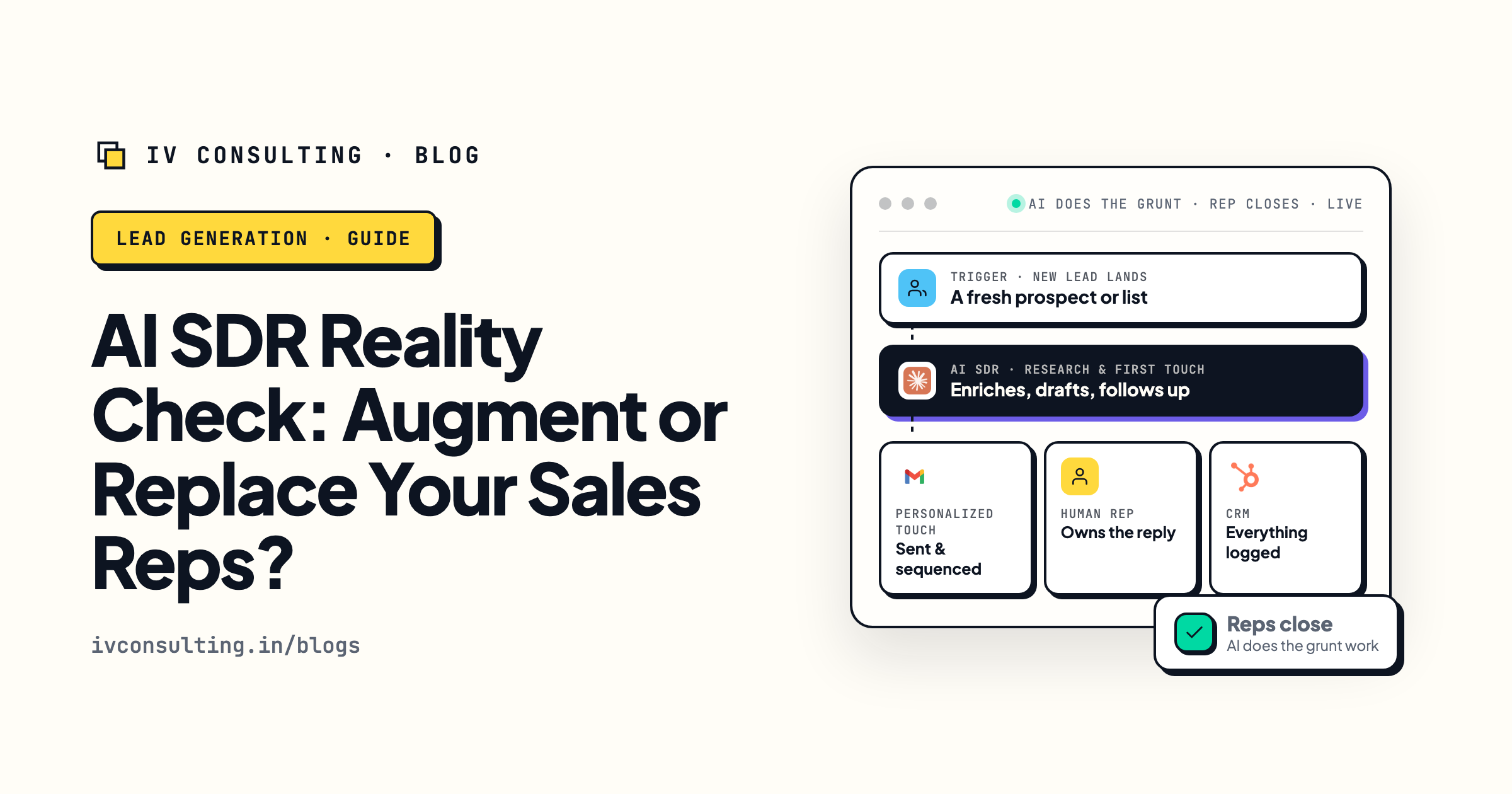
AI SDR: augment or replace?
Where AI belongs in a small sales team, and where it does not.
Read the take →
What is GTM engineering?
The systems behind outbound that does not depend on volume.
Read the explainer →Want outbound that does not bet your LinkedIn profile?
In a signal audit we look at your ICP, find the buying signals that actually show up for it, and show you the queue and the email motion that would replace blind automation.
Book the signal audit →Free and practical. If your current setup is fine, we will say so.