Notion CRM vs HubSpot vs Pipedrive: keep Notion until the CRM has to do the chasing
A Notion CRM is an excellent record and a hopeless salesperson. It cannot send a tracked email, cannot tell you if anyone opened it, and cannot follow up on Tuesday because you told it to on Friday. That is the switch line, and it has nothing to do with how many contacts you have. Here are the three tools priced side by side, plus the two pricing traps that catch small teams: HubSpot Free caps at two users, and the Pipedrive plan that automates anything is $39, not the $14 on the page.
 By Ishan Vats · Founder of IV Consulting · builds AI agents & automations for 150+ teams
 Notion CRM$0 extra · remembers, never chases
 HubSpot Free$0 · but only 2 users
 Pipedrive$39 Growth · not the $14 Lite
Keep your Notion CRM while the CRM's job is to remember, and move when its job becomes to chase. Notion has no native email sending, no open tracking and no sequences, so once follow-up has to happen on a schedule you are doing CRM work by hand inside a database. Move to HubSpot Free first: it costs nothing and adds email tracking, templates, a meeting link and a deal pipeline. Check its real ceiling before you commit, because HubSpot's own product page states the free plan covers up to two users and 1,000 contacts, so the third person on your team is a paid decision at $7 per seat per month billed annually. Choose Pipedrive only when a named person already owns a defined multi-stage outbound process, and budget Growth at $39 per seat per month rather than the advertised $14, because the Lite plan carries neither workflow automation nor sequences. Our verdict for a 5 to 50 person team: Notion under roughly 20 active deals with no outbound sequencing, HubSpot Free the day tracked follow-up starts to matter, Pipedrive Growth only when someone sells for a living.
The honest bit
Is Notion actually a bad CRM, or just a misused one?
Neither. We build Notion CRMs for clients, we still recommend them, and we also tell people when to leave. Both things are true, and the reason is that Notion CRM vs HubSpot vs Pipedrive is not a quality contest. It is a question about what your pipeline needs done to it.
A Notion CRM is genuinely better than a real CRM at one thing, and it is not a small thing: it sits next to the rest of your company. The deal record lives a click away from the proposal, the onboarding checklist, the SOP for the work you are about to sell, and the project that starts when the deal closes. No dedicated CRM gives you that, and it is why so many small teams build one and love it. If you have not built yours yet, our guide to building a Notion CRM your team will actually use is the place to start, and nothing in this post contradicts it.
The break is narrow and specific. Notion is a database with pages attached. It records what happened. It does not act. There is no native way to send an email from a deal record, no way to know whether the one you sent from Gmail was opened, and no way to say "if this deal is untouched in five days, email them again." Look at Notion's own guide to running a simple CRM and the shape of it is clear: it is a place to log interactions, not a place to generate them.
So the line is a capability line, not a size line. You can run 200 accounts in Notion happily if the relationships are warm and inbound. You can be miserable in Notion at 15 deals if every one of them needs three chased emails to close.
The comparison
What can HubSpot Free and Pipedrive do that a Notion CRM cannot?
Capabilities and prices below come from the vendors' own pages, checked on 24 August 2026: HubSpot's CRM product page, HubSpot Sales Hub pricing, Pipedrive pricing and Pipedrive's knowledge base articles on sequences and workflow automation. Pipedrive prices are per seat per month billed annually.
| What you need | Notion CRM | HubSpot Free | Pipedrive |
|---|---|---|---|
| Entry price | $0 extra, inside the workspace you already pay for | $0, no credit card | $14 Lite, $39 Growth, $59 Premium |
| Send email from the deal record | No native send | Yes, 1-to-1 email with HubSpot branding | Yes, full Gmail or Outlook sync plus bulk send |
| Know whether it was opened | No | Yes, email tracking and engagement notifications | Yes, opens and link clicks in real time, from Lite up |
| Automated follow-up sequences | No | No, the free tools list 1-to-1 email and 3 templates, not multi-step campaigns | Growth and above only, not Lite |
| Workflow automation | No native, you bolt on Make or n8n | Limited on the free tier | Growth and above only, not Lite |
| Pipeline reporting | Views and rollups you build and maintain yourself | 10 dashboards, 50 reports per dashboard, 1 deal pipeline | Forecast view and reports on Growth |
| Meeting booking link | No native, bolt on Cal.com | Yes, 1 personal meeting link, HubSpot branded | Yes |
| Bends to your actual process | Total. Any field, any view, the proposal on the same page | Fixed objects with some custom properties | Fixed deal-stage model, heavily tuned for pipelines |
| Sits beside your docs, SOPs and projects | Yes, and this is the whole reason to use it | No | No |
| The real ceiling | The day follow-up has to happen on a schedule | 2 users and 1,000 contacts | 2,500 active leads and deals per user on Lite |
Sources, all checked 24 August 2026: HubSpot CRM product page for the free plan's two-user and 1,000-contact limits, HubSpot Sales Hub pricing for Starter at $7 per seat per month billed annually and $20 billed monthly, Pipedrive pricing for Lite at $14 and Growth at $39 billed annually, and Pipedrive's knowledge base on sequences and workflow automation for which plan each starts on. Vendor pricing and plan limits change without notice, so confirm at the source before you sign.
The arithmetic
What does leaving your Notion CRM actually cost per year?
Here is the number nobody puts in the comparison posts. A Notion CRM is not cheap because Notion is cheap. It is free because you already bought the workspace for other reasons, so the CRM adds nothing to the bill. Every alternative starts a new line item. This is what that line item looks like a year out, at the tier that actually does the chasing.
| Team on the CRM | Notion CRM | HubSpot, free then Starter | Pipedrive Growth |
|---|---|---|---|
| 2 people | $0 | $0 | $936 |
| 3 people | $0 | $252 | $1,404 |
| 5 people | $0 | $420 | $2,340 |
| 10 people | $0 | $840 | $4,680 |
HubSpot figures assume the free tools up to two users, then Sales Hub Starter at $7 per seat per month billed annually for everyone. Pipedrive figures use Growth at $39 per seat per month billed annually, because Growth is the first plan with automation and sequences. If you insist on the $14 Lite plan, a five-person team pays $840 a year, and gets a very good address book with tracked email and no automation whatsoever.
Read the 5-person row again. The move from Notion to HubSpot costs $420 a year. The move from Notion to Pipedrive Growth costs $2,340. Those are not the same decision, and most teams treat them as one because both are labelled "get a real CRM." One is a rounding error. The other is a real budget line that needs a person whose job it justifies.
The expensive part
What do the free and cheap tiers not tell you?
Two things, and both of them are the reason a "we will just move to a proper CRM" decision turns into a bigger bill than anyone quoted.
Trap 1: the $14 Pipedrive plan is not the CRM you are shopping for
You leave Notion because you want the system to chase people. Pipedrive Lite, the $14 plan that anchors every price comparison, does not chase anyone. Per Pipedrive's own knowledge base, both workflow automations and sequences start on Growth. Lite gives you higher limits, 2,500 active leads and deals per user, full email sync, bulk sending and open and click tracking. Useful. Still entirely dependent on a human remembering.
So the honest Pipedrive entry price for a team leaving Notion for the reason people actually leave Notion is $39, not $14. That is 2.8 times the advertised number. Budget from Growth and you will not be surprised in month two.
Trap 2: HubSpot Free's real cap is people, not contacts
Everyone quotes the contact allowance. The constraint that bites first is the seat count. HubSpot's own product page states the free plan covers up to two users and 1,000 contacts. For a founder plus one, that is a genuinely free, genuinely capable CRM: email tracking, templates, a deal pipeline, a meeting link, dashboards. For anyone with three people touching the pipeline, "free" ends the day the third person logs in, at $7 per seat per month billed annually, or $20 billed monthly.
That is still cheap. It is just not free, and the difference matters when you are choosing between paying $252 a year and staying on a Notion CRM that costs nothing. Decide against the real number.
The verdict
Our verdict: stay in Notion longer than the internet tells you, then skip Pipedrive
Comparison posts end in "it depends." Here is the version with an opinion, and it is not the one a CRM vendor would write.
Stay in Notion while the pipeline is warm, inbound and small. Our working line is roughly 20 active deals with no outbound sequencing, and it is a soft line you should override in either direction. If your deals come from referrals and repeat clients, if the person selling is also the person delivering, and if the CRM's real job is to stop things being forgotten between a call and a proposal, Notion wins outright. It costs nothing extra and it sits beside the work. Migrating away from that in the name of maturity is a downgrade dressed up as an upgrade.
Move to HubSpot Free the moment tracked follow-up starts deciding outcomes. Not when a blog tells you Notion is not a real CRM. When you have lost a deal you would have won if someone had emailed on day four. HubSpot Free is the correct next step for almost every team in that position, because it is $0, it takes an afternoon, and it answers the exact question Notion cannot: did they open it, and who has not been touched this week. Run it beside Notion, not instead of it.
Skip Pipedrive until someone sells for a living. Pipedrive is a better sales tool than HubSpot Free. It is also $39 a seat once you include the automation you are buying it for, which is $2,340 a year for five people. That is justified when there is a defined multi-stage outbound process, a named owner whose week is the pipeline, and enough volume that a sequence saves real hours. It is not justified because you want to feel like a company with a CRM. If nobody's job title contains the word sales, you are early. Once someone's does, the CRM stops being the whole system and becomes the record layer under detection, enrichment, scoring and routing, and building those layers is what GTM engineering actually means.
Whatever you pick, do not migrate the whole workspace. The mistake we see most often is not choosing the wrong CRM. It is tearing the deal data out of Notion and leaving the proposals, the SOPs and the delivery projects behind, so the team now checks two systems and trusts neither. Move the pipeline. Keep the workspace. Connect them.
Stay in Notion if
Deals are warm and inbound, roughly 20 or fewer are live at once, and nobody is running scheduled outbound. $0 extra, and it lives beside the delivery work.
Move to HubSpot Free if
You need to know who opened what and who has gone cold. $0 for two users, $7 a seat billed annually after that. The cheapest real answer there is.
Buy Pipedrive Growth if
Someone owns outbound full time and the process has real stages. $39 a seat, because Lite at $14 has no automation and no sequences.
Never do this
Rip the pipeline out of Notion and abandon the workspace around it. Two systems nobody trusts is worse than the imperfect one you had.
Do this next
How do you move off a Notion CRM without wrecking the workspace?
Four steps, and the point of all four is that Notion keeps its job. You are not replacing it. You are removing one responsibility it was never built for.
Decide what Notion keeps
Accounts, notes, proposals, SOPs, delivery projects. Everything that is context rather than pipeline. This is the half a real CRM is worse at, so do not hand it over.
Export a deliberately boring CSV
Company, contact, email, deal stage, value, owner, next step, last touched. Seven columns. Resist exporting the clever rollups, because they will not map and you will spend a week trying.
Rebuild only the stages
Recreate your pipeline stages in the new CRM exactly as they are today, including the ones you know are wrong. Fix the process after the tool is live, not during the move.
Connect the two, then stop touching one
One automation in Make or n8n that pushes a closed-won deal back into the Notion project database is usually enough. From that day, deals are updated in the CRM only. Two places to update is how the last system died.
Step four is where most of these migrations quietly fail, and it is not a CRM problem. It is an integration problem: two tools that each hold half the truth and no wiring between them. That is the work the Automation stage exists for, and it is usually a day of building, not a project. If you are still deciding which tools your operations should sit on at all, our comparison of Notion, ClickUp, monday and Asana is the wider version of this question.
FAQ
Questions owners ask before leaving a Notion CRM
Is Notion good enough to use as a CRM?
When should you move from a Notion CRM to HubSpot or Pipedrive?
Is HubSpot's free CRM really free, and what are the limits?
Why is Pipedrive really $39 a seat and not the $14 advertised?
Can you automate a Notion CRM instead of replacing it?
Should you keep Notion at all after moving to a real CRM?
Ishan Vats
Founder, IV Consulting · AI & automation consultant
I build Notion CRMs for small teams, and I tell about a third of them not to. The tool is rarely the problem. What breaks is the moment nobody is chasing and everybody assumes somebody is. 150+ ops transformations over 10+ years. Want to know what your current stack is actually costing you?
Run the Notion AI credit calculator →Keep reading
Related guides and work
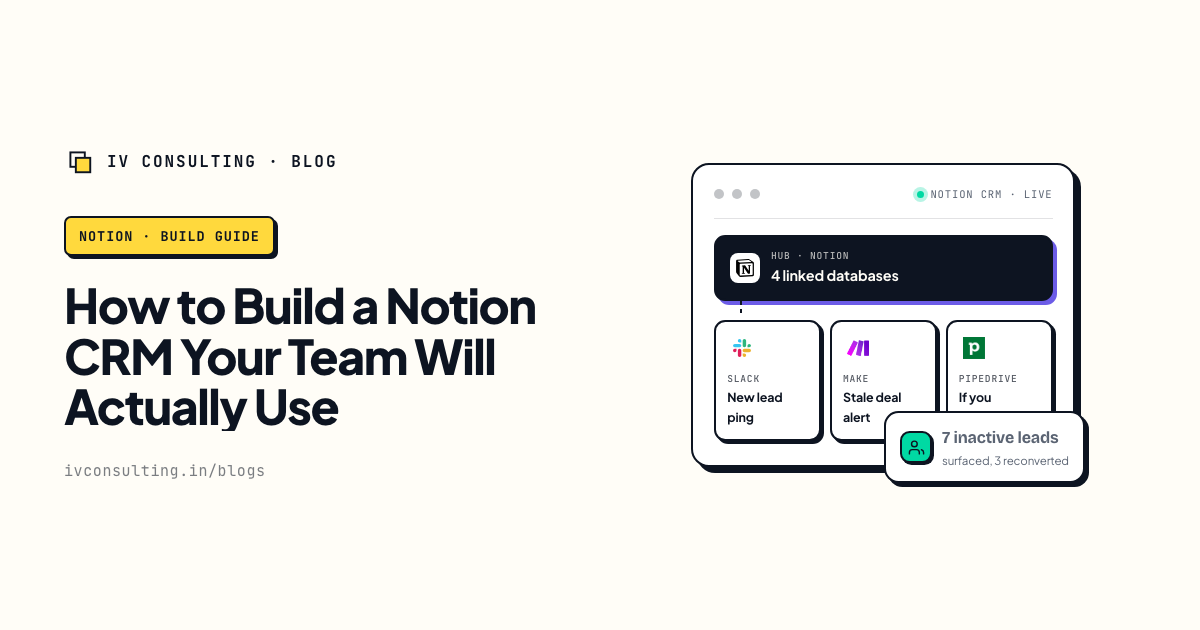
How to build a Notion CRM your team will use
The four linked databases and the weekly ritual that stop a Notion CRM being abandoned in two weeks.
Read the guide →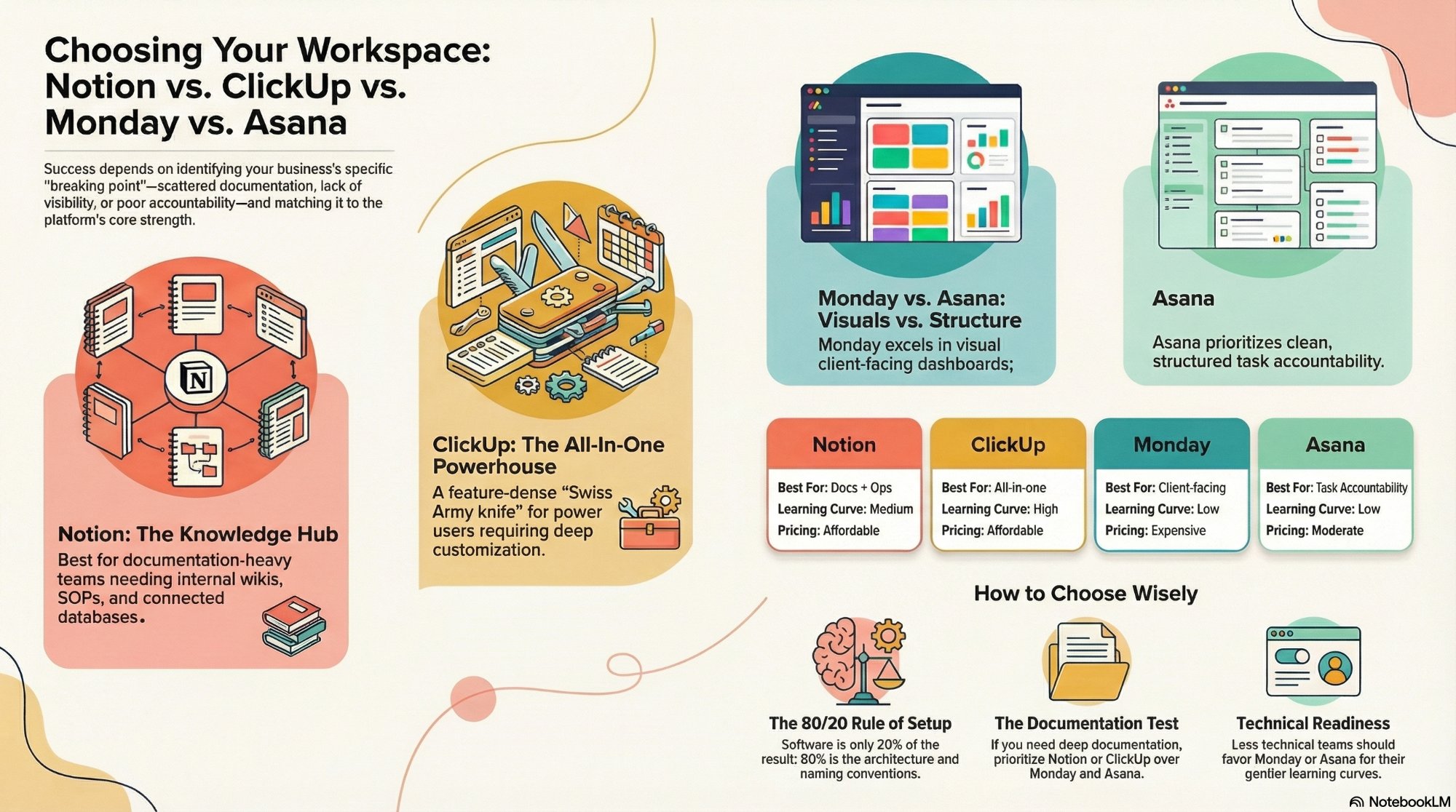
Notion vs ClickUp vs monday vs Asana
The wider version of this question: which tool your whole operation should sit on, not just the pipeline.
Read the comparison →
The Foundation stage, built for you
Your Notion or ClickUp workspace designed around how you actually sell and deliver, not a template.
See the offer →Not sure whether your Notion CRM is the problem?
Book a free 30-minute strategy call. We will look at how your pipeline actually moves, tell you whether the fix is one automation around Notion or a real CRM beside it, and give you the number either way. If Notion is still the right answer, we will say so and you will have saved a subscription.
Book a Free Strategy Call →Free 30-minute call. Honest take, even if that means "you do not need us yet."