














14 inboxes. One AI that sorts them all.
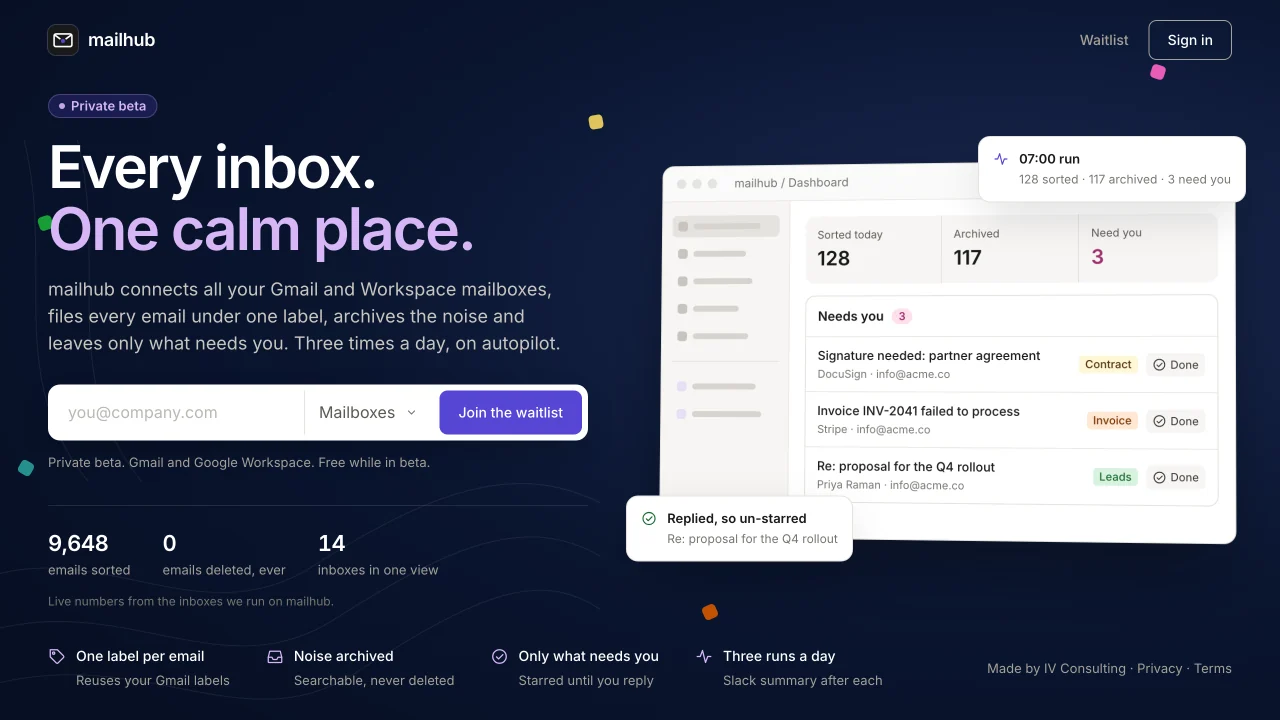
We run 14 Gmail inboxes: two main ones and twelve on our sending domains. Mailhub puts them in one place, labels every email, archives what needs no attention, and flags the few that are waiting on us. It runs three times a day and reports to Slack. A version is open source.

Build vs buy
Why we built it instead of buying an AI inbox
AI inbox tools are priced per user or per mailbox and built for one person's inbox. We have 14, most of them sending accounts full of warm-up mail that must never be deleted or the domains suffer. No tool on the market understood that, and covering every inbox with one would have cost thousands a year.
| Tool | Plan | Per month | Per year |
|---|---|---|---|
| Fyxer AIAI email assistant | Pro, per mailbox | $49 × 14 | $8,232 |
| ShortwaveAI email client | Business, per mailbox | $30 × 14 | $5,040 |
| SuperhumanAI email client | Business, per mailbox (approx.) | $33 × 14 | $5,544 |
| SaneBoxAI inbox filtering | Dinner, multiple mailboxes | $42.99 | $516 |
| Mailhubour own, on our own server | All 14 inboxes, our rules | $0 licence | Usage only |
Vendor list prices checked on 13 November 2026 from each vendor's pricing page; Superhuman is shown in local currency there, so its US figure is approximate. Per-mailbox totals assume each inbox needs its own seat, which is how these tools license. SaneBox is cheaper but only filters; it does not label to your rules, flag blockers or protect warm-up mail. Mailhub pays only for classification as it runs.
Rules no tool had
Warm-up mail on sending domains is labelled and archived, never deleted. The founder's inbox is locked read-only. Prospect replies always stay in view.
Reuses our labels
It sorts into the labels we already use, one label per email, instead of inventing a new folder structure.
Flags what blocks us
Only emails where we are the blocker get starred, and they drop off the list the moment we reply.
Claude can use it
An MCP server lets Claude search all 14 inboxes at once, read, label and draft. There is deliberately no delete and no send.
What we built
One place for every inbox, and a janitor that never sleeps
Mailhub is a web app, a cleanup engine, a run history and an MCP server. It cleared our backlog first, then took over the daily work.
The dashboard
Emails sorted, archived and flagged, the list of emails that need you, the next scheduled run and the busiest labels, for every inbox at once.
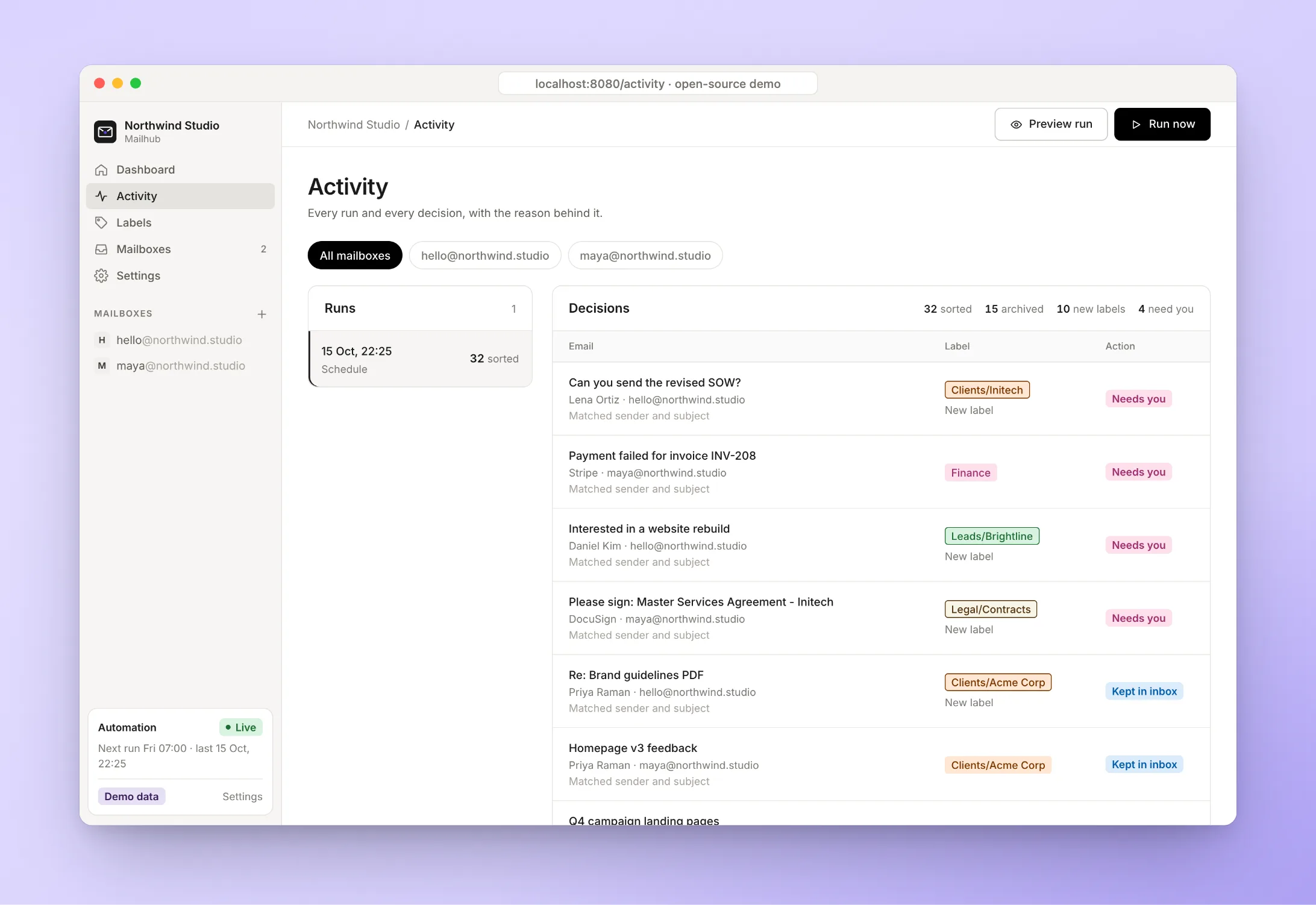
Every decision, on the record
Each run is saved with every decision it made: the label, whether it was kept or archived, and why. Pause the automation from Settings at any time.
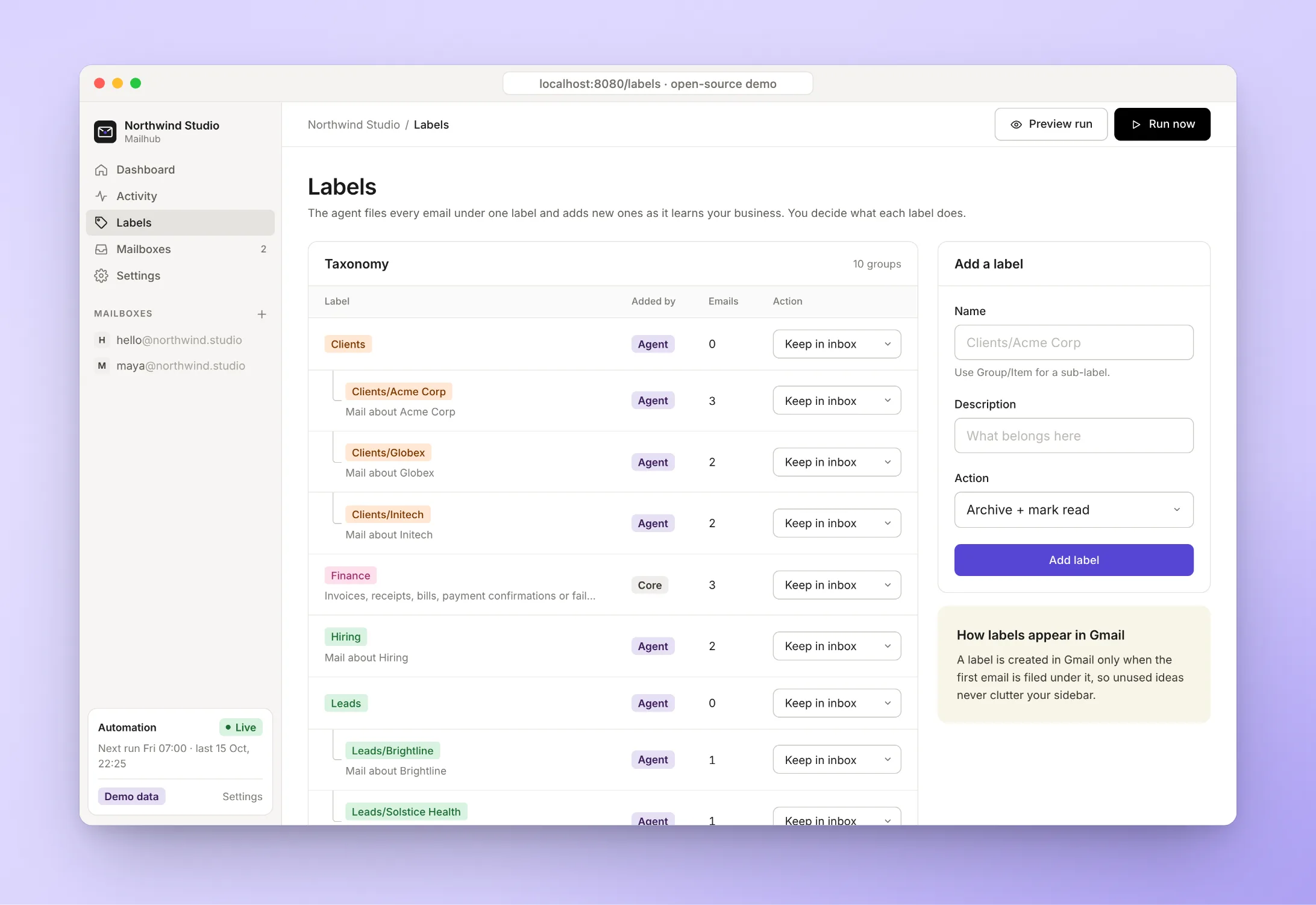
Labels with rules
Each label has a rule: keep in the inbox, archive, or archive unread. The open-source version lets the AI create labels that fit your company.
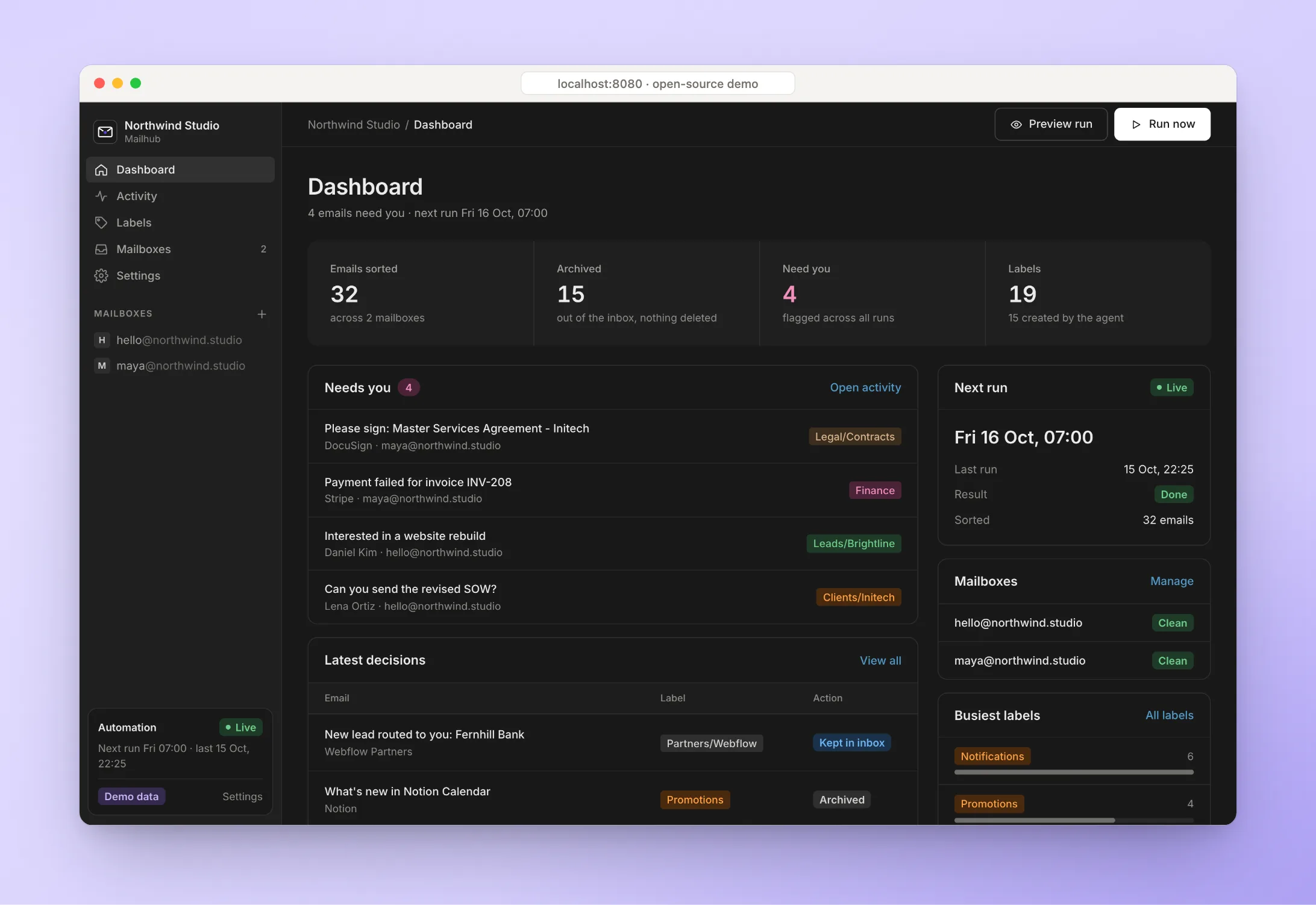
Built like a product
Light and dark mode, phone layouts, email-code sign-in and multi-workspace accounts, designed on a proper design system.
Screenshots are from the open-source version running in demo mode, with a fictional company and sample emails.
How it works
Jev decides fast, Claude handles the hard ones
Most emails are easy to sort. We use Jev, a fast classifier from TypeSafe, for those, and save Claude for the emails that need real judgment.
- FetchNew mail from all 14 inboxes, read through Google's API with per-inbox rate limits.
- Choose a labelJev picks one label from the ones we already use, with a confidence score.
- Read the signalsJev also scores payment, partner approval, prospect reply, warm-up and "are we the blocker".
- EscalateUnsure cases, business contacts and emails no label fits go to Claude for a second look.
- Apply our rulesArchive, keep, star or leave alone, with sending inboxes only touched once mail is 3 days old.
- ReportA short summary lands in Slack after each run. Every decision is saved to the history.
Engineering
How we built it
Built with Claude Code on the Gmail API, then turned into an open-source tool other teams can install with one command.
Jev plus Claude
Jev classifies about 3,500 emails in 75 seconds. Claude only sees what Jev is unsure about, which keeps runs fast and cheap.
Can't delete, can't send
There is no delete tool and no send tool anywhere in the code. Replies are saved as drafts, protected inboxes are read-only, enforced on the server.
Three runs a day
A scheduled Claude routine runs the cleanup at 7am, 2pm and 7pm and posts the summary to Slack. One switch pauses it.
Installable in one line
The open-source Mailhub installs with a single command, runs in Docker, starts in preview mode and lets the AI build labels for your company.
Built for you
Want AI agents working inside your tools? This is the proof.
Teams ask us for Claude agents that work on their real data, safely. Mailhub is one running across 14 inboxes, three times a day.
Set up a Claude, Slack and Notion automation system for our team
A scheduled Claude routine does real work on real data and reports to Slack after every run.
Connect Claude to our internal data through a secure MCP layer
Mailhub's MCP server gives Claude search across 14 inboxes, with read-only locks enforced on the server.
Claude expert to build custom skills, connectors and automations
A connector, a routine and the rules behind it, built, documented and running.
AI to sort, tag and route incoming requests automatically
Jev plus Claude sorts thousands of emails a minute and matches human judgment 94% of the time.
AI automation with human control and an audit trail
Preview mode, a pause switch, no delete or send, and a saved record of every decision.
Build us a tool we can self-host and own
Mailhub is open source, installs in one command and runs in Docker on your own server.
Your turn
Drowning in inboxes? Let's fix that.
Tell us how your team handles email today. In 30 minutes we will show you what an AI triage system on your own rules would look like.
Free 30-minute call. Honest take, even if that means “you don't need us yet.”
Loading the calendar… If it does not appear, book on cal.com.