Use cases of AI and automation for project management teams
Where AI actually earns its keep in project delivery: prioritizing the work, predicting the risk, and writing the report so your PMs do not have to.
 By Ishan Vats · Founder of IV Consulting · builds AI agents & automations for 150+ teams
Some links below are affiliate links. If you buy through them we may earn a commission, at no extra cost to you.
 Tasks + AIClickUp
 Docs + reportingNotion
 PortfolioMonday
 WorkflowsAsana
 Dev + QAJira
AI and automation help project management teams by handling the repetitive work that drains the most time: prioritizing tasks, flagging risks early, generating status reports, optimizing resources, and tracking time. Done well, this cuts administrative work by 40 to 60 percent and frees project managers to focus on strategy and people, not spreadsheets. The win is augmentation, not replacement.
The shift
Why AI belongs in project management now
Project management teams are under constant pressure to deliver on time, on budget, and with the right people on the right work. Most of that pressure shows up as busywork: chasing status, rebuilding the same report every week, and reshuffling tasks the moment a dependency slips.
That is exactly the work AI and automation are good at. Machine learning models read patterns across thousands of past projects, automation pipelines move data between tools without a human, and AI writing layers turn raw activity into a clean update. The project manager stays in charge of judgment and people. The software takes the repetitive load.
The result is not a smaller team. It is a team that spends its hours on the decisions that actually move a project, instead of the admin that surrounds them.
The use cases
8 AI and automation use cases for project teams
Each of these targets a specific time sink. You do not need all eight on day one. Pick the one that hurts most and start there.
1. Intelligent task management and prioritization
AI-powered tools prioritize tasks automatically based on deadlines, dependencies, resource availability, and project criticality. Machine learning reads your historical project data to predict which tasks are likely to cause bottlenecks and suggests the optimal sequence.
- Automatic task assignment based on team member skills and availability.
- Dynamic reprioritization as project conditions change.
- Predictive alerts for potential delays before they happen.
- Up to 60 percent less manual scheduling time.
2. Predictive risk management
AI models analyze patterns from thousands of past projects to spot risk factors early in the lifecycle, then continuously monitor live metrics and external factors for real-time risk assessment.
- Early warning systems for budget overruns.
- Resource constraint predictions.
- Stakeholder sentiment analysis from communications.
- Automated risk mitigation recommendations.
3. Automated status reporting and documentation
Reporting is one of the biggest time sinks in the job. Automation pulls data from across your tools and generates the report for you, so no one spends Friday afternoon assembling slides.
- Auto-generated weekly and monthly status reports.
- Real-time dashboard updates with no manual input.
- Meeting minutes generated from recordings.
- Stakeholder updates triggered by project milestones.
4. Resource optimization and allocation
AI balances people across multiple projects by reading capacity, skills, cost, and priority together, instead of one project manager guessing in a spreadsheet.
- Cross-project resource balancing.
- Skill-gap identification and training recommendations.
- Workload distribution that prevents burnout.
- Cost optimization through smarter scheduling.
5. Intelligent time tracking and estimation
AI improves estimation accuracy by learning from historical data and capturing time automatically, so your forecasts stop being optimistic fiction.
- Automated time capture through application monitoring.
- Effort estimation for new projects based on past patterns.
- Pattern recognition that surfaces inefficiencies.
- Predictive completion dates that update as work moves.
6. Smart communication and collaboration
AI summarizes discussions, extracts action items, and routes the right information to the right stakeholder, so nothing important gets lost in a thread.
- Automatic meeting transcription and action item extraction.
- Notification routing based on relevance, not noise.
- Chatbots that answer common project questions.
- Sentiment analysis to catch team morale issues early.
7. Budget forecasting and financial management
AI reads spending patterns and predicts future cost with strong accuracy, catching overruns while there is still time to act.
- Predictive budget forecasting.
- Automated expense tracking and categorization.
- Early detection of cost overruns.
- Smarter vendor payment scheduling.
8. Quality assurance and testing automation
For software and product teams, AI automates large parts of QA, freeing engineers from repetitive checking.
- Automated test case generation.
- Intelligent bug detection and classification.
- Predictive quality metrics.
- Continuous integration and deployment optimization.
The stack
Which PM tools support AI today
The major platforms now ship native AI and automation, and each connects to deeper automation layers when you outgrow the built-in features. The right choice depends on your stack, team size, and how much custom logic you need.
| Platform | Best for | Native AI | Where it shines |
|---|---|---|---|
| ClickUp | All-in-one PM with automation | ClickUp Brain | Tasks, docs, dashboards and automations in one place |
| Notion | Docs, wikis and lightweight PM | Notion AI | Reporting, knowledge base, flexible databases |
| Monday.com | Visual portfolio management | Monday AI | Cross-project boards and resource views |
| Asana | Workflow and process tracking | Asana AI | Structured workflows and goal tracking |
| Jira | Software and engineering delivery | Atlassian Intelligence | Dev sprints, QA, and CI/CD pipelines |
When the native features run out, an automation layer such as Make, n8n, or Zapier connects these tools to each other and to your AI models, which is where the bigger use cases above actually get built.
The rollout
A four-phase path to implementation
The teams that succeed do not flip everything on at once. They move in phases, prove value on a small scope, then scale.
Assessment and planning
Audit your processes to find the repetitive tasks that consume the most time, document current bottlenecks, estimate the potential time and cost savings, and secure leadership and team buy-in before you touch a tool.
Tool selection and integration
Choose AI and automation tools that integrate cleanly with your existing ecosystem. Evaluate the leading platforms (Monday.com, Asana, Jira, or Microsoft Project with AI plugins), and weigh scalability and vendor support for where you are heading, not just where you are.
Pilot program
Pick one or two projects for the first build. Define clear success metrics, train the core team, monitor and document results, then gather feedback and iterate before you expand.
Scaling and optimization
Once the pilot proves out, roll the system to additional teams with proper training and standard operating procedures, so the wins from the pilot become the default way the whole organization works.
The payoff
The benefits and the ROI math
Organizations that put AI and automation into project management typically report measurable gains across the board:
- Time savings: 40 to 60 percent reduction in administrative tasks.
- Cost reduction: 25 to 35 percent fewer project overruns.
- Accuracy: 50 to 70 percent more accurate project estimates.
- Productivity: 30 to 45 percent increase in team output.
- Risk: 40 to 50 percent reduction in project failures.
A worked ROI example
Take a mid-sized organization running 20 concurrent projects with an annual project management labor cost of 500,000 dollars, and an AI and automation implementation cost of 75,000 dollars in the first year.
- Time savings at 50 percent: 250,000 dollars.
- Reduced overruns at 30 percent: 150,000 dollars.
- First-year ROI: 433 percent.
- Payback period: 2.7 months.
The numbers will vary with your team and tools, but the shape holds. The recovered hours and avoided overruns usually pay back the build inside a single quarter.
Watch for these
Common challenges and how to solve them
Resistance to change
Emphasize that AI augments human expertise rather than replacing it. Involve the team in tool selection, provide real training and ongoing support, and show how automation frees time for more strategic work.
Data quality and integration
Run a data audit before implementation, invest in cleaning and standardizing your data, use solid integration middleware, and put data governance policies in place so the AI is learning from something trustworthy.
Over-reliance on automation
Keep humans in the loop for critical decisions, train teams on what AI cannot do, maintain manual override capabilities, and audit AI recommendations regularly for accuracy.
Security and privacy concerns
Choose vendors with strong security certifications, apply role-based access controls, use private or on-premise deployments for sensitive data, and stay compliant with data protection regulations.
FAQ
Questions teams ask before they start
What are the highest-value AI use cases in project management?
Will AI replace project managers?
Which project management tools support AI and automation today?
How long does it take to see results from AI in project management?
How do we start without disrupting live projects?
Ishan Vats
Founder, IV Consulting · AI & automation consultant
I build production AI agents, automations, and MCP servers for teams from startup to enterprise. 150+ ops transformations over 10+ years. If you want this mapped to your own stack, I'll do it with you on a free call.
Book a free strategy call →Keep reading
Related guides and work
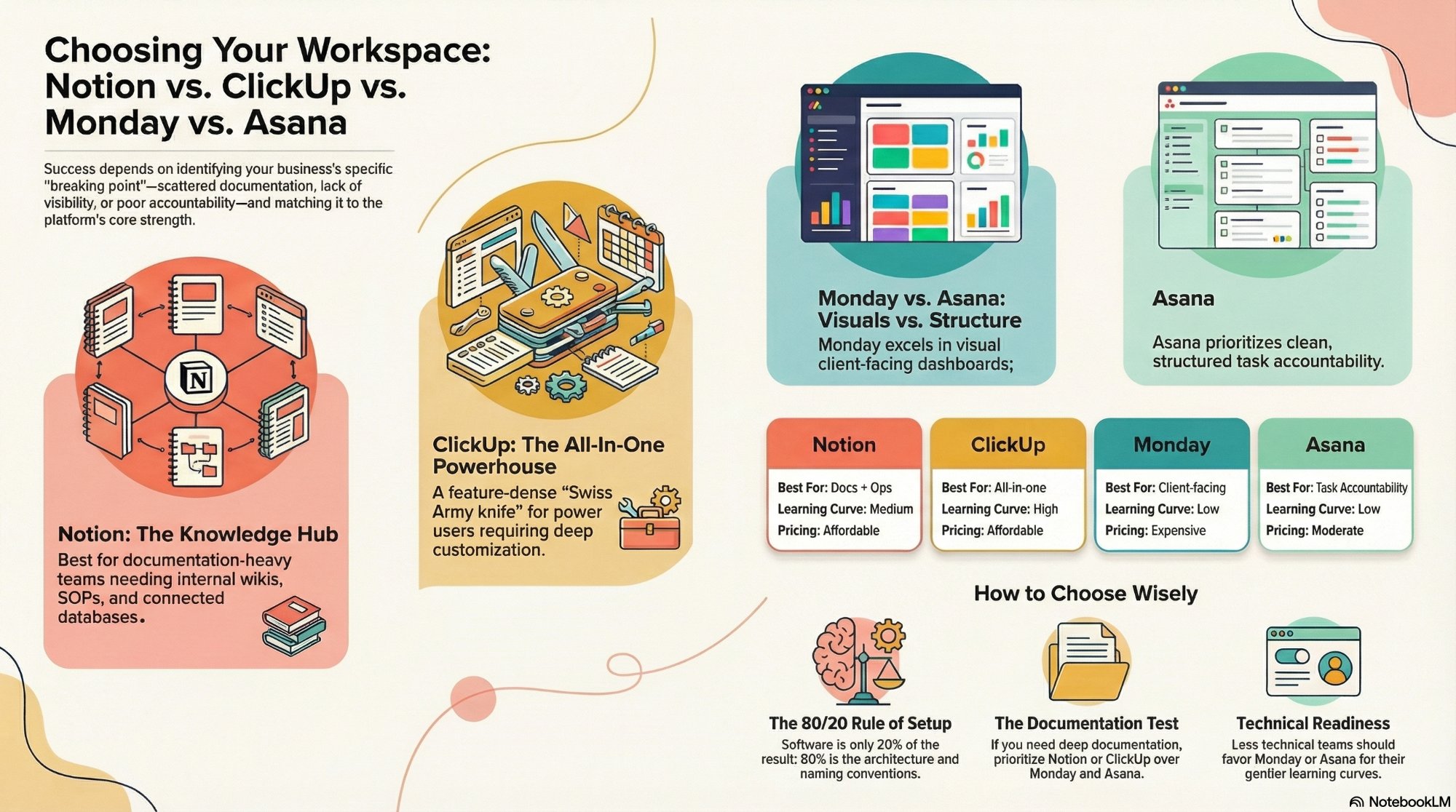
Notion vs ClickUp vs Monday vs Asana
Which PM platform fits your team, and where each one wins on AI and automation.
Read the comparison →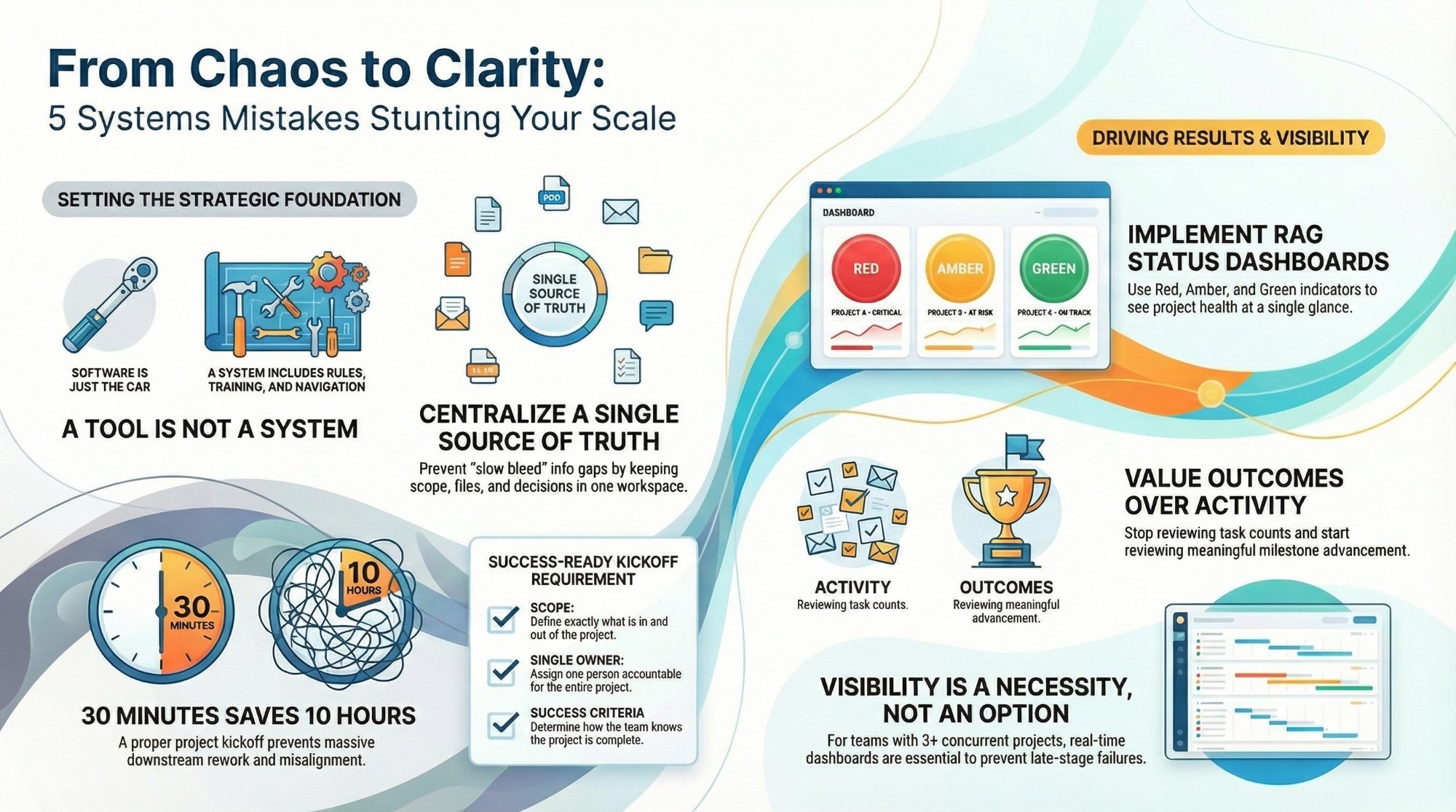
Top 5 project management mistakes CEOs make
The avoidable errors that quietly blow up timelines, and how to fix them.
Read the guide →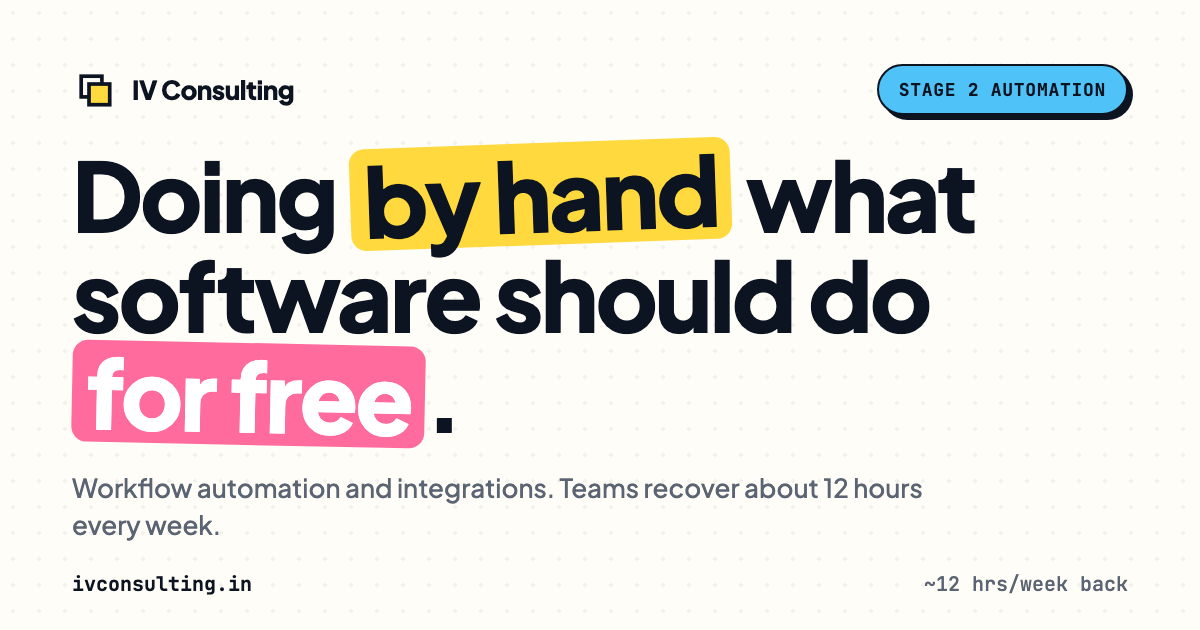
The Automation stage, built for you
Your PM stack connected, the reporting and busywork automated, the hours back.
See the offer →Want your automation stack built for you?
Book a free 30-minute strategy call. We will map your highest-ROI workflows and give you a build roadmap on the spot. If we are not the right team for you, we will say so and point you somewhere better.
Book a Free Strategy Call →Free 30-minute call. Honest take, even if that means "you do not need us yet."