Can Notion AI templates save SMBs time in 30 days?
A practical playbook. Six ready templates, three automation recipes, and a 30/60/90 day plan to turn busywork into recovered hours.
 By Ishan Vats · Certified Notion Consultant · builds Notion systems for 150+ teams
Some links below are affiliate links. If you buy through them we may earn a commission, at no extra cost to you.
 WorkspaceNotion AI templates
 AlertSlack ping
 SyncZapier flow
 CRMn8n capture
Yes. Notion AI templates can save SMBs real time in 30 days when you run a focused pilot rather than a full rollout. Pick two templates for your busiest workflow, define a baseline, and measure hours saved. Most teams have two templates live and recovering several hours per person per week within the first month, then expand from there using a simple 30/60/90 day plan.
Why it matters
Why Notion AI templates matter for SMBs
Small and medium businesses run on limited headcount, competing priorities, and the daily chaos of keeping the right work moving. Notion AI offers a way out: structured workspace templates that do the repetitive thinking for you.
Notion AI templates reduce repetitive tasks, centralize the knowledge a team keeps re-explaining, and speed up everyday decisions. By automating routine workflows, they free people to focus on work that actually moves the business. Research consistently shows businesses can save up to 30% of the time spent on administrative tasks through workflow automation, which translates directly into faster responses and more capacity.
This post is a compact playbook. It shows how SMBs can deploy Notion AI templates across roles, from sales to HR to support, and see measurable productivity gains inside the first 30 days.
The templates
Top 6 SMB templates, with AI prompts
Each template below pairs a Notion database with a ready AI prompt and a button that runs it. Copy the prompt, wire the button, and the work starts saving time the same day.
Sales CRM
Role: Sales Manager. Build a leads database with Source, Contact, Company, Status, Last Contact Date, and Priority Score. Add a Notion AI button that scans for stale leads and drafts outreach.
Time saved: 3 to 4 hours a week on pipeline hygiene and outreach drafting.
Hiring Process Tracker
Role: HR Manager. Build a candidates database linked to a job openings database. Each candidate page stores interview notes, interviewer feedback, and an AI summary button.
Time saved: 2 to 3 hours per hiring cycle on feedback consolidation.
Operations Runbook
Role: Operations Head. A database of recurring processes, each with a raw notes field and an AI-formatted SOP output. New hires can onboard to any process in minutes.
Time saved: 5+ hours when onboarding new hires or documenting tribal knowledge.
Meeting Notes to Action Items
Role: Project Manager. A meetings database where each entry has a raw notes field. The AI button processes notes into a structured summary plus a linked task list.
Time saved: 20 to 30 minutes per meeting on post-meeting admin.
Product PRD
Role: Product Manager. A product database with feature requests linked to sprint cycles. AI turns rough notes into complete, shareable PRDs engineering can act on immediately.
Time saved: 2 to 3 hours per feature spec.
Customer Support Triage
Role: Customer Service Lead. A support tickets database with incoming requests. AI categorizes each ticket and drafts the initial response, which agents review before sending.
Time saved: 1 to 2 hours a day for teams handling 20+ tickets.
Connect the tools
3 automation recipes that tie templates to tools
Templates deliver value on their own. These recipes are optional upgrades that connect Notion to the tools your team already lives in.
Recipe 1: Notion to Slack alerts, via Zapier
Trigger: new entry added to your Notion support tickets database. Action: post a formatted Slack message to the #support channel with ticket details and the AI-generated priority label. Your team is notified instantly, with no one manually checking Notion.
Recipe 2: Google Calendar sync, via Zapier
Trigger: a date changes on a project milestone in Notion. Action: update the matching Google Calendar event automatically. Deadlines stay in sync across tools without manual calendar management.
Recipe 3: CRM lead capture, via n8n
Trigger: new lead added to your Notion CRM database. Action: n8n creates the contact in your CRM, tags them with source, logs the entry time, and sends a Slack ping with the lead's details. Sales never misses a fresh lead.
The rollout
Your 30/60/90 day adoption plan
Days 1 to 30: the pilot
Identify 1 to 2 pilot teams and choose 2 templates to test. Define success metrics up front: time saved, tasks completed, errors reduced. Run a 30-minute onboarding session, then check in weekly to gather feedback and fix friction fast. Keep scope tight. The goal is proof, not coverage.
Days 31 to 60: expansion
Roll out to all departments. Refine AI prompts based on real output quality, then connect Notion to external tools via Zapier or n8n for the highest-value workflows. Document every active template and flow on one shared Notion page.
Days 61 to 90: optimization
Audit which templates deliver the most time savings. Retire or simplify the ones that underperform. Calculate ROI as hours saved times hourly cost, then set a quarterly review so templates stay current as your processes evolve.
Govern from day one
Set database permission tiers before you scale. Use Notion teamspace permissions so sensitive HR and financial data is only visible to the roles that need it.
The numbers
Estimating ROI and the metrics to track
For a typical 10-person team, these six templates can reclaim 40 to 50 hours weekly in aggregate. At a 40 dollar blended hourly rate, that is roughly 8,000 to 10,000 dollars of recovered capacity per month.
| KPI to track | What it tells you | How to measure |
|---|---|---|
| Hours saved per role per week | The core time-savings signal | Baseline before, compare after |
| Follow-ups completed on time | Sales discipline and speed | Count from the CRM template |
| Time-to-hire and time-to-SOP | HR and ops throughput | Track dates in the templates |
| Support first-response time | Customer experience | Timestamp on triage tickets |
| Team satisfaction score | Adoption and morale | Simple weekly pulse survey |
Avoid these
Troubleshooting and migration notes
Prompts giving inconsistent output
Add more context to your prompt. Specify the format, the length, and the exact database fields the AI should reference. Vague instructions produce vague output. A precise brief produces a usable result every time.
The template feels slow
Check whether your workspace is loading too many linked databases at once. Archive old data regularly so each view stays light and responsive.
Migrating from Asana or ClickUp
Map each status and field to an equivalent Notion property before importing, then use Notion's CSV import for bulk data transfer. If you would rather keep ClickUp as your task layer and use Notion for knowledge, that hybrid works well too.
FAQ
Questions SMBs ask before they start
Can Notion AI templates really save time in 30 days?
What are the best Notion AI templates for a small business to start with?
Do I need Zapier or n8n to use these templates?
How do I calculate the ROI of Notion AI templates?
Can I migrate from Asana or ClickUp to Notion?
Ishan Vats
Founder, IV Consulting · Certified Notion Consultant
I build Notion systems and operating models for teams from startup to enterprise. 150+ ops transformations over 10+ years. If you want yours mapped and built right, I'll do it with you on a free call.
Book a free strategy call →Keep reading
Related guides and work
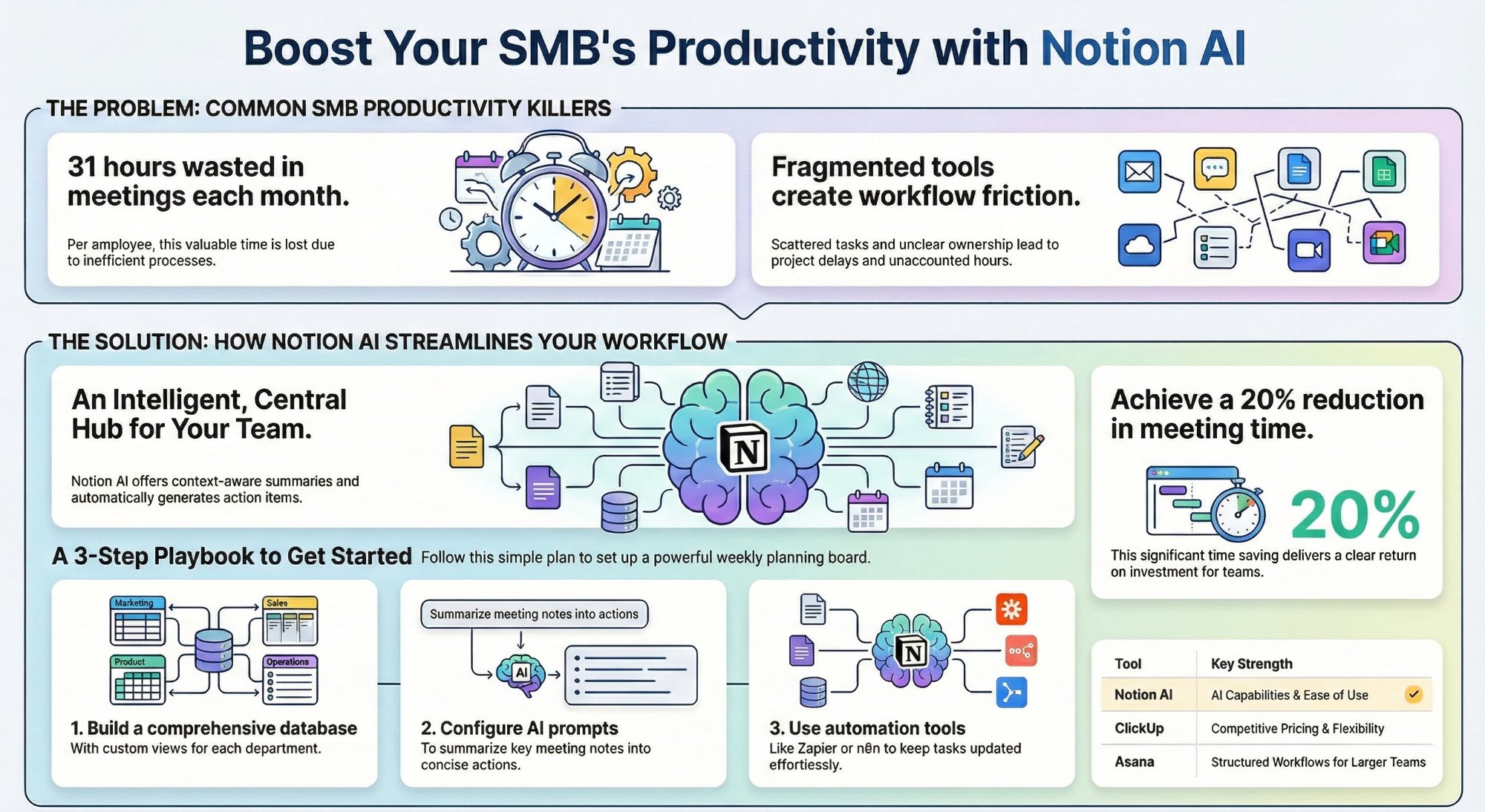
Can Notion AI workspace views replace your PM tool?
A practical SMB playbook on running projects in Notion instead of a separate tool.
Read the guide →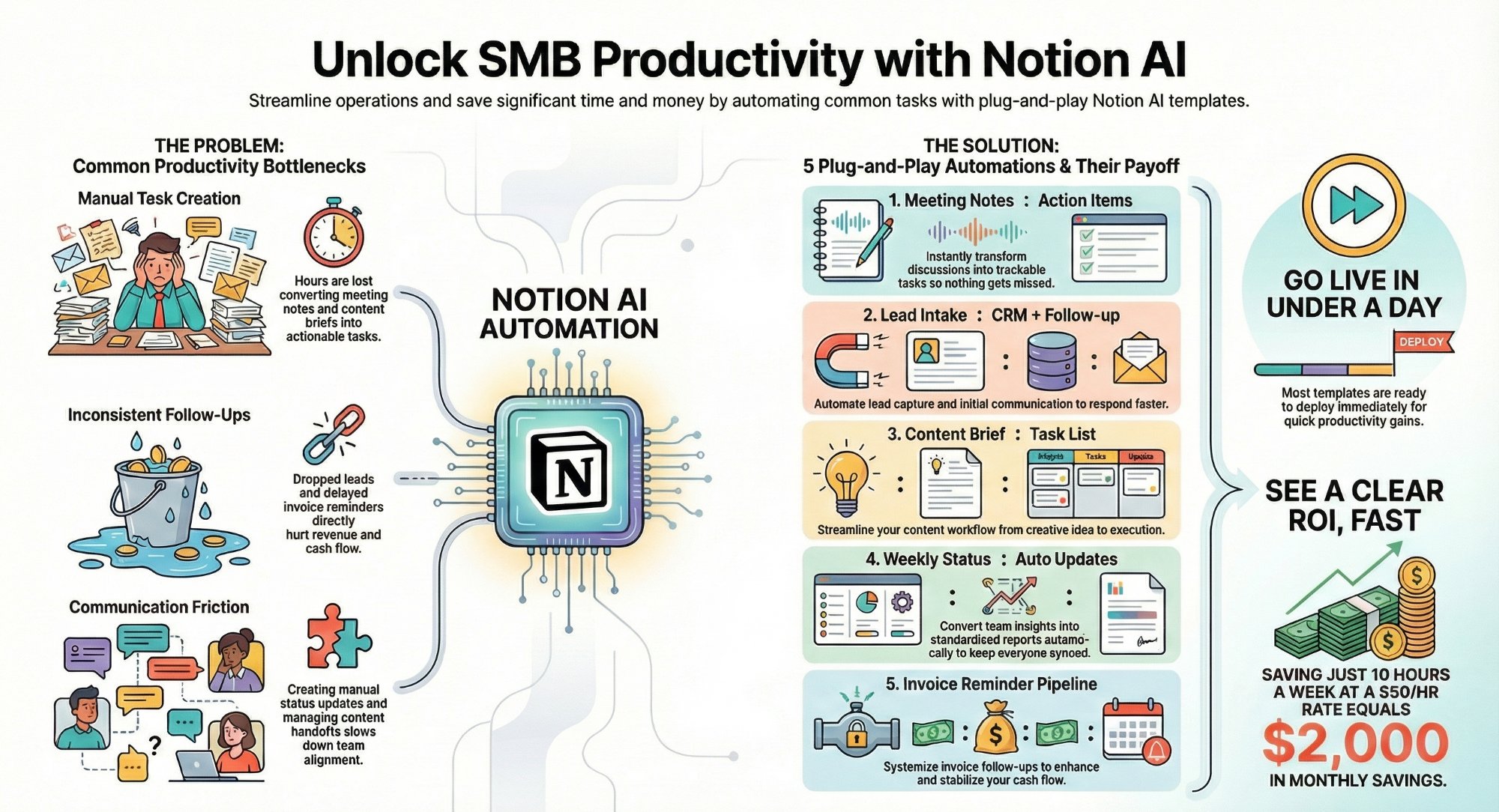
Can 5 Notion AI automation templates save 10+ hours a week?
Five automation-ready templates that reclaim a full day of busywork every week.
Read the playbook →
The Foundation stage, built for you
Your Notion workspace designed, templates live, and your team trained to run it.
See the offer →Want your automation stack built for you?
Book a free 30-minute strategy call. We will map your highest-ROI workflows and give you a build roadmap on the spot. If we are not the right team for you, we will say so and point you somewhere better.
Book a Free Strategy Call →Free 30-minute call. Honest take, even if that means "you do not need us yet."