Can 5 Notion AI automation templates save your SMB 10 plus hours a week?
Five plug and play templates that turn repetitive busywork into self running workflows. Setup, wiring, and ROI, in plain English.
 By Ishan Vats · Certified Notion Consultant · builds Notion systems for 150+ teams
Some links below are affiliate links. If you buy through them we may earn a commission, at no extra cost to you.
 WorkspaceNotion AI
 MakeCross-app
 n8nComplex logic
 SlackReminders
Yes. Five well chosen Notion AI templates can realistically save an SMB 10 plus hours a week. They automate meeting notes into tasks, lead intake into follow ups, weekly status into digests, content briefs into checklists, and invoice chasing into reminder sequences. Most are live in under a day, and you can wire them deeper with Make or n8n when you need cross app logic.
The case
Why SMBs need Notion AI plus automation
Small and medium businesses run thin. Hours disappear into repetitive tasks that pull attention away from the work that actually moves the needle. AI and automation are the obvious fix, and Notion AI templates are one of the fastest ways to capture that time back.
The friction shows up in predictable places: manually turning meeting notes into tasks, leads that slip because follow ups are inconsistent, and content production that stalls every time someone has to write a brief from scratch. Each of these is a manual workflow, and each one is a candidate for a template.
This guide walks through five ready to deploy Notion AI templates. For each one you get the problem it solves, how to set it up, and the realistic time it saves. None of them require a developer, and most are live in under a day.
The build
5 plug and play Notion AI templates
Each template comes pre set with Notion AI prompts and duplicates into your workspace in minutes. Here is what each one does and the time it gives back.
Meeting Notes to Action Items
The problem. Your team walks out of a meeting with no clear record of who does what by when. Notes get lost and tasks slip.
The solution. A Notion database where each meeting note page triggers an AI prompt that auto generates a structured action item list with owners and due dates.
Setup. Create a database with fields for Meeting Title, Date, Attendees, Raw Notes, and AI Generated Actions. Configure a Notion AI button that processes the raw notes and outputs a formatted task list. Connect it to your task database via a relation property.
Time saved: 2 to 3 hours per week for teams that run four or more meetings.
Lead Intake to CRM plus Follow up
The problem. Leads come in from forms, LinkedIn, or email, then get manually copied into your CRM. Follow ups are inconsistent.
The solution. A Notion CRM template with an AI prompt that analyses each new lead entry, drafts a personalised follow up email, and sets a reminder task.
Setup. Build a leads database with source, contact details, and status fields. Add a Notion AI prompt button that writes a follow up based on the lead profile and your offer. Wire it to n8n or Zapier to push updates into Close, HubSpot, or your CRM of choice.
Time saved: 30 minutes per lead on qualification and outreach drafting.
Weekly Status to Auto Updates
The problem. Someone has to manually pull together what happened this week from five different places and write a status update.
The solution. A Notion workspace that auto summarises task completions, blockers, and upcoming milestones into a weekly digest using AI.
Setup. Link your task database to a weekly review template. Configure an AI summary button that pulls completed tasks, flags overdue items, and writes a plain English update ready to share with leadership or clients.
Time saved: 1 to 2 hours per week on reporting.
Content Brief to Task List
The problem. Every piece of content needs a new brief, research, task creation, and assignment, all done manually.
The solution. A content production database where filling out a brief automatically generates a full production checklist with assigned tasks, deadlines, and AI generated outlines.
Setup. Create a content brief form with fields for topic, audience, format, and keywords. Use a Notion AI button to generate a detailed outline and populate a linked tasks database with production steps automatically assigned to your content team.
Time saved: 45 minutes per piece of content.
Invoice Reminder Pipeline
The problem. Chasing unpaid invoices eats into time and creates awkward client interactions.
The solution. An automated invoice tracking system in Notion that monitors payment status and triggers reminder sequences via email or Slack.
Setup. Build an invoices database with client, amount, due date, and status fields. Use Make or n8n to monitor overdue invoices and trigger a sequence: a polite reminder at 3 days, a firmer follow up at 7 days, and an escalation flag at 14 days.
Time saved: 2 to 3 hours per week for businesses with 10 or more active invoices.
Wiring options
Native Notion AI, Make, or n8n
The short version: stay inside Notion AI for simple jobs, reach for Make or n8n when you need to connect external apps or run multi step logic.
| Wiring layer | Best for | Trade off |
|---|---|---|
| Native Notion AI | Simple, single workspace automations | No extra tools, but limited to Notion internal actions |
| Zapier | Connecting Notion to apps like Gmail, Slack, HubSpot, Calendly | No code and fast to set up, can get expensive at volume |
| Make | Visual mid complexity flows across several apps | Cheaper than Zapier, slightly more to learn |
| n8n | Complex multi step workflows and cross app logic | Open source and flexible, slightly higher setup effort |
The math
Setup time and conservative ROI
The ROI formula
Hours saved times your hourly wage equals monthly savings. Saving 10 hours a week at 50 dollars an hour is roughly 2,000 dollars a month, and most of these templates cost nothing beyond your Notion plan.
That is the conservative version. It ignores the second order wins: faster lead response, fewer missed invoices, and status reports that no longer eat a Friday afternoon.
Quick: under 1 day
Meeting notes and invoice reminders. Single database, one AI button, live the same afternoon.
Medium: 1 to 2 weeks
Lead intake CRM and the weekly status digest. These integrate into broader workflows and need light wiring.
Advanced: 2 plus weeks
The full content production pipeline with cross tool automation. Highest setup effort, highest leverage once live.
Do it right
Security, maintenance, and rollout
Keep sensitive data out of prompts
Data governance matters, especially with personally identifiable information. A few practices keep you safe:
- Never include raw PII in AI prompt inputs. Use anonymised references instead.
- Set workspace permission tiers so automation accounts only access what they need.
- Review your automation logs weekly in the first month to catch errors early.
- Document your setups so any team member can troubleshoot them.
A rollout checklist that sticks
Adoption is where most automation efforts quietly die. Make it deliberate:
- Pilot the templates with one team and measure time saved over two weeks.
- Run a 30 minute training session for new users.
- Write a short internal playbook covering each template purpose and trigger.
- Review usage and iterate the prompts based on real output quality.
FAQ
Questions SMBs ask before they start
What is the fastest Notion automation an SMB can set up?
Do I need a paid Notion plan or Notion AI to use these templates?
Can I connect Notion to Zapier or n8n without coding?
How do you keep sensitive data out of AI prompts in Notion?
How long before I see measurable time savings?
What if I want these templates built and wired for me?
Ishan Vats
Founder, IV Consulting · Certified Notion Consultant
I build Notion systems and operating models for teams from startup to enterprise. 150+ ops transformations over 10+ years. If you want yours mapped and built right, I'll do it with you on a free call.
Book a free strategy call →Keep reading
Related guides and work
Can Notion AI templates save SMBs time in 30 days?
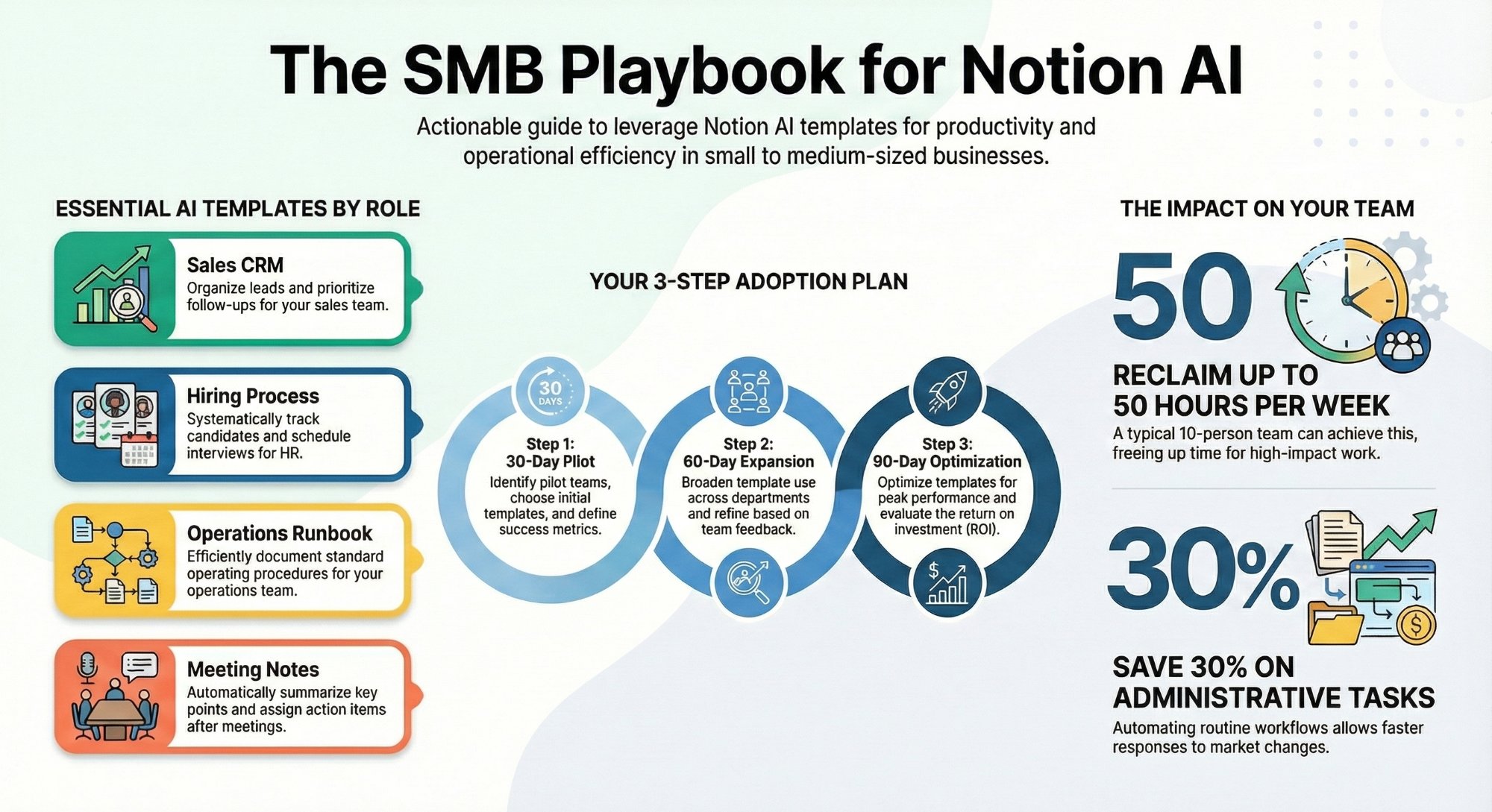
A practical 30 day playbook for getting real hours back with Notion AI.
Read the playbook →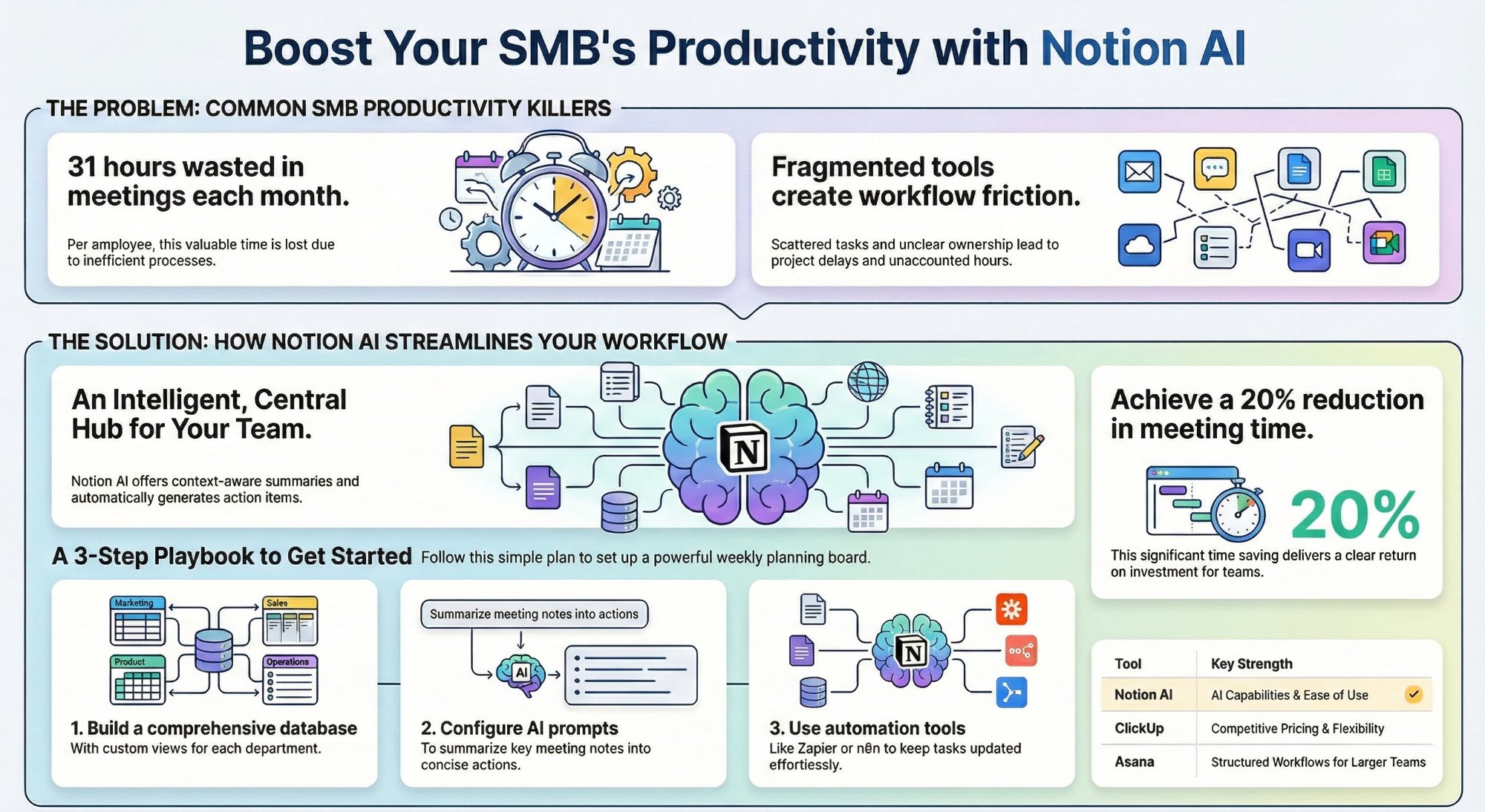
Can Notion AI workspace views replace your PM tool?
When Notion views are enough, and when you still need a dedicated PM tool.
Read the guide →
The Automation stage, built for you
Your Notion templates designed, wired, and handed over. The busywork gone.
See the offer →Want your automation stack built for you?
Book a free 30-minute strategy call. We will map your highest-ROI workflows and give you a build roadmap on the spot. If we are not the right team for you, we will say so and point you somewhere better.
Book a Free Strategy Call →Free 30-minute call. Honest take, even if that means "you do not need us yet."