Can ClickUp AI writing automation help SMBs cut admin time in 2025?
Short answer: yes, and you do not need a developer to do it. Here are five playbooks that turn repetitive writing into a few clicks.
 By Ishan Vats · Certified ClickUp Consultant · builds ClickUp systems for 150+ teams
Some links below are affiliate links. If you buy through them we may earn a commission, at no extra cost to you.
 ClickUp AIDraft, summarize, improve
 ZapierLead chain
 n8nTicket triage
 SlackReview ping
 GmailDraft staged for send
Yes. ClickUp AI writing automation helps SMBs cut admin time in 2025 by drafting, summarizing, and rewriting the repetitive content that eats hours every week, all inside the workspace where tasks already live. With five focused playbooks across marketing, sales, support, finance, and HR, a small team can recover roughly 18 hours a month and see payback almost immediately.
The time drain
Why SMBs still lose hours to writing and repetitive tasks
In 2025, small and medium-sized businesses are carrying heavier admin loads than ever. As content becomes central to marketing and operations, the writing piles up faster than a small team can clear it, and growth stalls under the weight of busywork.
These inefficiencies come from processes that still depend on a person sitting down to type: content creation, administrative paperwork, and routine communications. Research suggests businesses could reclaim nearly 20% of their time by automating the mundane parts. The most commonly cited time-sinks:
- Writing follow-up emails from scratch for every prospect
- Drafting job descriptions each hiring cycle
- Summarizing support tickets before escalating
- Creating invoices and payment reminder copy manually
- Rephrasing internal status updates for different stakeholders
None of these tasks need a human's creativity. They need a human's judgment on a first draft, which is exactly the gap AI writing automation closes.
The fit
How ClickUp AI fits into SMB workflows
ClickUp AI is built directly into your ClickUp workspace, so there is no separate tool to manage and no API setup to wire. It works where your tasks already live.
Core capabilities you will lean on in every playbook below:
- Write with AI: generate first drafts of task descriptions, emails, SOPs, and updates from a simple prompt.
- Summarize: condense long comment threads, meeting notes, or task lists into the key points.
- Improve writing: rephrase existing copy for tone, clarity, or length.
- Create subtasks: given a project description, ClickUp AI generates a full subtask breakdown automatically.
For cross-tool automation, hybrid setups using Zapier or n8n extend those outputs into your CRM, inbox, or other platforms. We cover two of those recipes below.
The playbooks
Five SMB playbooks, ready to use
Marketing automation
Objective: automate social media and content drafts.
Steps: set your content calendar in ClickUp, create a task for each content piece with target platform, topic, and audience, then use the ClickUp AI button with a prompt like:
Time saved: 5 hours a week for teams publishing 5+ pieces of content. KPIs: post frequency, engagement rate, time-to-publish.
Sales operations
Objective: streamline lead follow-ups.
Steps: import leads into a ClickUp CRM list, set status and last contact date, then prompt:
Time saved: 3 hours a week on follow-up email writing. KPIs: response rate, follow-up completion rate, deals progressed.
Customer support
Objective: enhance first-response efficiency.
Steps: route incoming tickets to a ClickUp Support list, generate a first response draft from the ticket content, let an agent review and send, then log resolution time.
Time saved: 2 hours a week on support writing. KPIs: first response time, customer satisfaction score, resolution rate.
Finance
Objective: automate invoice generation and payment follow-ups.
Steps: create an invoice task template in ClickUp with client, amount, and due date fields, draft payment reminders at 3, 7, and 14 days overdue, then wire them to email via Zapier for automatic sending.
Time saved: 4 hours a month on invoicing and collections. KPIs: days sales outstanding, collection rate, finance team hours.
HR management
Objective: simplify recruitment and onboarding.
Steps: create a job opening task in ClickUp, generate the job description with AI, post to job boards, track candidates in a ClickUp database, then have AI summarize interview feedback.
Time saved: 6 hours per hiring cycle on documentation and communications. KPIs: time-to-hire, offer acceptance rate, hiring manager satisfaction.
Going further
Hybrid automations: ClickUp plus Zapier or n8n
ClickUp AI handles the writing. A connector handles the routing. Together they move a draft from idea to inbox without anyone copy-pasting.
Recipe 1, Zapier: lead follow-up chain
Trigger: a new task is created in your ClickUp Leads list. Flow: Zapier calls ClickUp AI to draft the follow-up email, posts the draft to Slack for review, and on an approval emoji, sends the email via Gmail. Governance: review drafts for the first 2 weeks before you enable auto-send.
Recipe 2, n8n: support ticket intelligence
Trigger: a new ticket task is created in ClickUp. Flow: n8n reads the ticket content, calls ClickUp AI to classify and draft a response, updates the ClickUp task with the classification and draft, then sends a Slack notification to the support lead. Governance: monitor the n8n run log weekly and set up error notifications.
Before you go live
Security, governance, and a rollout checklist
Lock down access and data first
Review which team members can use ClickUp AI under Admin then AI settings. Set your data residency preferences in workspace settings. Then establish a review workflow for AI-generated content for the first 30 days so nothing client-facing goes out unchecked.
Build a prompt library
Create one simple document of tested prompts so the whole team uses consistent, proven instructions instead of reinventing each one.
Pilot, 2 weeks
Start with one department and 2 to 3 use cases. Run daily check-ins so issues surface fast while the blast radius is small.
Validate, 2 weeks
Measure time saved, gather feedback, and refine prompts before you widen the rollout.
Scale to all teams
Roll out to every department with documented playbooks so each team starts from a working template, not a blank page.
The math
Measuring ROI in weeks, not quarters
The return from ClickUp AI shows up fast because the savings are tied to hours your team already spends every week.
| Input | 6-person SMB team | What it means |
|---|---|---|
| Time on repetitive writing | 30 hours a month | Follow-ups, reports, job posts, support drafts |
| Share ClickUp AI handles | ~60% | First drafts your team reviews and sends |
| Hours recovered | 18 hours a month | Redeployed to higher-value work |
| Value recovered | ~720 dollars a month | At a 40 dollar blended hourly rate |
| Tool cost | ~12 dollars per user | Payback is effectively immediate |
| Ongoing return | 5:1 within Q1 | Compounds as more playbooks go live |
Adopting ClickUp AI writing automation gives SMBs a realistic path to reclaim administrative time and refocus on strategic growth. The playbooks are tailored, the hybrid recipes are powerful, and the barrier to entry is low. Start with one playbook, prove the hours saved, then expand.
FAQ
Questions people ask before they start
Can ClickUp AI write in my brand voice?
How long does it take to set up these playbooks?
Is ClickUp AI suitable for non-technical users?
What happens if the AI generates incorrect content?
How quickly does ClickUp AI pay for itself?
Ishan Vats
Founder, IV Consulting · Certified ClickUp Consultant
I build ClickUp systems and operating models for teams from startup to enterprise. 150+ ops transformations over 10+ years. If you want yours mapped and built right, I'll do it with you on a free call.
Book a free strategy call →Keep reading
Related guides and work
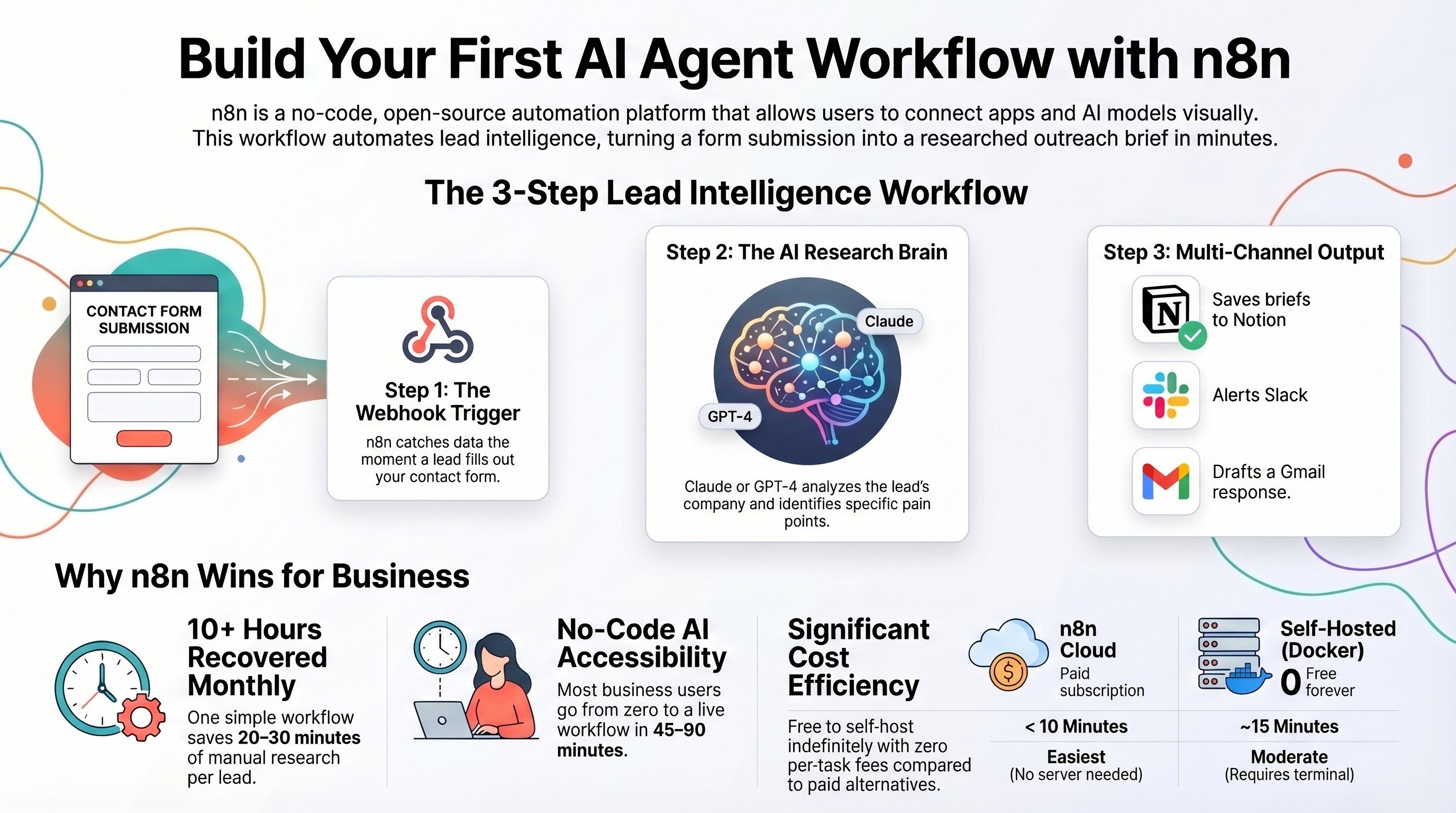
Build your first AI agent workflow with n8n
Take the hybrid recipes further: a full zero-code agent workflow, start to finish.
Read the guide →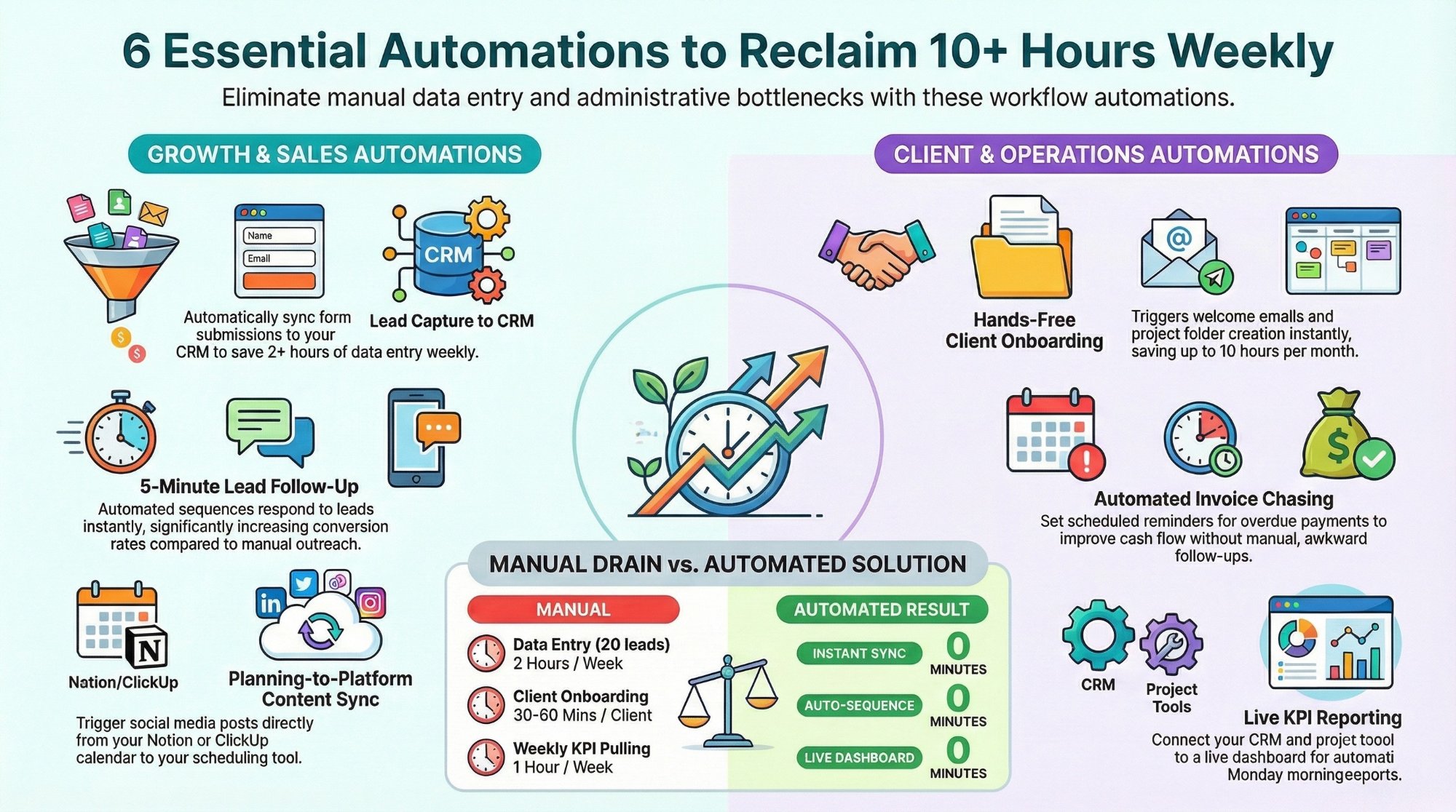
Workflow automations every business owner must set up
The starter automations that reclaim 10+ hours a week across your stack.
Read the playbook →
The Automation stage, built for you
See what this looks like at full scale: your ClickUp connected, the busywork gone.
See the offer →Want your automation stack built for you?
Book a free 30-minute strategy call. We will map your highest-ROI workflows and give you a build roadmap on the spot. If we are not the right team for you, we will say so and point you somewhere better.
Book a Free Strategy Call →Free 30-minute call. Honest take, even if that means "you do not need us yet."