How much are inefficient processes costing your SMB, and how to fix them fast?
Small bottlenecks quietly drain thousands a year. Here is how to price the waste, then erase it with three automations you can ship without a dev team.
 By Ishan Vats · Founder of IV Consulting · 150+ ops transformations over 10+ years
Some links below are affiliate links. If you buy through them we may earn a commission, at no extra cost to you.
 OnboardNotion
 Reconcilen8n
 EnrichPipedrive
Inefficient processes cost most SMBs thousands per person every year in wasted capacity. One hour lost per day at a $25 wage is $9,125 a year, per person. The fast fix is not hiring, it is automation: enrich leads, onboard clients, and reconcile invoices with no-code tools. Most teams see measurable ROI within three to six months.
The silent profit killer
Calculate your hidden cost of inefficiency
Picture an SMB where everything looks like it is going well. Beneath the surface sits a quiet profit killer: inefficient business processes. Manual invoice processing, delayed client onboarding, repetitive data entry. These "small" bottlenecks drain thousands from your bottom line every year, and most owners never put a number on them.
Understanding the real cost starts with one simple formula:
If your team loses just one hour per day to inefficiency and the average wage is $25 per hour, that is $9,125 per year, per person, in wasted capacity. For a team of five, you are quietly burning the cost of a full salary.
The usual sources of waste in an SMB:
- Manual data entry between disconnected tools.
- Repetitive customer follow-up emails written from scratch.
- Invoice reconciliation done by hand in spreadsheets.
- Client onboarding tasks copied from email to email.
- Status updates that mean calling or messaging each team member.
Multiply each by frequency and wage, and the number gets sobering fast.
Where to start
A 7-point audit to find your biggest time-sinks
Run this checklist before you touch a single tool. For each item, estimate weekly hours wasted and rate how hard it is to automate from 1 to 5.
- Manual data entry across tools.
- Repetitive customer follow-ups.
- Inventory or stock adjustments.
- Invoice reconciliation.
- Client onboarding steps.
- Approval loops, where work waits for sign-offs.
- Reporting and analytics compilation.
The fixes
Three tactical playbooks you can deploy fast
Lead enrichment with Apollo
The problem. Your sales team manually researches each prospect before outreach: checking LinkedIn, company sites, and guessing email formats. That is 20 to 30 minutes per lead, gone.
The fix. Use Apollo to automate enrichment. When a new lead enters your CRM, Apollo pulls company size, revenue range, LinkedIn profile, verified email, and phone number automatically.
Setup. Connect Apollo to your CRM (HubSpot, Close, or Pipedrive) via native integration or a no-code connector. Trigger: "New contact added." Action: "Enrich contact with Apollo data."
Time saved. Around 30 minutes per lead. For a team researching 10 leads a day, that is roughly 25 hours a week recovered.
Client onboarding in Notion AI
The problem. Every new client needs someone to send welcome emails, create project folders, assign tasks, and schedule kickoff calls. That is 45 to 90 minutes per client, and it introduces errors when different people do it different ways.
The fix. Build a Notion AI-powered onboarding template. When a new client project is created, a Notion AI button generates the onboarding plan, welcome email draft, and task checklist automatically, based on the service type selected.
Setup. Create a Clients database with Service Type (select) and Start Date. Add an AI button with the prompt: "Generate a 30-day onboarding plan for a new [Service Type] client, including welcome email, Week 1 tasks, and key milestones." Wire it to your project tool via a no-code connector to auto-create tasks.
Time saved. 45 to 75 minutes per new client, plus an estimated 10 to 15% lift in retention through more consistent onboarding.
Invoice reconciliation via n8n
The problem. Your finance team manually matches incoming payments to outstanding invoices, then updates the accounting system. That is 2 to 4 hours a week and it is prone to errors.
The fix. Use n8n to automate the flow: when a payment lands in your bank feed, n8n matches it to the right invoice in your accounting tool, marks it paid, and triggers a receipt email to the client.
Setup. Connect n8n to your bank API or Plaid, your invoicing tool (QuickBooks, Xero, or FreshBooks), and your email provider. The workflow runs on a schedule or a webhook trigger.
Time saved. Around a 40% reduction in finance hours on reconciliation, plus fewer payment disputes thanks to immediate receipt confirmation.
The toolkit
Which tool for which job
When you pick tools, weigh fit, setup time, and cost. Here is how the core options map to the three playbooks above.
| Job to be done | Best fit | Why | Setup effort |
|---|---|---|---|
| Docs, projects, knowledge base | Notion or monday.com | Notion excels with AI; monday.com is easier for visual workflow management | Low |
| Task management, migrations | ClickUp | Deep features and templates, strong for teams moving off Asana or Trello | Low to medium |
| Complex multi-step automation | n8n or Make | n8n is open source and most flexible; Make has the easier visual builder | Medium |
| Lead enrichment and sales intel | Apollo | Strong data quality and native CRM integrations | Low |
| CRM for pipeline and follow-up | Pipedrive | Lightweight, visual pipeline that connects cleanly to enrichment | Low |
The plan
Your 90-day implementation roadmap
Phase 1 · Audit and quick wins
Weeks 1 to 4. Complete the 7-point process audit. Implement 1 to 2 quick-win automations from the playbooks above. Set baseline metrics for every process you touch, so you can prove the savings later.
Phase 2 · Setup and tracking
Weeks 5 to 8. Implement your highest-priority automation. Stand up tracking dashboards to measure time saved, and train the relevant team members on the new workflows.
Phase 3 · Scale and governance
Weeks 9 to 12. Review results and calculate actual ROI. Document every automation in a central playbook, plan the next round, and set a monthly automation review cadence.
The financial upside is substantial. Address these inefficiencies and your SMB saves real money, smooths its workflow, and lifts productivity. Most businesses see measurable ROI within three to six months of shipping even basic automations. Whether you are just starting out or sharpening systems you already run, the next step is the same: pick the one bottleneck with the highest cost and the lowest complexity, and fix it this month.
FAQ
Questions SMB owners ask first
How do I estimate hours wasted by a process quickly?
What is the easiest automation to start with if I have no developer?
Can I connect Notion or monday.com to data sources without coding?
How long until I see measurable ROI from these automations?
Do I need to replace my current tools to automate?
What if I want this built for me?
Ishan Vats
Founder, IV Consulting · operations & systems consultant
I build operating systems and automations for teams from startup to enterprise. 150+ ops transformations over 10+ years. If you want yours mapped and built right, I'll do it with you on a free call.
Book a free strategy call →Keep reading
Related guides and work
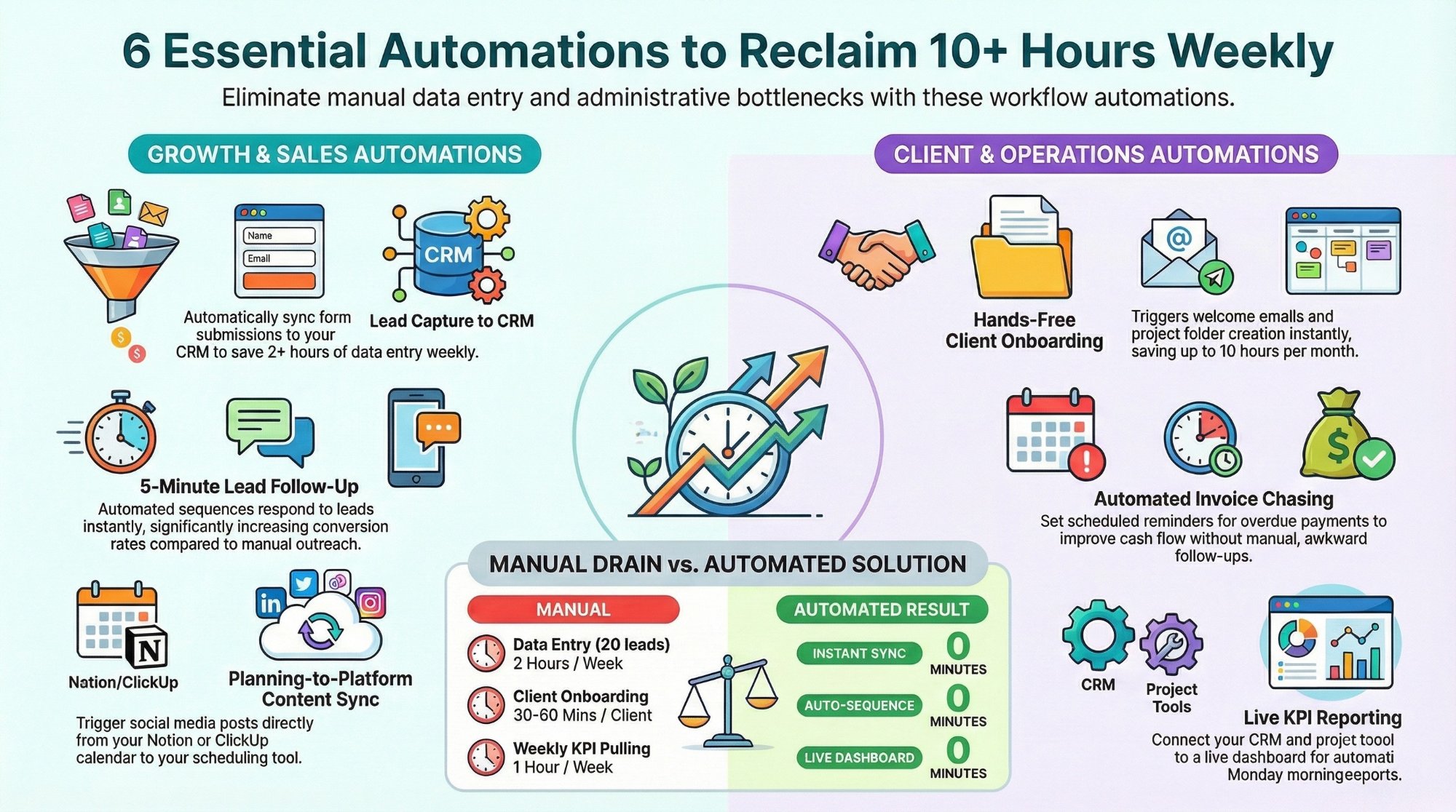
Workflow automations every business owner must set up
The starter automations that reclaim 10+ hours a week with Make, n8n, and Zapier.
Read the playbook →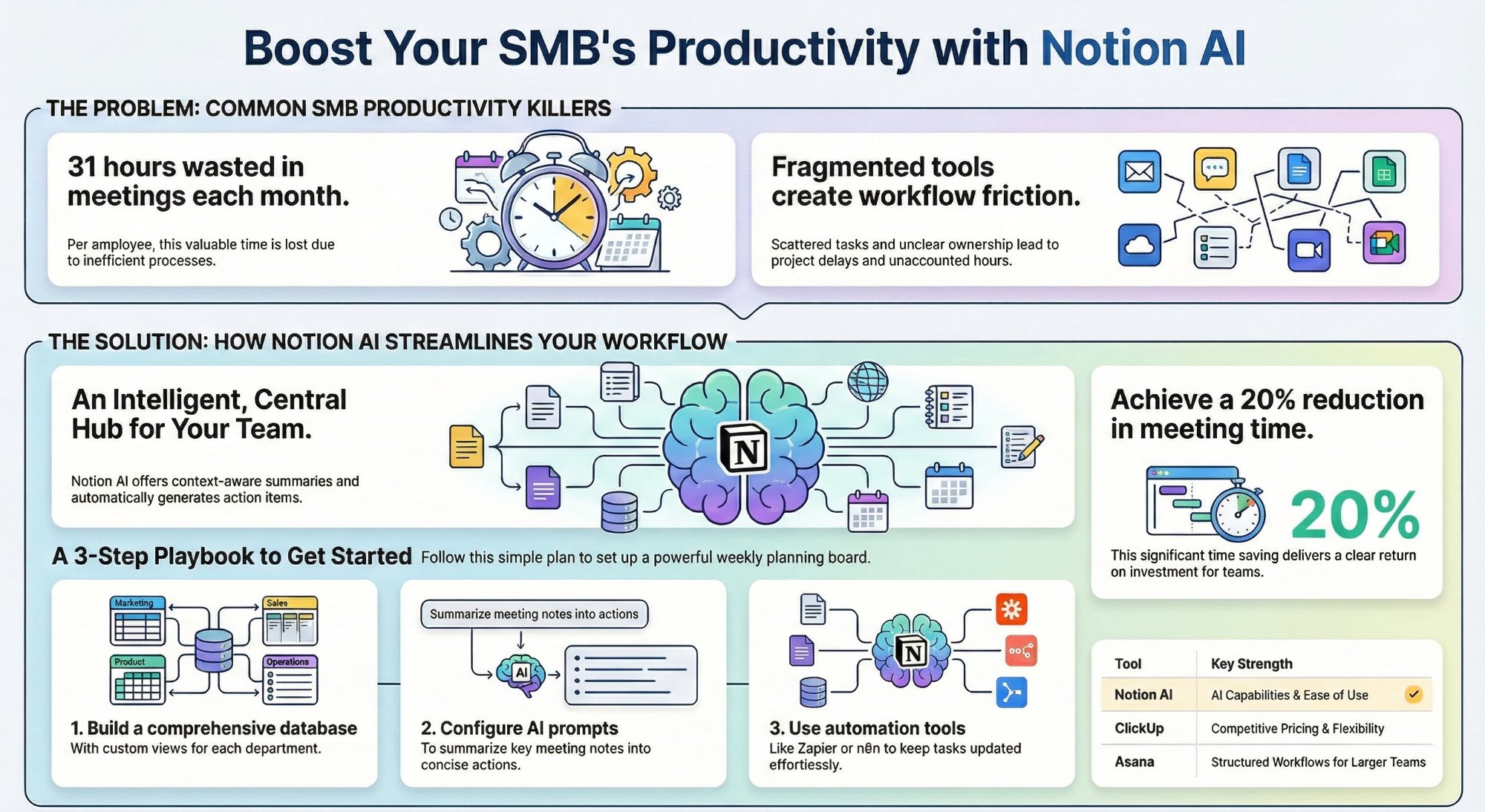
Can Notion AI workspace views replace your PM tool?
A practical SMB playbook for running projects without paying for a second tool.
Read the guide →
The Automation stage, built for you
See what this looks like at full scale: your tools connected, the busywork gone.
See the offer →Want your automation stack built for you?
Book a free 30-minute strategy call. We will map your highest-ROI workflows and give you a build roadmap on the spot. If we are not the right team for you, we will say so and point you somewhere better.
Book a Free Strategy Call →Free 30-minute call. Honest take, even if that means "you do not need us yet."