 Case Study
One ClickUp system that runs an entire Amazon agency
We replaced Slack-based task chaos and scattered spreadsheets with a single ClickUp operating system, where AI and automation do the work a task manager normally would.
Built by Ishan Vats — Certified Notion + ClickUp Consultant, Claude Partner Network, PMP® · 150+ clients · 10+ years
The client
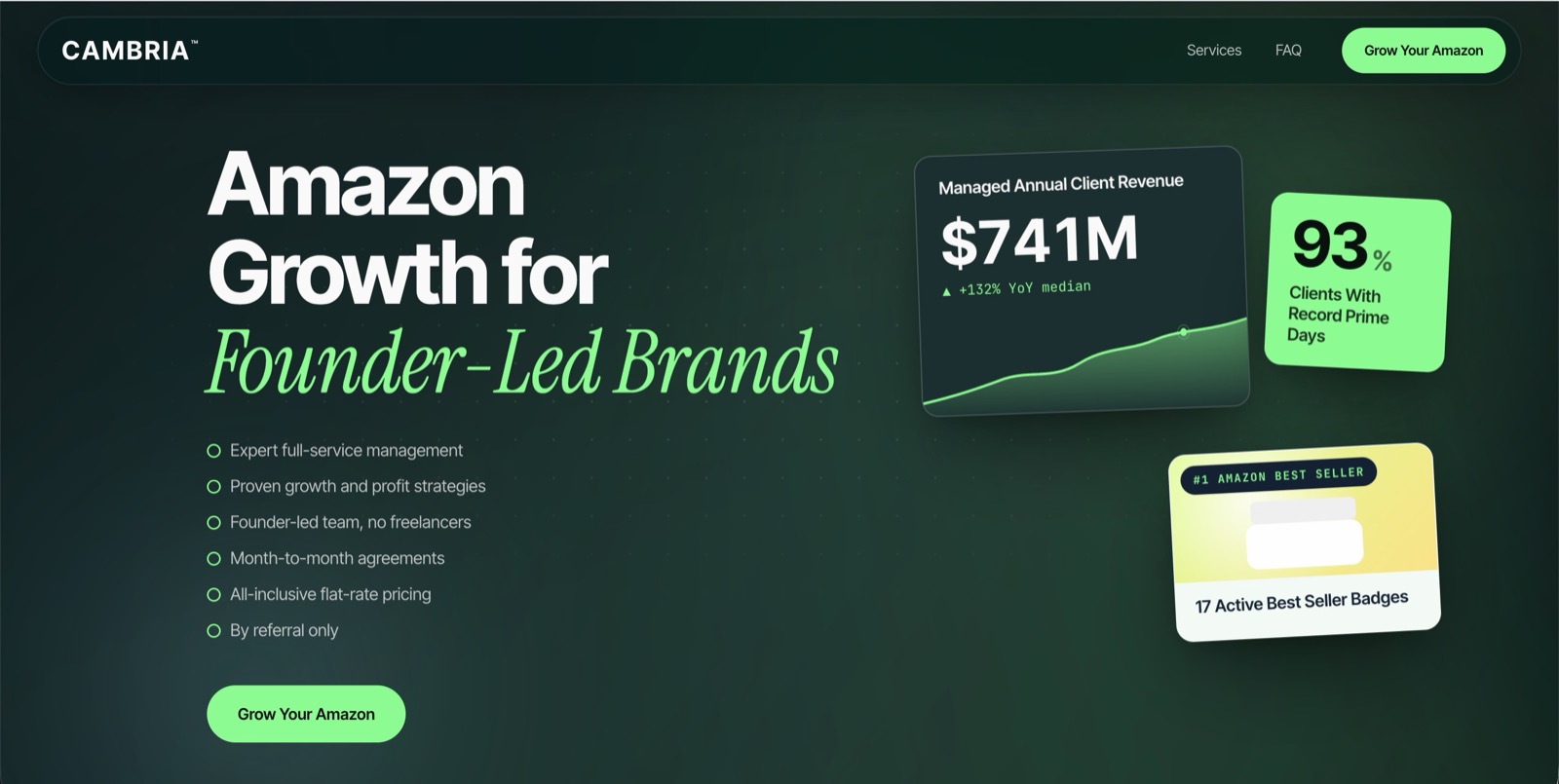
About Cambria
Cambria is a founder-led Amazon growth agency that manages the entire Amazon operation for direct-to-consumer brands: advertising, inventory, copywriting, pricing, and brand protection. Their promise is turning Amazon from "an expensive headache into a profitable contribution channel," with hands-on management, month-to-month contracts, and flat-rate pricing.
With a growing roster of brands and a major client intake planned for 2026, Cambria needed an internal operating system that could scale without adding management overhead.

The transformation
From "running on Slack and memory" to one system
It worked at their size, but it could not scale, and the founders did not want to fix it by hiring a full-time task manager. Here's the shift we delivered.
Running on Slack & memory
- Task management lived inside Slack: no structure, no SLAs, no ownership.
- 40+ private client channels tangled together with internal task management.
- Real numbers scattered across Google Sheets, design in Figma, SOPs in Scribe. Nothing connected.
- No private, login-free way for each client to see proof of work.
- The only obvious fix was paying for a full-time task manager.
One self-managing ClickUp OS
- The agency runs from one ClickUp system, replacing Slack tasks and scattered Sheets.
- Triage, assignment, escalation & reporting run on automation. No task manager needed.
- Leadership has real-time visibility into KPIs, workload and bottlenecks.
- Every client has a private, login-free proof-of-work dashboard.
- Lead to delivery to reporting in one system, built to scale into the 2026 push.
The brief
What success looked like
- Migrate task management out of Slack into a structured ClickUp workspace.
- Build an AI & automation layer that manages tasks, escalations and reporting.
- Give leadership real-time visibility into KPIs, workload and bottlenecks.
- Give every client a private, view-only proof-of-work dashboard, no login.
- Establish governance: templates, naming, custom fields, role-based access.
- Architect the full pipeline: Lead & Sales to Onboarding to Delivery to Reporting.
The architecture
How the whole system fits together
Slack feeds in on the left, ClickUp is the center of gravity, Google Drive and Figma feed context, and the automation layer makes it self-managing.
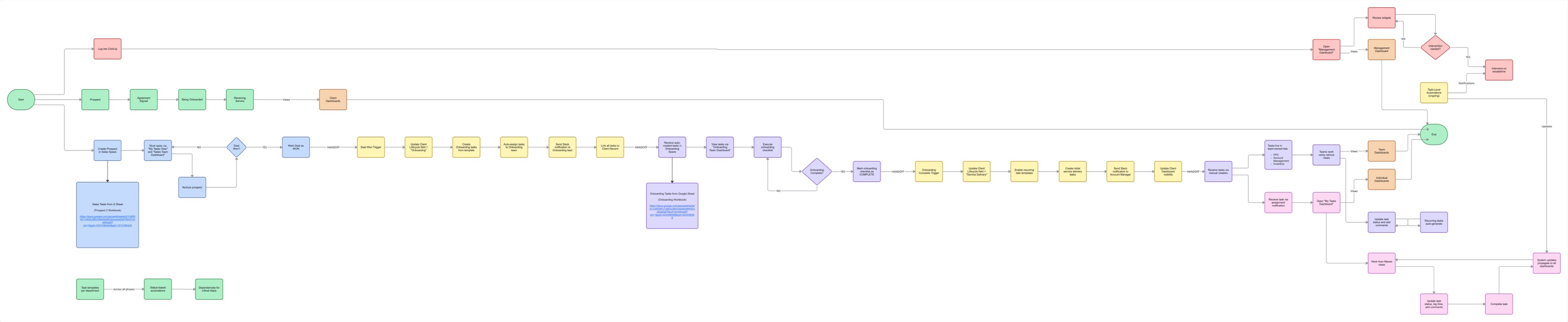
Architecture flows left to right. Hover to pause.
Walkthrough
See the system we built
A full walkthrough of the ClickUp architecture, automations, and client portal.
The solution
One operating system, built for an agency
ClickUp as the system of record
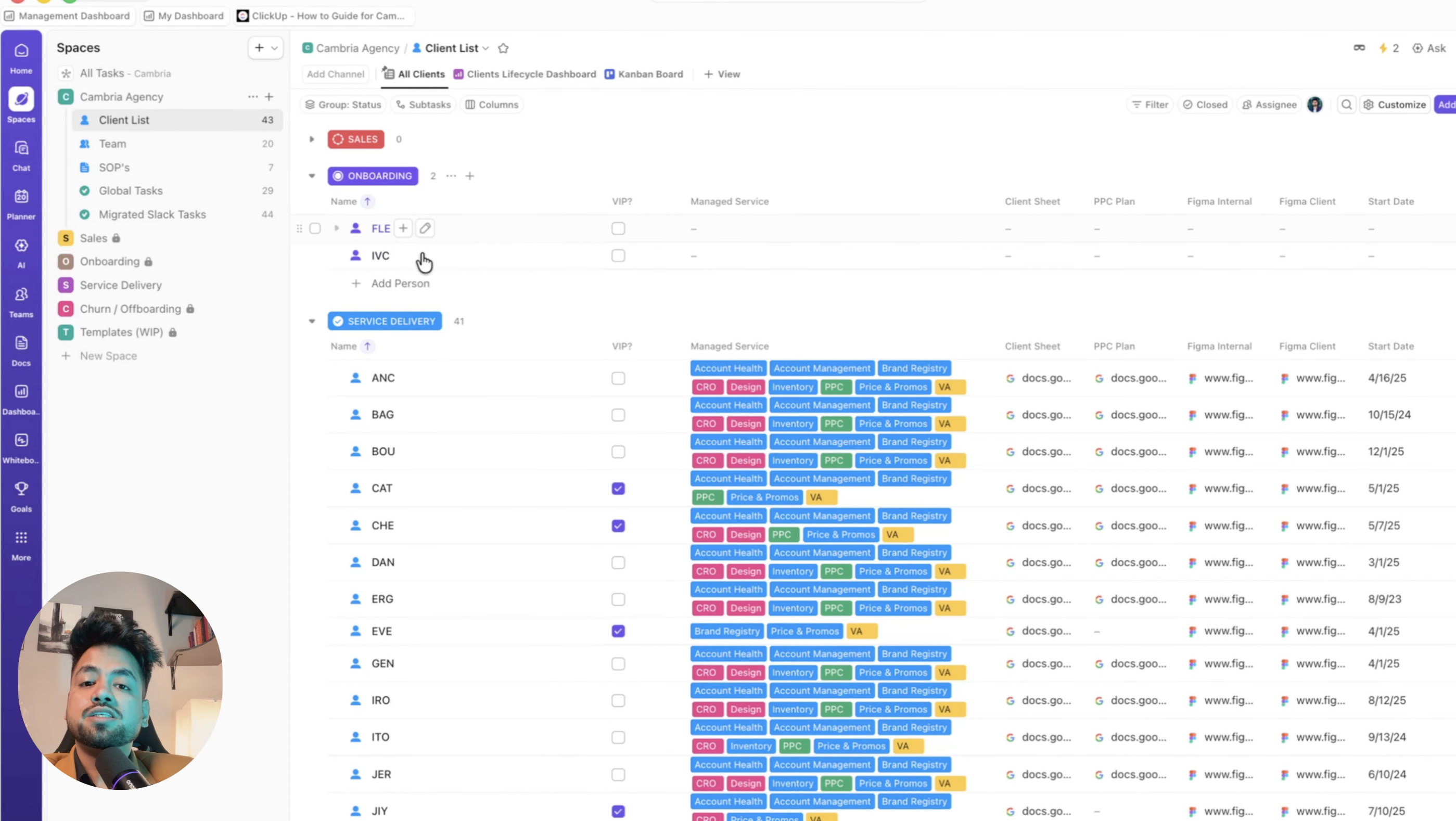
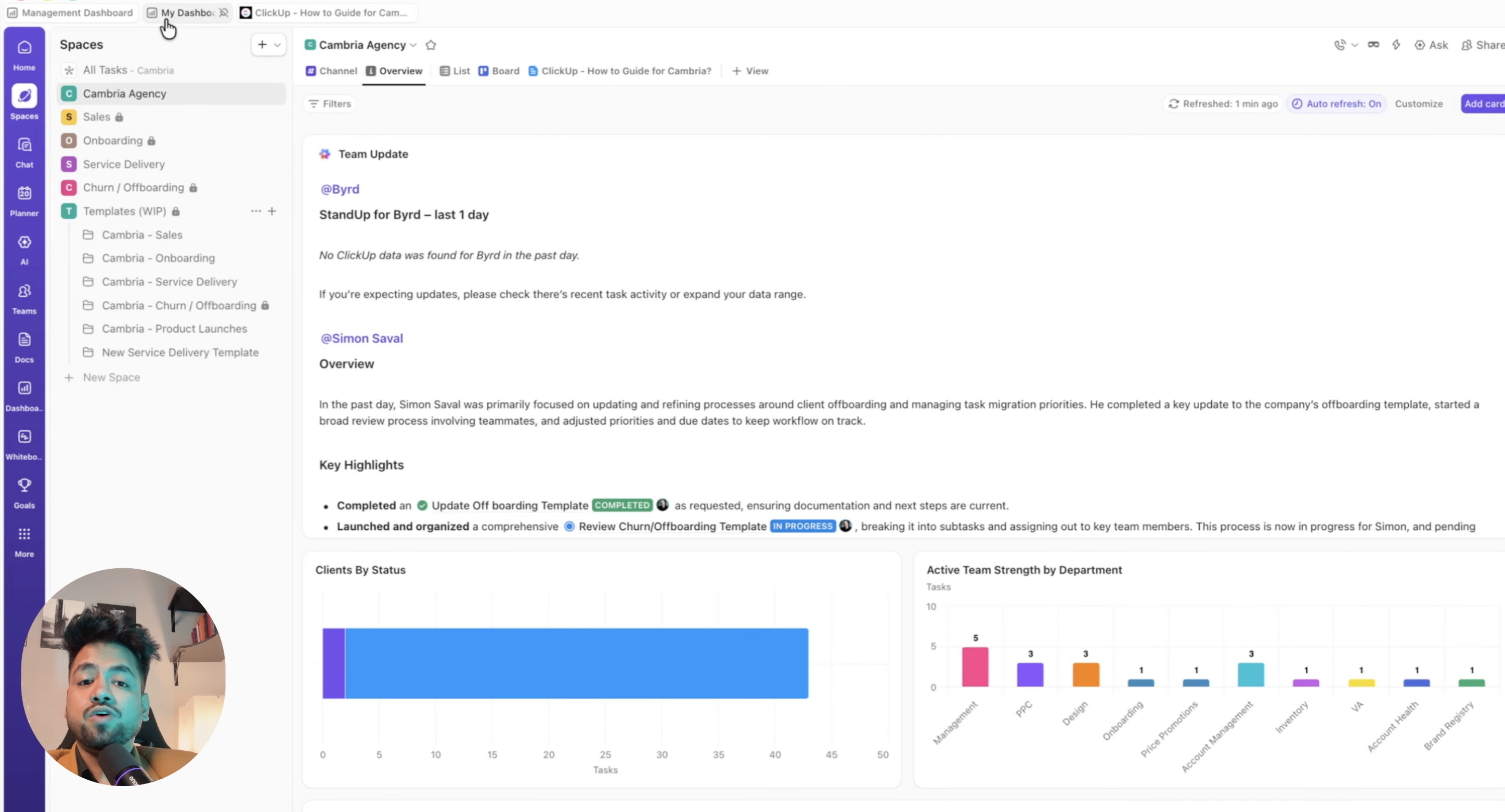
A Leadership Space for executive dashboards, a Master Task System with filtered views by person, team, client and priority, and per-team Spaces (PPC, Account Management, Inventory and more), each with their own templates, automations, dashboards and chat. SOPs and playbooks live in ClickUp Docs.
Slack for talk, ClickUp for work
Slack stays the home for messages. Tasks are created from Slack, including private channels, and only critical, overdue alerts get pushed back. Everyday reminders stay in ClickUp to avoid noise.
Dashboards for every audience
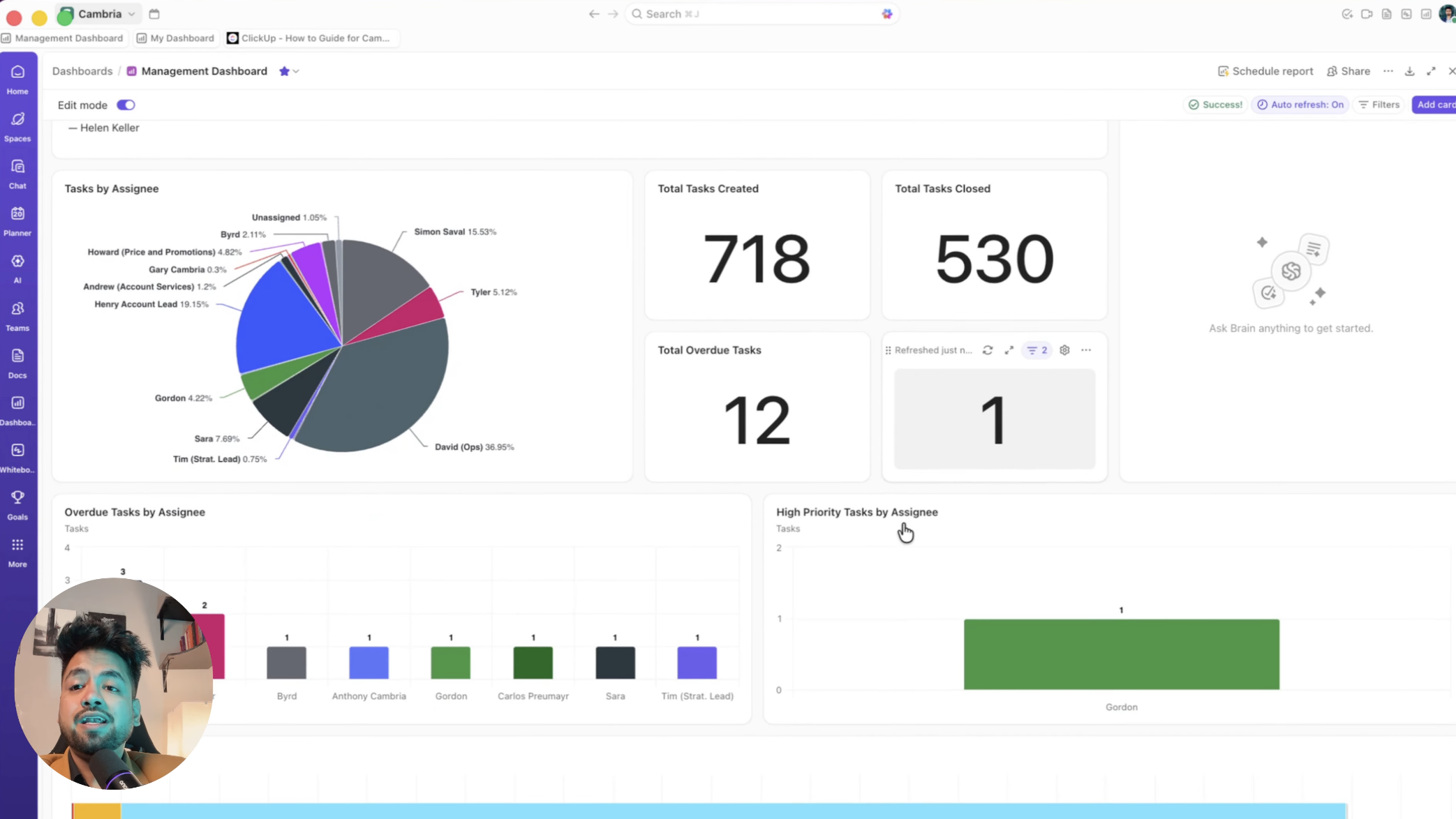
Executive dashboards for performance, workload and bottlenecks. Per-team dashboards. And per-client, view-only proof-of-work dashboards via guest access, with zero internal data, at no member-seat cost.
The "no task manager" engine
AI triages incoming requests and routes them to the right team and owner. SLA breaches escalate up a threshold ladder, from team member to lead to senior management to founders. A reporting pipeline turns task data and Sheet metrics into client- and leadership-ready summaries automatically.
Connected tools, not replaced
Google Sheets and Docs are embedded as the numbers source of truth, and Figma files into tasks and docs. ClickUp references the source rather than duplicating it.
Governance from day one
Templates, naming conventions, custom fields, and role-based access by space, folder and list, so the system stays clean and compliant as the team and client base grow.
Inside the build
 Workspace structure
 Executive dashboard
 Client proof-of-work portal
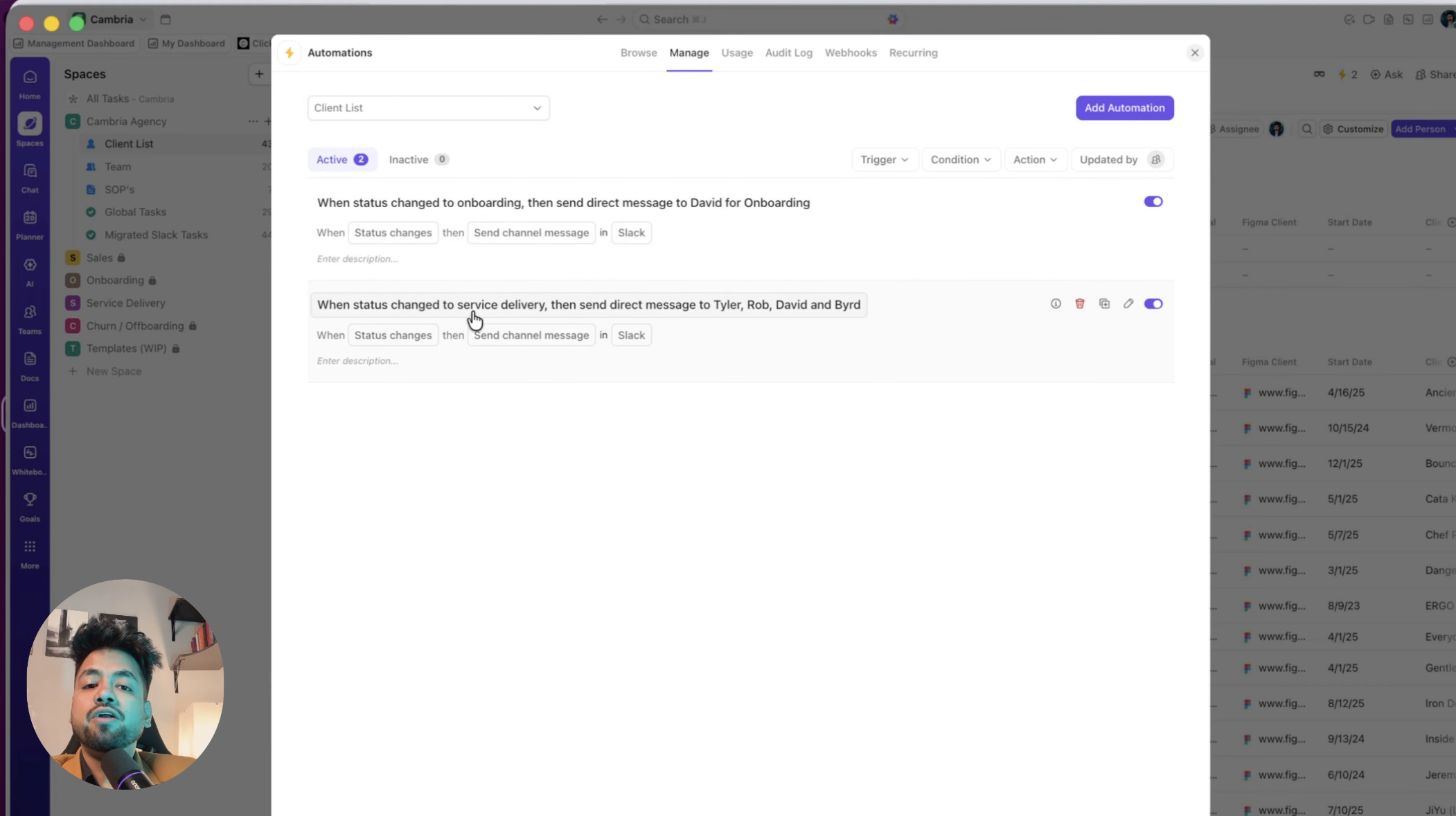 Automation & intake
The consulting value
Hard problems, solved honestly
A lot of the value was scoping accurately and engineering around real platform limits, instead of overpromising.
Bi-directional sync, scoped right
Native ClickUp creates tasks and pushes alerts, but does not fully two-way sync threads into comments. Where true sync was needed, a middleware layer (n8n, Zapier, Make) syncs only what matters.
Confirmed it works where it counts
Validated that task creation and alerts work in private client channels for any channel member, not just admins, which was a blocker for their model.
The right place for Slack data
Instead of an expensive native capture of every daily message, we recommended a lightweight external store and had ClickUp pull from that source, keeping cost and noise down.
Dashboards with no logins
Solved the "no one wants another account" requirement with guest access and view-only links, at no per-member cost.
Super awesome value add, Ishan. Really appreciate your time and care here. You're clearly super smart and very experienced with ClickUp, so I'd love to work together.
Tools & stack
What it runs on
Give your business one system to run on.
Tell us where it hurts. In 30 minutes we'll map the system that fixes it, what to build first and in what order. If we're not the right team for you, we'll say so on the call and point you somewhere better.
Free 30-minute call. Honest take, even if that means “you don't need us yet.”