Can Notion AI Workspace Views Replace Your PM Tool? A Practical SMB Playbook
Published on:
Dec 12, 2025

Ishan Vats
Introduction
In the fast-paced world of small and medium businesses (SMBs), scattered tasks, lengthy meetings, and unclear ownership often hinder productivity. For SMBs juggling to maintain workflow efficiency, the promise of a single tool that consolidates operations is enticing. Enter Notion AI workspace views, a solution designed to alleviate common pain points by cutting friction and speeding delivery. This playbook offers a strategic approach for SMBs to harness these tools effectively and transform existing workflows.
Why SMBs Struggle with Project Flow
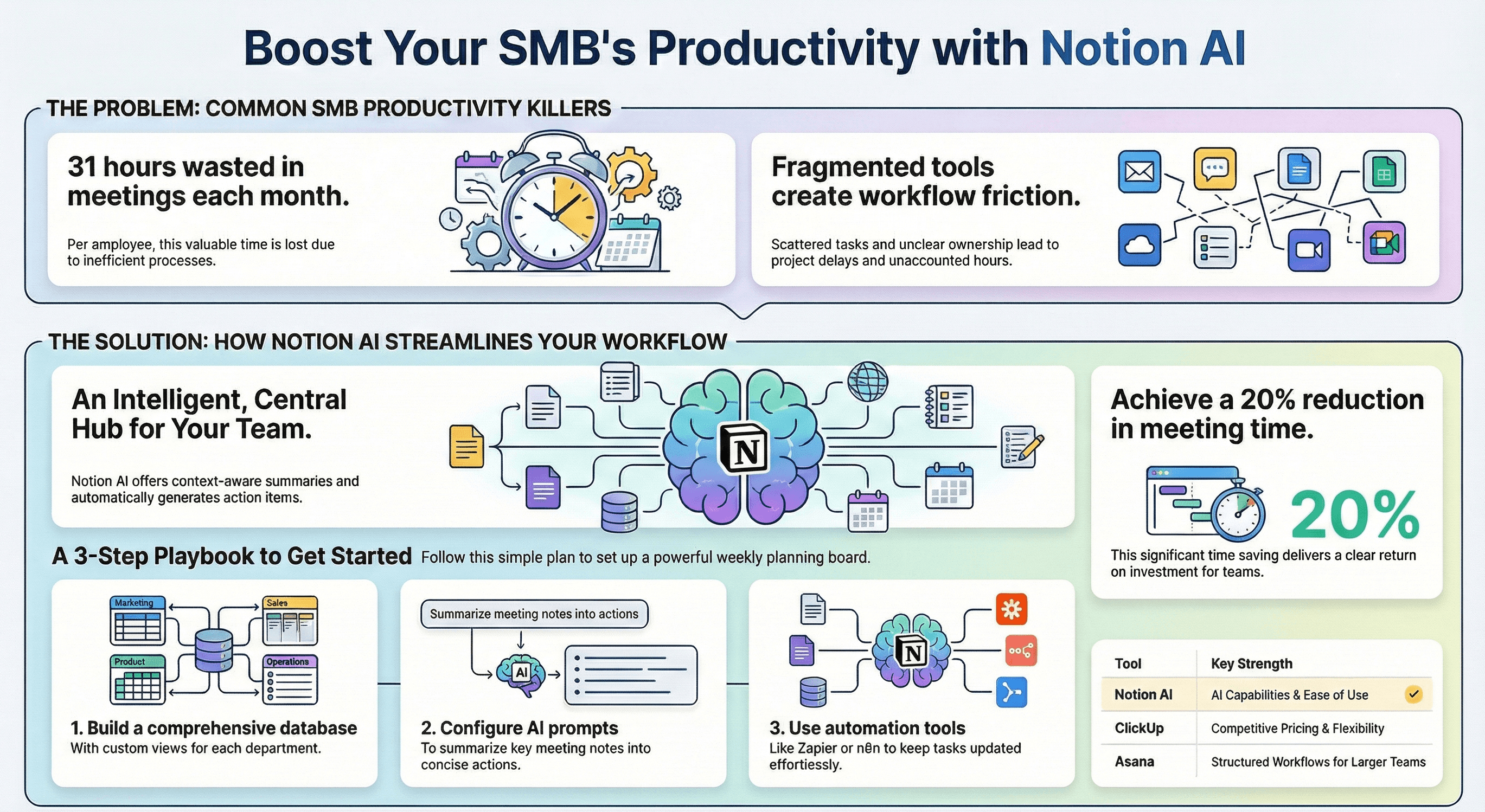
The core challenge in SMB project flow often stems from fragmented tools and inefficient manual processes that drain precious manpower. A striking illustration of this is the time lost in excessive meetings, which can consume up to 31 hours a month per employee according to a Harvard Business Review study. This diversion impacts task visibility and progress, leaving critical hours unaccounted for. Addressing these inefficiencies requires a thoughtful approach to workflow management and technology integration.
What Notion AI Workspace Views Actually Do
Notion AI workspace views offer SMBs dynamic capabilities such as context-aware AI summaries, role-specific views, and AI-generated action items. These features aim to streamline workflow, improving both efficiency and collaboration across teams. However, as SMBs consider adopting this technology, they must weigh privacy and governance considerations, especially regarding the handling of sensitive data. Building awareness and strategies around these areas will be crucial for sustainable implementation.
Quick Comparison: Notion vs ClickUp vs Asana
For SMBs evaluating project management (PM) tools, comparing Notion, ClickUp, and Asana is essential. Notion stands out with its AI capabilities and ease of use, though ClickUp offers competitive pricing and flexibility, and Asana provides structured task workflows beneficial for larger teams. Each tool varies in setup complexity and migration effort, so businesses should consider their specific needs and resources. For more detailed comparisons, explore ClickUp and Asana online.
3-Step Playbook: Set up a Weekly Planning Board with AI
To streamline SMB operations using Notion AI, follow this three-step playbook:
Build a comprehensive database with customized views per department;
Configure AI prompts to summarize key meeting notes, empowering concise actions;
Leverage automation tools like Zapier or n8n to keep tasks updated effortlessly.
IV Consulting offers guidance in configuring these steps to enhance effectiveness and drive results.
Tactical Automation Recipes
Two powerful automation examples for SMBs include: Notion to Zapier integration, facilitating CRM updates in tools like Close CRM for lead follow-ups; and utilizing n8n to auto-assign tasks based on AI-detected action items. These integrations not only save time but also ensure precision in workflow management. Learn more by visiting Zapier and n8n to explore integration possibilities.
Governance, Security, and ROI
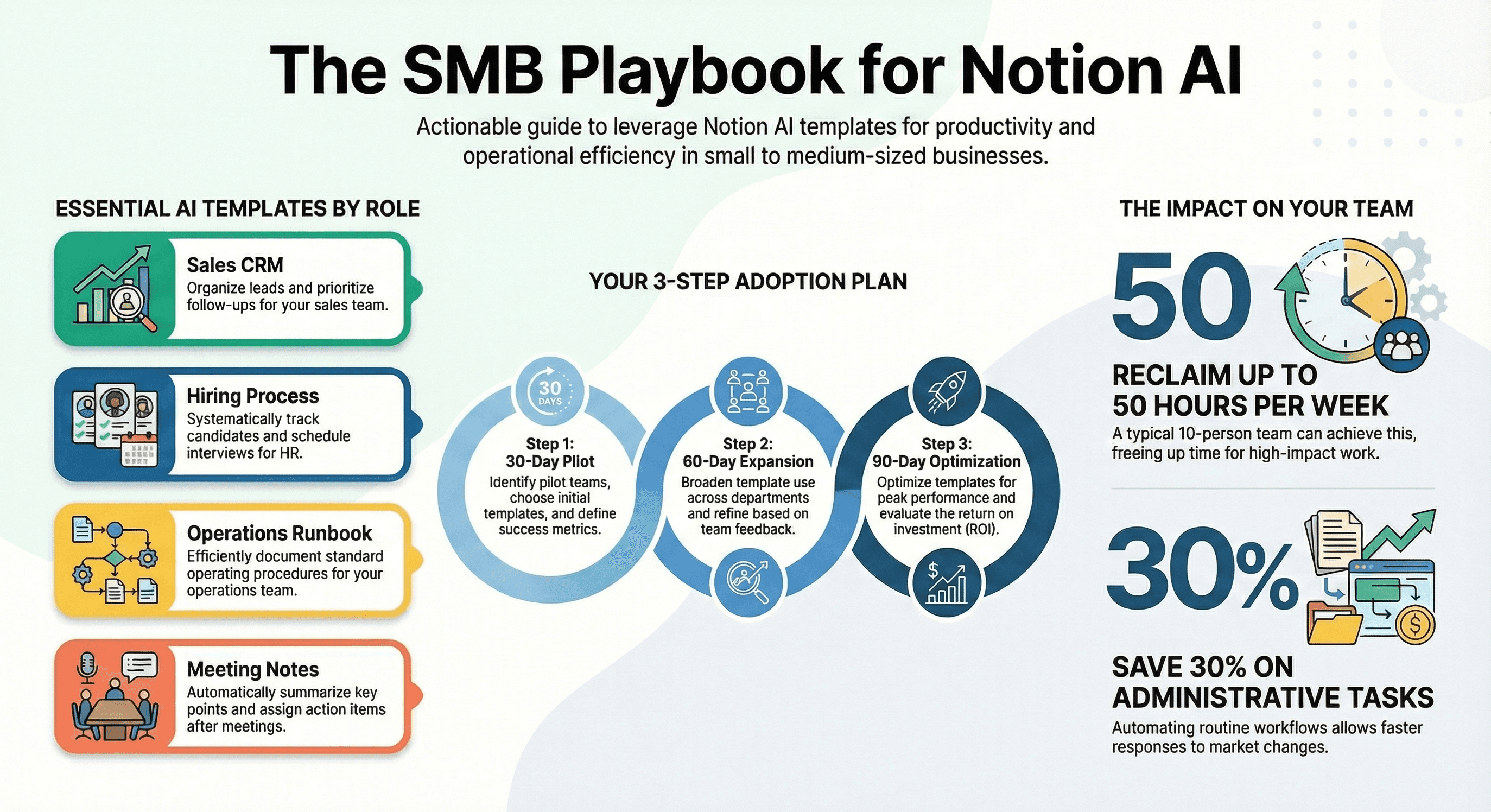
Implementing effective governance practices is paramount for SMBs using Notion AI. Set permission tiers, manage PII carefully, and maintain audit logs regularly. From an ROI perspective, an estimated 20% reduction in meeting times for a 10-person team can equate to significant time savings, thereby justifying the investment in AI-enabled tools.
Conclusion
By adopting Notion AI workspace views, SMBs can transform their workflow dynamics, cutting down on meeting durations and accelerating task fulfillment. If you want to cut inefficiencies and scale with AI and automation, IV Consulting helps SMBs implement these solutions step by step. Book a consultation today.
FAQs
1. How do Notion AI workspace views find context for summaries?
Notion AI employs algorithms that analyze task history and metadata to generate contextual summaries, enhancing decision-making.
2. Can small teams use Notion AI without paying for enterprise plans?
Yes, Notion offers scalable plans suitable for small teams, making AI integrations accessible without hefty investments.
3. How do I auto-assign tasks from AI-generated action items?
Use integrations like Zapier or n8n to automate the assignment of tasks by setting triggers based on AI-generated action items.
4. Is it safe to store client data when using Notion AI?
Notion AI adheres to robust security measures, but it's important for SMBs to establish stringent internal data governance policies.
Join
Get notified
Your Weekly Newsletter for Smarter Work and Simpler Systems
Get practical insights on AI, automation, and business optimization - without the jargon.
Join 1,000+ business owners, founders, and managers who use our tips to save time, scale faster, and simplify their workflows every week.